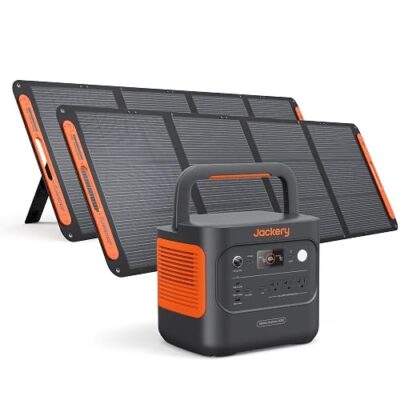
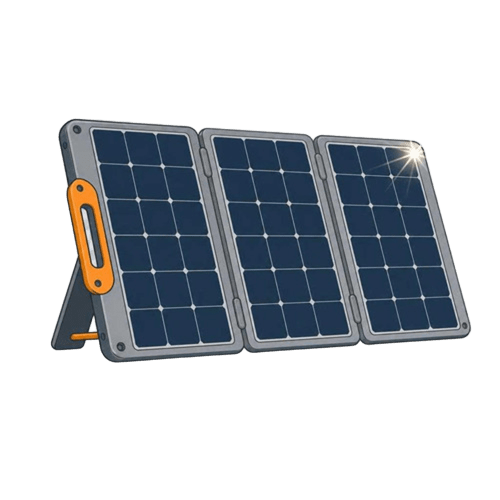
Jackery Solar Generator 300 Review: A 7.5-Pound 292Wh Kit for Fans, Phones, and Weekend Camping
At a Glance
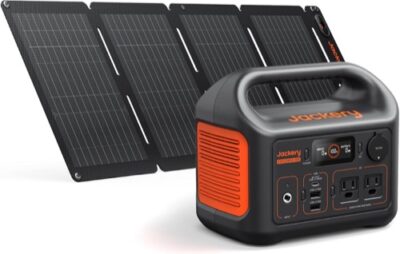
KEY FEATURES
- Exact revision: Explorer 300 v2, 288Wh LFP, paired with SolarSaga 40 Air.
- Output: 300W continuous AC and 600W surge for small loads.
- Solar: 40W included; plan around modest daily harvest and roughly 9.5 favorable hours from empty.
- Portability: About 7.5 lb for the station, with a compact panel.
- Best fit: Low-power weekend travel where simplicity and carry weight beat appliance runtime.
PROS
- 288Wh LFP station is light enough for frequent carrying.
- 300W pure-sine output covers many small electronics and devices.
- USB-first operation can reduce conversion overhead.
- 40W panel can replace a modest daily device budget in good sun.
CONS
- 40W solar is slow relative to a 288Wh battery.
- 300W output rules out heating, cooking, and many appliance loads.
- Pooled legacy Explorer 300 reviews can misidentify v2 behavior.
- No app or expansion path for buyers who want remote control or more capacity.
Best for lightweight device trips
Exact v2 documentation plus identity-filtered qualitative owner evidence. Legacy 292Wh Explorer 300 records are quarantined, so ownership confidence is intentionally limited. No first-party test.
This page covers the Jackery Explorer 300 v2 with a 288Wh LiFePO4 battery and SolarSaga 40 Air panel. Marketplace reviews for the older 292Wh Explorer 300 are pooled nearby. Legacy runtime, battery chemistry, port behavior, shutdown, or panel anecdotes are excluded unless the exact v2 identity is explicit.
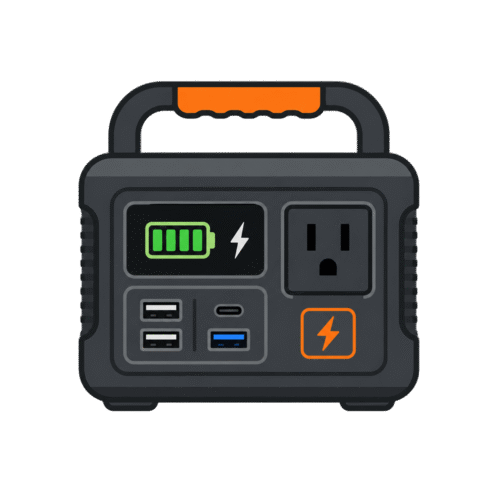
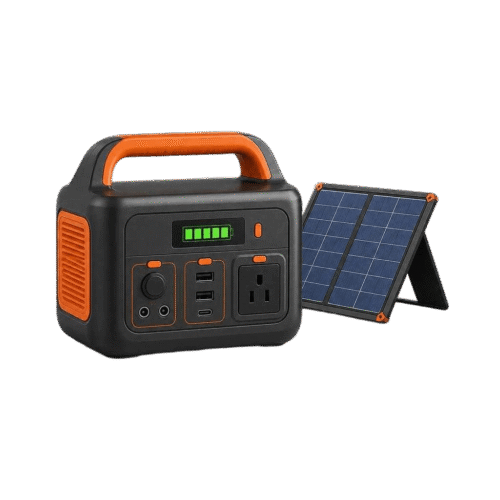
The Explorer 300 v2 kit is a small-load system built around light weight and simple packing. The station stores 288Wh, supplies 300W continuous AC with 600W surge, and weighs about 7.5 pounds. The included SolarSaga 40 Air is intentionally small. It can replace modest phone, light, camera, laptop, fan, and communications use over a sunny day, but it cannot make a 288Wh battery behave like an endlessly rechargeable campsite power source.
Forty usable owner records remained after normalization, yet pooled legacy material limits how much can be attributed to the v2. The exact-model verdict therefore follows current documentation and identity-explicit observations. That restraint matters: the older product used a different capacity and battery platform, so copying its popular CPAP, shutdown, or charging stories into a v2 review would create false evidence.
Begin With a 24-Hour Device Diary
List what will connect, how many hours it runs, and whether it uses AC, USB, or DC. Multiply measured watts by hours for each device and add the results. Keep a reserve for conversion loss, station overhead, cold conditions, battery aging, and an unexpected extra night. The diary prevents a common error: counting devices instead of energy.
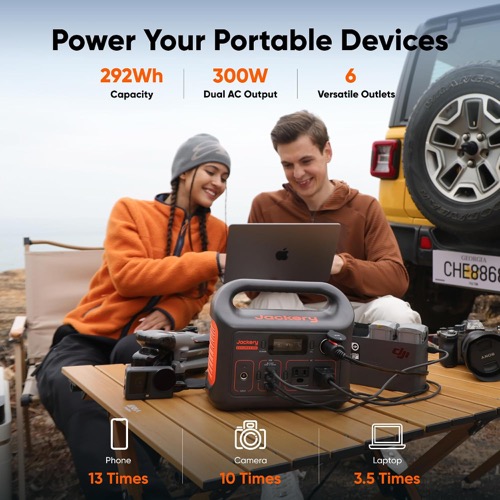
A phone, camera battery, LED light, and USB fan can share 288Wh efficiently. A laptop can be practical when charged directly over USB-C if the required power profile is supported. A heating blanket, coffee maker, or refrigerator changes the mission rapidly. Even when a load stays below 300W, it can empty a small battery in a short session.
| Diary group | Better power path | Planning check |
|---|---|---|
| Phones, lights, camera | Native USB where compatible | Add watt-hours for every charge cycle |
| Laptop | Approved USB-C before AC adapter | Confirm negotiated wattage and daily sessions |
| Fan or communications | Efficient native path if available | Multiply measured watts by overnight hours |
| AC appliance | Pure-sine AC only after output check | 300W continuous and 600W surge are hard boundaries |
Use the 300W Boundary as a Scheduling Rule
The inverter is appropriate for small electronics and selected low-power appliances. It is not a challenge to see what almost runs. Motor starts can exceed the label’s running watts, and heating devices can consume the entire energy budget quickly. Test one unfamiliar AC load at a time and never build an emergency plan around repeated overload attempts.
Schedule loads so the AC inverter is not left on for a tiny device that could use USB directly. The station’s own overhead matters more when capacity is only 288Wh. Turn off unused output groups. If a medical device is involved, use only the device manufacturer’s approved power path and complete an overnight test with the exact comfort settings planned for the trip.
The SolarSaga 40 Air Is a Daily-Offset Panel
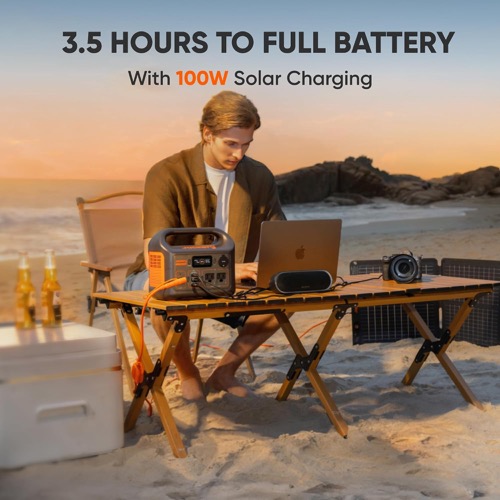
A 40W panel cannot deliver 40W continuously through a full day. An idealized 288Wh ÷ 40W calculation is already 7.2 hours before loss and taper. The shared exact-kit table uses a roughly 9.5-hour favorable-condition estimate. Real recovery grows longer with low sun, shade, heat, cloud, cable loss, or devices consuming power while the panel charges.
That can still be enough. If the 24-hour device diary uses 70–100Wh, a strong solar day may replace the spent energy without starting from empty. If the diary consumes 220Wh every night, the same panel may fall behind. Judge the system by daily energy balance, not by whether the input display once touched a good peak.
Morning battery energy + daytime solar harvest − daytime loads − overnight loads = next morning’s reserve.
If the result declines daily, shorten the load list, add an approved charging source, or choose a larger exact kit.
A Small Panel Rewards Frequent Repositioning
Deploy the panel in full sun, stabilize it against wind, and adjust its angle more than once through the day. Avoid even narrow shade across the active surface. Keep connectors dry and protect the cable from doors and foot traffic. The panel’s light construction helps packing but makes site discipline important.
Test the exact cable path delivered with the v2 kit. Jackery’s product generations can use similar-looking connectors and accessories. Photograph model labels and do not assume advice written for an older Explorer 300 applies. If input is weak, return to the short supplied cable and change one setup variable at a time.
- Exact Explorer 300 v2 and SolarSaga 40 Air labels confirmed
- Panel surface, seams, stand, and cable inspected
- Shade-free position with safe wind control
- Stable input logged with time and battery state
- Daily watt-hours compared with the device diary
Port Scheduling Matters More Than Port Count
A small station is at its best when it avoids unnecessary conversions. Use USB-C directly for a compatible laptop or phone rather than running the AC inverter and a wall brick. Group charging sessions while solar input is available. Reserve AC for devices that genuinely require it. This can add useful runtime without changing the battery.
Check total output limits when several ports are active. A list of connectors is not a promise that every port can deliver its maximum simultaneously. The exact manual controls shared-power behavior. Label any third-party cable used for a specific voltage and device; plug shape alone is not an electrical specification.
No App Can Be a Feature, Not an Omission
The Explorer 300 v2 does not depend on wireless configuration for basic operation. That suits buyers who want a straightforward station with physical controls and fewer account or firmware variables. It also means reserve and remote monitoring options are limited compared with app-heavy platforms. Decide whether simplicity or remote configuration matters more.
Local simplicity does not remove the need for a test. Learn which output groups remain enabled, how the display estimates time, and what happens at low battery. For unattended continuity, a dedicated UPS may still be the right tool. A portable station is not automatically a zero-transfer or auto-restart system.
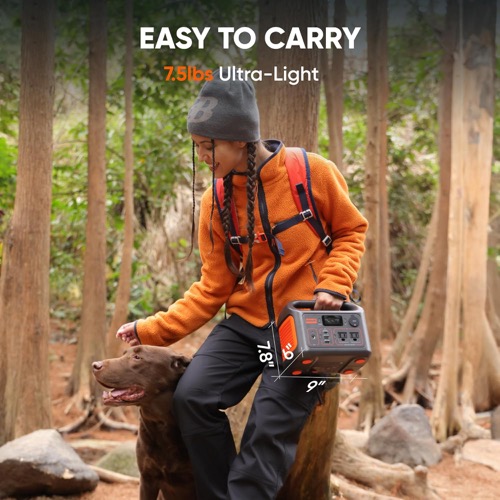
Pack for the Combined 7.5-Pound Station and 40W Panel
The station’s low weight is a genuine advantage. It fits trips where a 25-pound 1kWh unit would be left at home. The panel, cable, and protection sleeve still require their own space. Store connectors so they cannot be crushed, and prevent the station from becoming loose cargo.
For air or public transport, confirm current carrier rules for lithium battery energy; 288Wh generally exceeds common passenger carry-on limits without special approval. Do not assume “portable” means airline-compatible. For vehicle camping, keep the station dry, ventilated, and away from direct solar heat while the panel remains outside.
Excellent when the diary is mostly USB electronics, lighting, fan, and laptop use.
Useful for batteries, laptop review, communications, and small lighting.
Conditional on device-approved connection and a full exact-settings trial.
Too small for a broad refrigerator/cooking plan; choose more energy and solar.
Audit the Revision Before Trusting Any Review
At delivery, photograph the station model, rated capacity, chemistry label, panel model, ASIN, and cable ends. Confirm 288Wh and the current v2 documentation. If a review, accessory page, or support answer refers to 292Wh or an older chemistry/revision, quarantine it until Jackery confirms compatibility.
This identity check protects more than specifications. It prevents an owner from applying a legacy shutdown workaround, solar estimate, port limit, or battery-life expectation to a different platform. For a new v2 model with limited exact evidence, the manual and your acceptance test carry extra weight.
- Verify the exact v2 model and 288Wh label.
- Inventory SolarSaga 40 Air and exact adapters.
- Charge from each approved source.
- Test all port families and the highest planned load.
- Run the full device diary before the return window ends.
Car Charging Can Rescue the Trip When 40W Solar Falls Behind
A vehicle charging path is useful when daily device demand exceeds the small panel’s harvest. Use only the exact approved car cable and confirm the vehicle outlet’s voltage, current, ignition behavior, and fuse limit. Charge while the engine operates according to vehicle guidance rather than draining the starter battery at camp. Secure the station and ventilate it during travel.
Vehicle charging is not an alternator-upgrade system; the accessory outlet remains the bottleneck. Log the station input after it stabilizes and estimate how many driving hours are available. A trip with two hours of driving and a cloudy day needs a different plan from a road trip with six hours on the move. Combine car, solar, and wall energy in the same daily ledger.
Return-Window Testing Should Reflect the Small-Load Mission
Do not test this kit with a random high-watt appliance simply because it is available. Test the devices it was purchased to support. Charge every phone and camera battery, run the intended fan for the full night, complete a laptop work session, and collect one full solar day. If CPAP use is planned, conduct the exact overnight trial. This validates both energy and port behavior.
Also test inactivity. Learn whether the AC or USB outputs time out under very low draw and whether the device continues to receive power. Record display behavior near reserve and after charging resumes. Small-load systems can fail their mission through timeout or connection behavior even when capacity is adequate.
Bottom Line: Excellent Portability, Strict Energy Boundaries
The Jackery Explorer 300 v2 kit is appealing because it is small enough to carry without debate and simple enough to use without an app. Its 288Wh LFP battery and 300W inverter suit device charging, lighting, fans, laptops, radios, and carefully tested small loads. The 40W panel can replace a modest daily budget.
Buy it when the trip is defined by low-power devices and light packing. Choose a larger kit if refrigeration, heating, cooking, heavy laptop use, or cloudy multi-day autonomy is central. Most importantly, verify the v2 identity: older Explorer 300 evidence is abundant, but it does not automatically describe this battery, panel, or revision.
Pros & Cons Analysis
Based on documented specifications and owner feedback
Pros
- Portability changes actual use — A roughly 7.5-pound station is more likely to join a short trip than a larger appliance-class unit.
- LFP chemistry suits frequent device use — The exact v2 platform is designed around a current LiFePO4 battery rather than the older pooled revision.
- A sensible small-load port mix — Direct USB paths can power modern electronics without keeping the AC inverter active.
- Solar matches light missions — The 40W panel can offset phones, lights, camera batteries, and a fan when daily demand is modest.
- Local simplicity — Basic use does not depend on Wi-Fi, an account, or app configuration.
Cons
- The panel cannot erase a heavy day — A 40W nameplate requires many peak-sun hours to replace a deeply cycled 288Wh battery.
- Output and energy are both small — A load may stay below 300W yet still spend the battery rapidly.
- Review contamination is material — Older 292Wh Explorer 300 reports must be excluded unless Jackery confirms the same revision and behavior.
- Medical and motor loads need full trials — CPAP, cooler, pump, and fan behavior depends on exact settings, startup, power path, and overnight energy.
- Growth requires replacement or a second station — There is no expansion-battery path if the trip's energy budget increases.
A Lightweight Device Kit—Once the v2 Identity Is Confirmed
The Explorer 300 v2 and 40W panel are well matched to low-power weekends, not broad appliance backup. Its best features are light weight, current LFP chemistry, USB efficiency, and simple operation; its limits are small energy, 300W output, and slow solar recovery.
Frequently Asked Questions
Is this the same as the old 292Wh Explorer 300?
No. This page covers the 288Wh LiFePO4 Explorer 300 v2. Older pooled reviews may describe different chemistry, capacity, ports, accessories, and behavior.
Can the 40W panel recharge it in one day?
Possibly in a long strong-sun window with no heavy concurrent load, but the exact planning estimate is about 9.5 favorable hours. Real weather and losses can make it longer.
Can it run a CPAP?
Only after confirming the device-approved power path and completing an overnight test with the exact humidifier, heated hose, pressure, and reserve settings.
Can it run a refrigerator?
A small unit may start, but 288Wh is limited for refrigeration. Measure startup and duty-cycle energy; a larger station is usually safer for home-fridge backup.
Why use USB-C instead of AC?
A compatible direct USB-C route can avoid running the AC inverter and wall adapter, reducing conversion overhead. Confirm voltage and power negotiation.
Is it allowed on an airplane?
Do not assume so. Its energy exceeds common passenger lithium-battery limits. Check the current airline and regulator rules before travel.
Technical Specifications
| Brand | Jackery |
|---|---|
| Kit model / SKU / ASIN | Solar Generator 300 v2 + SolarSaga 40 Air bundle (ASIN B0G429L5B4; US) |
| Power-station model | Jackery Explorer 300 v2 |
| Included solar-panel model and quantity | 1 × Jackery SolarSaga 40 Air bifacial panel |
| Battery capacity | 288Wh |
| Battery chemistry | LiFePO4 (LFP) |
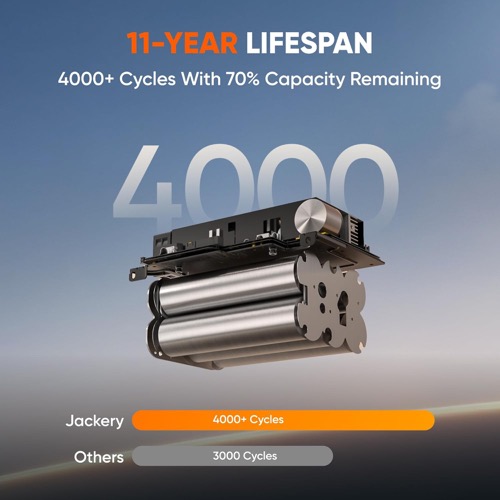
| Cycle-life rating | 4,000 cycles to at least 70% capacity |
| Expandable capacity | No expansion-battery port |
| Continuous AC output | 300W |
| Surge / peak output | 600W |
| AC voltage, frequency, and waveform | 120V, 60Hz, pure sine wave |
| AC outlets and high-current / RV / 240V outputs | 2 × 120V AC; no high-current RV or 240V output |
| USB and DC outputs | 1 × USB-C 100W input/output, 1 × USB-C 15W, 1 × USB-A 15W, 1 × 12V/10A car socket |
| Maximum station solar input | 100W |
| PV input voltage/current range and connector | DC8020 solar input; exact voltage/current limit is not published on the current US bundle page |
| Included panel rated power | 40W front rating; 44W under Jackery's bifacial BNPI condition |
| Panel Voc / Vmp / Isc / Imp | Voc 25V / Vmp 20.5V / Isc 2.07A / Imp 1.96A at STC |
| Panel construction and cell type | Foldable bifacial panel with direct USB-A and USB-C outputs |
| Panel weather rating | IP68 panel; station is not water- or dust-resistant |
| Panel dimensions and weight, folded / deployed | Folded 9.1 × 13.4 × 0.8 in; deployed 37.9 × 13.4 × 0.1 in; 1.98 lb |
| Solar recharge estimate with included panel | About 9.5 hours to full under the manufacturer's stated ideal conditions |
| Maximum AC input and AC recharge time | About 76 minutes to full from AC; 80% in about 1 hour |
| Car, alternator, and other charging methods | 12V vehicle charge about 242 minutes; up to 100W USB-C input; car cable sold separately |
| UPS / EPS support and transfer time | UPS supported; 10ms or less transfer |
| App and connectivity | No app connectivity published for Explorer 300 v2 |
| Station dimensions, weight, operating limits, and weather rating | 9.1 × 6.0 × 6.6 in; 8.16 lb; charge 32–113°F, discharge 14–113°F; no station IP rating |
| Station and panel warranties | Station 3 years plus 2 years with registration; panel 1 year plus 2 years with registration |
| Included in the box | Explorer 300 v2, AC cable, SolarSaga 40 Air panel, documentation; car cable is not included |