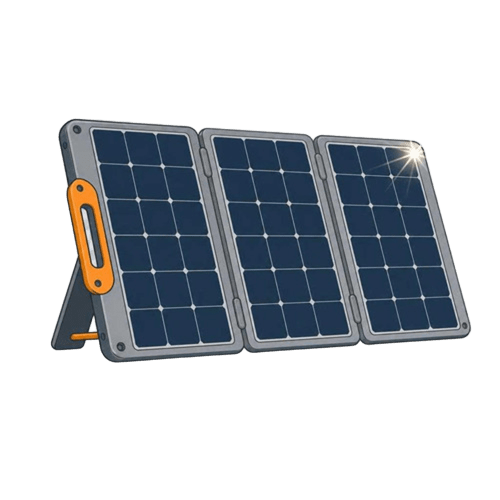
Jackery Solar Generator 1000 v2 Review: A 1070Wh Kit That Charges in an Hour and Comes With Its Own Panel
At a Glance
KEY FEATURES
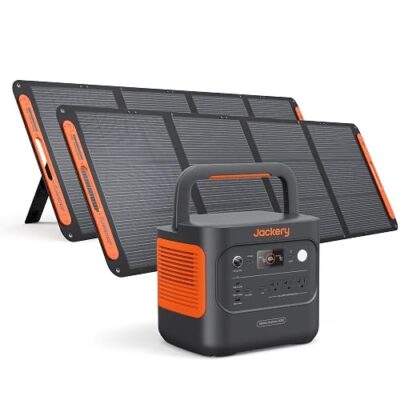
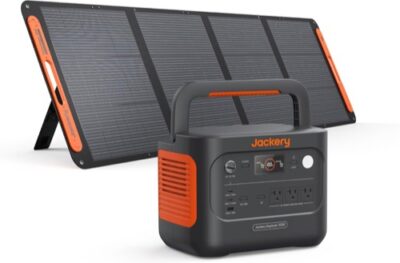
- Exact kit: Jackery Explorer 1000 v2 with one SolarSaga 200W bifacial portable panel.
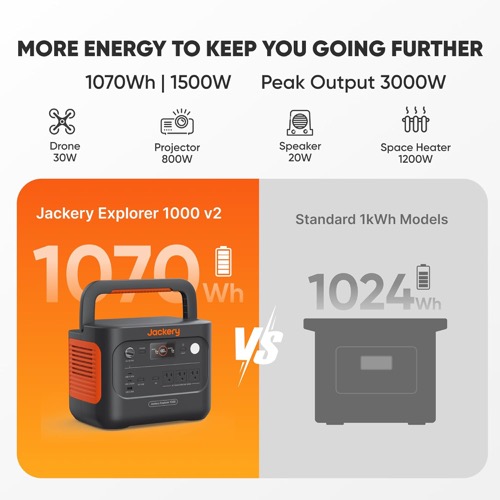
- Power: 1,070Wh LFP battery, 1,500W continuous AC, and 3,000W surge.
- Solar: 200W included versus a 400W maximum station solar input.
- Recovery: Fast AC charging complements slower field solar recovery.
- Best fit: Travel and short outages where a portable one-panel setup matters more than maximum PV speed.
PROS
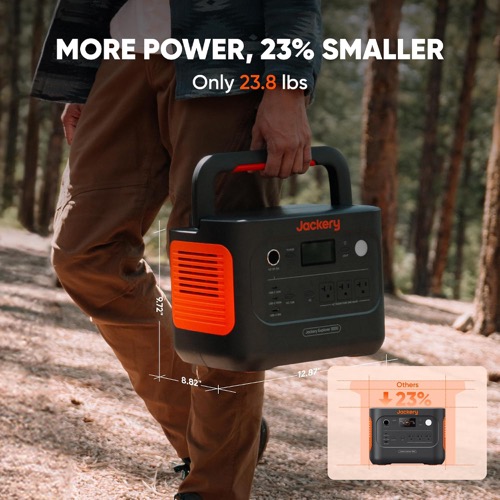
- 1,070Wh LFP platform balances capacity with 23.8-pound portability.
- 1,500W output suits many travel and household appliances.
- Fast wall charging provides a practical reset between trips or outages.
- SolarSaga 200W creates a real off-grid charging path.
CONS
- One 200W panel uses only half of the station's 400W solar ceiling.
- Field panel output varies substantially with setup and weather.
- Panel condition, stand, connectors, and separate shipment need early inspection.
- Bundle value can be weaker than buying the station and preferred array separately.
Best station-first 1kWh kit
Exact-kit documentation plus 97 usable qualitative owner records. Station, panel, and bundle value were scored separately; no first-party testing or population-rate inference.
Explorer 1000 v2 station
1,070Wh LFP storage, 1,500W AC output, 3,000W surge, fast wall charging, app control, and a manageable 23.8-pound chassis.
SolarSaga 200W panel
A portable bifacial module that makes the bundle useful off-grid, but whose field output, stand, cable path, and separate shipment deserve their own verdict.
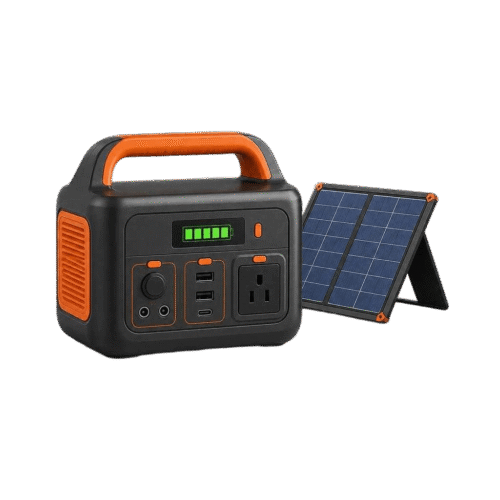
The Jackery Solar Generator 1000 v2 bundle should be reviewed as two products and one system. The Explorer 1000 v2 is a mature 1kWh-class station with enough inverter headroom for many refrigerators, travel appliances, computers, tools, and short cooking tasks. The included SolarSaga 200W gives it a credible off-grid charging path. Yet a strong station does not automatically make the panel the best-value way to buy it, and a 200W panel does not refill 1,070Wh at the speed implied by its nameplate.
Ninety-seven usable owner records create a broad evidence base after duplicates and unusable entries were removed. They support fast AC charging, manageable weight, travel and outage use, app usefulness, refrigeration and electronics roles, plus real solar input. They also contain panel-construction and setup complaints, variable observations around roughly 82–120W in imperfect conditions and near 180W in better conditions, cable/connector questions, separate-shipment confusion, and mixed support outcomes. These observations define verification work; they are not guaranteed yield or reliability statistics.
Make Three Decisions Before Calling It One Kit
First, decide whether 1,070Wh and 1,500W match the load. Second, decide whether one 200W portable panel matches the daily energy deficit. Third, decide whether the bundle price is better than buying the station alone and choosing a different solar configuration. Many disappointing purchases answer only the first question.
The station can accept up to 400W of solar, double the included panel’s nameplate. That does not make the 200W module wrong; it makes it a portability choice. A single panel takes less deployment space and is easier to move around a campsite. A larger compatible array is better when sunlight must replace most of a full battery each day. Keep station value and panel value separate until the final comparison.
Convert 1,070Wh Into a Measured-Load Worksheet
Rated energy is the starting point, not the AC energy delivered to an appliance. Apply a conservative factor for inverter loss, station overhead, reserve, temperature, and aging. Then divide by measured average watts. A refrigerator must be observed across its duty cycle; a CPAP must be tested with the same humidifier and heated-hose settings; a computer setup must include monitor and network equipment.
Schedule short high-watt tasks instead of allowing them to become invisible background consumption. A coffee maker may fit the inverter easily but still use a noticeable amount of energy. The display’s time estimate reacts to current load, so it can swing when a compressor cycles. Keep a written watt-hour ledger if the station protects more than one essential device.
| Worksheet item | Record | Rule |
|---|---|---|
| Overnight essential | Average and total watt-hours for the entire period | Reserve this energy before optional tasks |
| Motor load | Startup behavior and repeated cycling | Do not infer compatibility from running watts |
| Short convenience task | Watt-hours per use | Schedule it during charging when possible |
| End-of-day reserve | State of charge before the next solar window | Stop optional loads before the critical reserve is spent |
The 1,500W Inverter Covers More Loads Than the Battery Can Sustain
The inverter can run many household and travel appliances, and the 3,000W surge figure provides short-event headroom. High output should not be mistaken for long duration. A sustained 1,000W load can consume a 1kWh-class battery quickly after losses, while a 60W refrigerator average can run far longer. Test output capability and energy endurance as two separate gates.
For compressors, pumps, or tools, disconnect other AC loads and repeat the hardest start several times. If the appliance overloads, behaves strangely, or depends on an unsupported voltage, do not plan around the marketing surge figure. Use only safe, properly grounded connections and follow appliance instructions. Whole-circuit or transfer-switch integration requires compatible listed equipment and qualified review.
Read Solar Output as a Band, Not a 200W Promise
Owner observations in the supplied set vary with conditions. Some report roughly 82–120W under imperfect placement or weather; stronger accounts reach toward 180W. Neither end is a universal result. Nameplate power is established under controlled conditions, while field harvest depends on irradiance, angle, temperature, shade, bifacial rear exposure, cable loss, battery acceptance, and active loads.
For planning, divide the daily watt-hours you must replace by a conservative harvest per peak-sun hour. Then add margin for variable weather. An idealized 1,070Wh ÷ 200W calculation already exceeds five hours before losses and taper. If a trip consumes most of the battery each evening, one panel may not recover it on a short winter day. If daily loads are modest, the same panel may keep the station near full.
Panel Setup and Cable Identity Deserve a Commissioning Session
Unfold the SolarSaga on a dry, wind-safe surface, inspect every section and seam, stabilize its supports, and aim it without shading any active area. Confirm the exact DC8020/adapter path supplied for the Explorer 1000 v2 bundle. Jackery revisions and older products use connector families that can look similar. Use the delivered manual and model labels, not a memory of another Explorer.
Test the panel alone before adding a second module or long extension. Record open delivery condition, stable watts at a known time, and connector temperature. If input is weak, change one variable at a time: shade, angle, cable, connector seating, battery state, or panel. Randomly swapping several parts makes support evidence less useful.
- Photograph the exact labels. Station revision, panel model, cable ends, and packaging.
- Test near the station. Use the supplied short cable before adding extension loss.
- Log stable input. Record weather, orientation, state of charge, and active output.
- Inspect after heat-up. Check cable strain, connector temperature, and stand stability.
- Only then expand. Validate any second panel against the 400W receiver limits.
Fast Wall Charging Changes the Packing Strategy
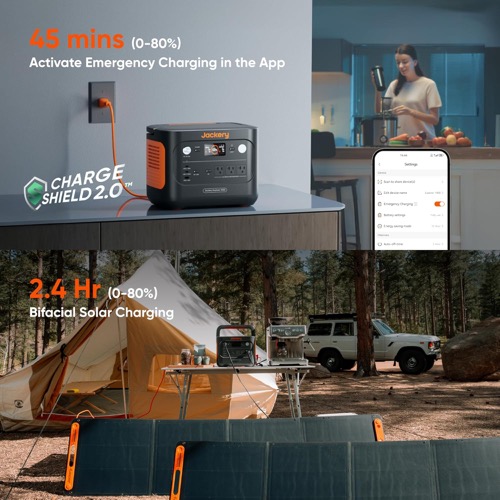
One of the Explorer 1000 v2’s strongest attributes is fast AC recovery. Owner records repeatedly value the ability to recharge around an hour under the appropriate mode and conditions. That makes it possible to start a trip from full, reset during a short grid window, or use solar as a daytime extender rather than the sole source.
Fast charging requires a suitable circuit and can increase fan activity. Test it before relying on a campground or generator source. A lower charge rate may be more appropriate on a shared circuit. Record the app setting so the station does not unexpectedly demand more power than the source can provide.
App Control Helps, but Local Recovery Still Matters
The app can expose charge settings, reserve, output behavior, and firmware. That is useful for a station deployed across a room or vehicle. It also creates another configuration layer. Save a known-good setup and verify core local operation without a phone. After firmware updates, repeat any UPS-style or low-battery restoration test that matters to the mission.
For unattended use, test more than a utility transfer. Observe what happens when the battery reaches reserve and when input returns. If a router, refrigerator, or medical device must restart automatically, prove that exact sequence. A dedicated UPS may still be required where interruption or output conditioning has strict requirements.
Separate Shipments Turn Unboxing Into an Acceptance Test
Station-and-panel bundles can arrive in different boxes or on different days. Owner records include confusion about completeness and exact bundle identity. Photograph labels, count packages, and compare every cable and accessory with the exact box list. Do not let the return window pass while waiting to discover that the panel, adapter, or correct revision never arrived.
Inspect the panel surface and hinges, station ports, display, handle, and ventilation openings. Charge from AC, solar, and vehicle sources where applicable. Run every output family and a measured load. Early testing protects the buyer even when the product works perfectly because it creates a baseline for later troubleshooting.
Travel Fit Depends on the Combined Kit, Not the 23.8-Pound Station
The station is manageable for its capacity and has a practical handle, but the SolarSaga adds another item with its own footprint and protection needs. Measure the storage compartment with the panel folded, include cable and adapter space, and secure both pieces. Never let a heavy station become loose cargo.
At camp, place the battery in a dry ventilated area while the panel follows the sun. That separation creates a cable route people can trip over. Use visible, protected routing and avoid closing vehicle doors on the cable. Portability is a system property: station weight, panel size, setup time, and movement frequency all count.
Strong fit when the panel storage slot and safe cable route are planned.
Strong fit for a measured group of 120V essentials with rapid wall reset.
Conditional; daily energy may justify a larger compatible array.
Station is manageable, but the two-piece kit still requires repeated handling.
Bundle Value Must Be Calculated on the Same Day
Prices and coupons change. Compare the exact bundle with the Explorer 1000 v2 alone plus the exact SolarSaga 200W, and with the station plus another approved array sized for your mission. Include cables and adapters. A discounted bundle can be excellent even if the panel is not maximum-rate; a weak bundle discount can lock you into a panel that does not fit the recovery plan.
Warranty paths may differ between station, panel, seller, and promotion. Save the listing, invoice, serials, and registration confirmation. Bundle identity is part of the purchase, not a minor detail after checkout.
Rain, Wind, and Shade Turn the Panel Into a Site-Selection Problem
Portable solar is not merely a cable connection. Choose a site with direct sun, stable ground, room for the unfolded SolarSaga, and a protected cable route to the dry station. A panel weather rating does not authorize submerging connectors or operating the power station in rain. Wind can lift or flip a large folded module; use manufacturer-approved positioning and remove it when conditions exceed a safe portable setup.
Shade deserves particular attention. A narrow shadow from a roof rack, branch, chair, or person can reduce more output than its visible area suggests. Watch the display after every repositioning, but wait for input to stabilize. If a second panel is later added, test each module alone in the same conditions before combining them. This distinguishes an array mismatch from ordinary environmental loss.
Service Evidence Is Strongest When the Problem Is Reproducible
Owner records include both successful use and difficult panel or support narratives. A useful support request states the exact station and panel revision, firmware, cable, battery state, weather, stable input, and steps already tried. Photograph panel condition and connector seating. When solar input is the issue, reproduce it with the short supplied cable and no active load if possible. When AC output is the issue, name the appliance and its measured startup behavior.
Save the original bundle listing and invoice because station and panel warranties or seller responsibilities may differ. Avoid modifying cables or opening equipment while a remedy is pending. A precise, repeatable case is easier to distinguish from shade, taper, an incompatible adapter, or a different product revision.
Long-term storage deserves the same discipline. Follow Jackery’s exact guidance for storage charge and temperature, inspect the panel before folding it away, and keep connector caps clean. Before a planned trip or storm season, recharge the station, update only when there is time to retest, and complete a short AC-and-solar exercise. The fastest support case is the one backed by a known-good baseline and a recent reproducible change.
Bottom Line: Excellent Station, Conditional Panel Value
The Explorer 1000 v2 earns a favorable verdict for its mix of capacity, output, fast charging, and manageable weight. The SolarSaga 200W makes the kit genuinely usable away from the wall, and owner evidence confirms real harvest under varied conditions. It does not provide maximum solar recovery, and its construction, setup, cable identity, and price deserve a separate check.
Buy the bundle when the package price is strong, one portable panel matches the daily energy deficit, and you value a simple same-brand connection path. Buy the station and solar separately when you need closer to the 400W input ceiling or prefer a different panel form factor. The best decision judges the two boxes independently before accepting the bundle label.
Pros & Cons Analysis
Based on documented specifications and owner feedback
Pros
- Station fundamentals are strong — Capacity, output, fast charging, LFP chemistry, app control, and manageable weight create a versatile 1kWh platform.
- Portable solar has credible use — The included panel can offset camping loads and recover meaningful energy without a multi-panel installation.
- Owner missions are varied — The supplied record supports refrigeration, electronics, travel, backup, and short high-draw tasks after compatibility checks.
- Two charging strategies — Rapid AC input handles short recovery windows while solar reduces grid or generator dependence.
- A larger array remains possible — The station's 400W ceiling leaves room for a different solar design if one panel proves too slow.
Cons
- Panel output is an environmental result — Reports from roughly 82–120W in imperfect conditions to near 180W in better ones illustrate why nameplate watts are not guaranteed harvest.
- Two-piece portability needs planning — Panel storage, cable routing, deployment space, and wind management add work beyond carrying the station.
- Connector revisions can confuse — Verify exact station, panel, and adapter labels instead of assuming an older Jackery cable fits.
- Bundle delivery may be split — Inspect every package, serial, and accessory before the return period ends.
- One panel may not balance heavy use — Solar-only users can consume more overnight than 200W can restore during a short or cloudy day.
A Strong 1kWh Station Whose Panel Deserves a Separate Value Check
The Explorer 1000 v2 is capable, portable for its class, and quick to wall-charge. Its 200W panel is useful but not maximum-rate; the exact bundle wins only when its price and one-panel recovery match your measured daily energy plan.
Frequently Asked Questions
How long will one SolarSaga 200W take to charge the Explorer 1000 v2?
Idealized nameplate arithmetic exceeds five hours before loss and taper. Actual time depends on peak-sun hours, angle, shade, temperature, cable loss, battery state, bifacial rear exposure, and active loads.
Can I use 400W of solar with the Explorer 1000 v2?
The station supports more solar than this exact bundle includes, but the complete array must match the exact voltage, current, connector, and polarity limits in the current documentation.
Can it run a refrigerator?
Often, but measure the refrigerator across a full duty cycle and prove compressor startup. Runtime varies with appliance efficiency, ambient temperature, door openings, and reserve.
Is the 200W panel always close to 200W?
No. Supplied owner observations vary widely by conditions. Treat the rating as a laboratory nameplate and judge field performance by watt-hours harvested under documented conditions.
Does the bundle always arrive in one shipment?
Not necessarily. Station and panel can be separate packages. Track both, photograph labels, and inventory exact accessories promptly.
Should I buy the bundle or the station alone?
Compare same-day prices. Choose the bundle if one portable 200W panel fits the mission and discount; choose the station separately if you need a different form factor or solar design closer to 400W.
Technical Specifications
| Brand | Jackery |
|---|---|
| Kit model / SKU / ASIN | Solar Generator 1000 v2 + SolarSaga 200W bundle (ASIN B0D2L1G66J; US) |
| Power-station model | Jackery Explorer 1000 v2 |
| Included solar-panel model and quantity | 1 × Jackery SolarSaga 200W bifacial portable panel |
| Battery capacity | 1,070Wh |
| Battery chemistry | LiFePO4 (LFP) |
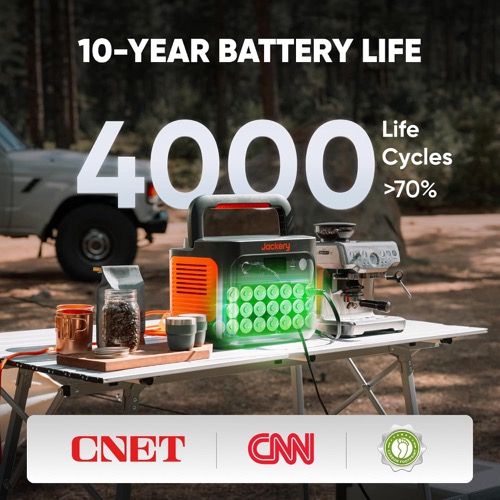
| Cycle-life rating | 4,000 cycles to at least 70% capacity |
| Expandable capacity | No expansion-battery port |
| Continuous AC output | 1,500W |
| Surge / peak output | 3,000W |
| AC voltage, frequency, and waveform | 120V, 60Hz, pure sine wave |
| AC outlets and high-current / RV / 240V outputs | 3 × 120V AC; no high-current RV or 240V output |
| USB and DC outputs | 1 × USB-C 100W, 1 × USB-C 30W, 1 × USB-A 18W, 1 × 12V/10A car socket |
| Maximum station solar input | 400W across two DC inputs |
| PV input voltage/current range and connector | 12–16V DC / 8A or 16–60V DC / 10.5A per input; 21A total maximum; DC8020 |
| Included panel rated power | 200W |
| Panel Voc / Vmp / Isc / Imp | Voc 22V / Vmp 18V / Isc 12.5A / Imp 11.5A |
| Panel construction and cell type | Foldable bifacial monocrystalline panel |
| Panel weather rating | IP68 panel |
| Panel dimensions and weight, folded / deployed | Folded 23.62 × 23.50 × 1.57 in; deployed 89.76 × 23.50 × 0.98 in; 14.33 lb |
| Solar recharge estimate with included panel | About 6 hours to 80% in the manufacturer's stated ideal conditions; roughly 7.5 hours to full |
| Maximum AC input and AC recharge time | Emergency mode about 1 hour; standard mode about 1.58 hours |
| Car, alternator, and other charging methods | 12V vehicle charge about 12 hours; optional 600W Jackery alternator charger supported |
| UPS / EPS support and transfer time | UPS supported; under 20ms transfer |
| App and connectivity | Jackery app over Wi-Fi and Bluetooth |
| Station dimensions, weight, operating limits, and weather rating | 12.87 × 8.82 × 9.72 in; 23.8 lb; charge 32–113°F, discharge 14–113°F; station has no published IP rating |
| Station and panel warranties | Station and panel each 3 years plus 2 years with registration |
| Included in the box | Explorer 1000 v2, SolarSaga 200W panel, AC cable, solar charging lead, documentation |