ANRAN Q1 Solar Camera Review
At a Glance
KEY FEATURES
- Motorized pan and tilt
- 2.4GHz Wi-Fi
- Solar panel charging
- Memory-card route; confirm delivered media requirements
PROS
- Movable home Wi-Fi view
- Solar charging for a suitable location
CONS
- Approach capture needs real validation
- Historic app and service accounts can mislead
Amazon customer rating
3,412 Amazon ratings
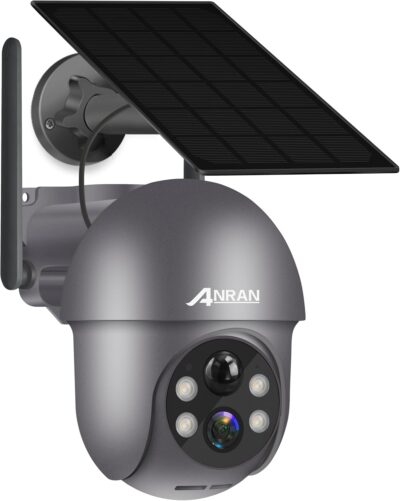
ANRAN Q1 is worth examining through the path a visitor takes, not just the area its motor can scan. The selected gray Q1 offer, ASIN B09P3B15PR, combines a movable Wi-Fi camera and solar charging. An appealing live image does not settle whether the relevant approach becomes a useful saved event.
This assessment draws on the retained listing and supplied owner accounts, not hands-on testing. Older ANRAN systems and general brand testimonials do not establish this exact camera's current service terms or durability.
Trace the route from arrival to departure
A detailed supplied owner initially reported inconsistent detection on an approach, then described improvement after settings changes.
Choose the resting view around the event you want recorded; an attractive manually steered live view is a different task.
- The account is valuable because it explains the scene and changes over time rather than only assigning a rating.
- It does not establish a universal detection angle or prescribe settings for another property.
An unwanted alert can reveal part of the scene
The same owner mentions a hanging planter triggering in wind.
- That is a useful reminder to inspect moving objects near the frame, not evidence of a general false-alert rate.
- Consider the scene before assuming every unwanted notification requires a paid service or maximum sensitivity.
A quieter alert feed is not every possible recording
That owner also wanted wildlife footage while preferring fewer nuisance alerts. These are different requirements. Establish which event and notification choices the actual configuration supports rather than assuming a human-focused setting will also preserve all animals and vehicles.
Put the app and the other viewer into setup
The listing names ANRAN/CloudEdge, and the detailed account refers to CloudEdge.
Confirm the package app and the household's saved-event access, not merely whether a second person can open live view.
- Follow the instructions for the actual package rather than choosing an app solely from the brand name.
- The same applies to sharing and integration: a customer's successful account arrangement is not universal compatibility evidence.
- Complete pairing with the correct application while the controls are accessible.
- Check saved playback from an ordinary sample event.
- Confirm the supported sharing route for the intended household member.
- Have that person locate the event without relying on the installer's phone.
The owner describes difficulty reading small control labels. Use the supplied manual instead of guessing which button performs which action. Do not adopt a historic reset or account workaround as the default procedure for a newly delivered unit.
Movement should serve the primary approach
The Q1 offer advertises pan and tilt. It can help with purposeful remote inspection, but neither a broad movement range nor a motion sensor proves automatic tracking. Retain a useful normal direction and check actual behavior after steering elsewhere.
Pan and tilt let you inspect beyond the normal composition. They do not make every direction visible at the same moment.
Solar charging reduces dependence on a nearby power outlet, subject to the installed arrangement.
- The favorable owner account also describes relatively few triggers in its rural setting.
- That workload context matters; it is not a charging benchmark for a busier entrance with frequent viewing.
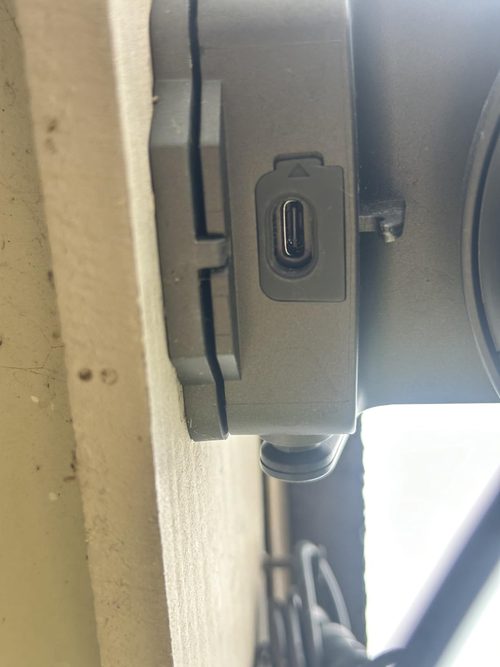
Keep retention terms outside the image-quality decision
The source material describes local card use and cloud options, but historical cloud prices should not drive today's decision.
- Confirm the selected package's media requirements and current service terms.
- Do not treat broad cloud wording in the listing as proof of a particular provider or permanent entitlement.
Q1 is a candidate for a home Wi-Fi scene where a movable view is useful and the buyer will check recording behavior carefully.
If the central requirement is reliable capture of a constrained approach, validate that first.
A sharp live view, easy pairing or positive long-term brand story cannot replace that result.
Pros & Cons Analysis
Based on documented specifications and owner feedback
Pros
- Occasional inspection can extend beyond the normal entrance frame — The advertised pan-and-tilt controls provide a way to inspect another part of the scene remotely.
- The charging arrangement can avoid a nearby mains outlet — Solar charging can make a suitable outdoor position practical without running a permanent power feed to that spot.
Cons
- A good departure clip does not establish the incoming event — The detailed owner initially distinguished successful outgoing detection from a less satisfactory arrival path, later reporting improvement after adjustments.
- Brand familiarity may conceal a different account workflow — The selected listing and owner evidence refer to ANRAN and CloudEdge, while older equipment may use a different arrangement.
Q1 is for looking around—not recording everywhere at once
Start with a dependable default view
Q1 earns consideration when remote pan and tilt would help you inspect a home Wi-Fi location. Set its ordinary resting view around the activity you actually need to capture; movement is useful, but the camera cannot look in every direction simultaneously.
Make saved events the deciding check
Confirm how the selected camera records, how an arrival appears on playback and how another household member retrieves it. Positive comments about the live picture do not settle those questions. If several separated approaches matter at the same time, a multi-camera layout is the more relevant comparison.
Frequently Asked Questions
Does Q1's movement range prove automatic following?
No. Pan and tilt do not establish automatic tracking. Confirm exact supported functions.
Why check both an arrival and departure with Q1?
They can cross the scene differently. A saved departure alone does not demonstrate that the necessary incoming event is recorded.
Which application should a new Q1 owner install?
Follow the actual package instructions. The retained material names ANRAN/CloudEdge; do not rely only on branding.
Can an older Q1 cloud price be used for today's purchase?
No. Check current service terms rather than adopting historical customer prices.
Do quiet rural Q1 battery reports predict a busy entrance?
No. Workload and sunlight differ. Assess the actual installation.
What should another Q1 household viewer be able to do?
Use the supported sharing arrangement to locate the relevant saved event, not simply view the installer's phone.
Technical Specifications
| Model family | ANRAN Q1; selected gray offer |
|---|---|
| Amazon offer | B09P3B15PR |
| Selected camera count | 1 |
| Connectivity class | 2.4GHz Wi-Fi |
| Camera arrangement | Motorized pan and tilt |
| Solar arrangement | Solar panel charging |
| Local recording | Memory-card route; confirm delivered media requirements |
| Offer-specific requirements | Service requirement: Confirm current optional cloud terms in the correct package app |
| Advertised video resolution | 3 MP |
| Advertised weather rating | IP65 |
| Night vision type | Infrared |
| Motion / alert method | Audio and Motion |
| Mounting method | Wall Mount |
| Audio support | Two-way audio advertised |
| Advertised viewing angle | 360 degrees |
| Video format | MPEG-4 |
| Operating environment | Outdoor |
| Compatible device class | Video Monitor |