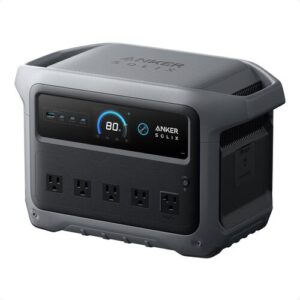
Anker SOLIX C1000 Review: Fast-Charging Backup Power That Actually Fits Real Life
At a Glance
KEY FEATURES
- Battery: 1056Wh, LiFePO4 / LFP, 3,000 cycles to 80% capacity
- AC output: 1800W continuous, 2400W surge, pure sine wave
- Ports: 6 AC, 2 USB-C (1 × 100W, 1 × 30W), 2 USB-A, 1 × 12V car port
- Recharge: AC up to 1300W, solar up to 600W XT60 MPPT, car charging via 12V/10A input/output ecosystem
- Smart features: Anker app, adjustable AC recharge speed, live input/output monitoring, UPS/EPS-style 20ms switchover
- Build: about 28.44 lb, 14.8 × 8.07 × 10.5 in, gray body, integrated carry handle
- Best for: home outage backup, weekend camping, RV boondocking, refrigerators, CPAP, routers, lights, laptops, and quiet indoor backup power
PROS
- 1,056Wh LFP and 1,800W output in a compact 28.4-pound class.
- Fast AC charging and up to 600W solar input.
- Optional expansion doubles storage to 2,112Wh.
- Wi-Fi/Bluetooth app and practical mixed-output layout.
CONS
- Expansion and vehicle charging require additional hardware.
- UltraFast charging can increase circuit load, heat, and noise.
- SurgePad is not equivalent to 2,400W pure continuous output.
- App, UPS, and restoration behavior need commissioning.
Editor's Choice
Based on exact documentation and qualitative exact-ASIN owner evidence; no hands-on test or population-rate claim
⚡ Can the Anker SOLIX C1000 Run It?
Choose a common device and see the estimated runtime, whether the inverter can handle it, and how long the power station may take to recharge.
Picture this: the lights go out, your phone is low, the fridge is warming up, and dragging a gas generator outside sounds like the last thing you want to do. Or maybe you’re car camping and want coffee, lights, a cooler, and charged devices without listening to an engine all night.
The Anker SOLIX C1000 isn’t trying to run your whole house. In practice, it works best as a quiet backup for essentials — fridge, router, lights, laptop, CPAP, coffee maker, camping cooler, and small appliances used in short bursts.
The Anker SOLIX C1000 is best understood as a compact 1kWh platform. Its 1,056Wh LFP battery, 1,800W output, 2,400W SurgePad mode for selected loads, 600W solar input, fast AC charging, and optional expansion battery can serve camping, mobile work, and outage essentials. The decision becomes stronger when the buyer knows which recovery lane will keep the station useful after day one.
Owner evidence emphasizes solar and charging more than any other theme, followed by small and high loads, mobility, app and UPS behavior, and both positive and difficult support outcomes. Critical records about charging or faults are not population statistics. Together the accounts say that this model deserves a complete source-to-load test: panels, AC source, optional vehicle charger, outputs, firmware, expansion plan, and restoration.
| System decision | C1000 advantage | Boundary to document |
|---|---|---|
| Fast turnaround | Very rapid AC charging is available | Dedicated circuit quality, charge setting, temperature, noise |
| Off-grid day | 600W-class solar is substantial for 1,056Wh | Cold Voc, current, shading, connector, daily harvest |
| Long drive | Optional alternator charger can exceed a 12V socket | Vehicle compatibility, cable route, heat, ignition behavior |
| Longer outage | Expansion reaches 2,112Wh total | Added cost, weight, floor space, cable and recovery time |
Runtime is energy divided by measured average load after conversion and reserve. The 1,800W inverter can start or run many appliances, but it cannot make an 1,800W device last an hour on a 1,056Wh battery. Refrigerators, pumps, and power tools also need startup verification. Build a priority list so short kitchen or tool use cannot silently consume the reserve intended for overnight refrigeration and communications.
The app is useful for charge speed, timeouts, reserve, and monitoring, but it also adds Wi-Fi, Bluetooth, firmware, and account dependencies. Preserve a stable configuration and ensure essential local operation remains clear. If used as a pass-through or UPS-like source, test the exact computer, network, or appliance load; transfer claims do not certify every device.
Evidence-led verdict: the C1000 is a strong portable platform when its fast AC, 600W solar, or vehicle-charging options match a real recovery plan. It is less compelling when expansion and accessories push the total cost toward a native 2kWh station.
C1000: Design the Charging System, Not Just the Box
If you want quiet backup power for camping, RV use, apartment outages, or keeping a refrigerator alive during a short blackout, the Anker SOLIX C1000 does what most buyers expect. It’s powerful for its size, charges very fast from the wall, and has enough ports for a practical home-or-campsite setup. This Anker SOLIX C1000 review also has one big heads-up: the included 200W solar panel is useful, but real output depends heavily on sun, shade, angle, and patience.
Worth Knowing — The solar panel is IP67-rated, but the power station is not weatherproof. Keep the C1000 dry even if the panel is outside in rough weather.
A Compact 28.4-Pound LFP Platform
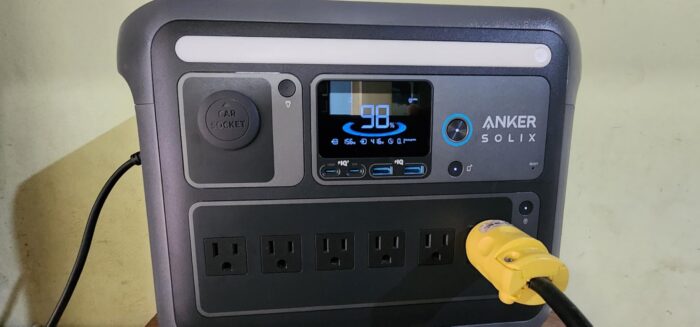
The Anker SOLIX C1000 portable power station has that familiar Anker feel: squared-off, practical, and sturdy without looking like jobsite equipment. Buyers describe it as solid and easy to set up, with a body that feels more like a serious backup battery than a novelty camping gadget.
At about 28 lb, it has real heft. That said, the weight lands in a reasonable place for a 1056Wh LiFePO4 unit. You won’t want to hike with it, but moving it from garage to kitchen, car to campsite, or truck cab to sleeper area is realistic.
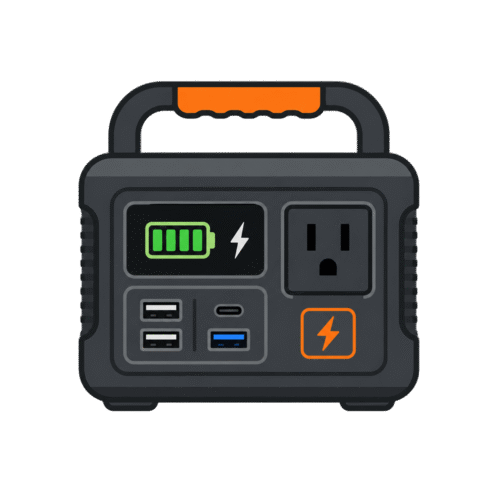
The front layout is busy in a useful way. You get the display, AC outlets, USB ports, light, and control buttons where you can see them. In practice, that makes it easier during an outage because you’re not hunting around the back of the unit with a flashlight.
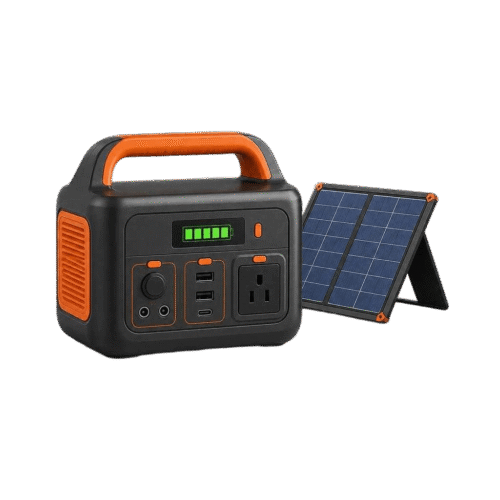
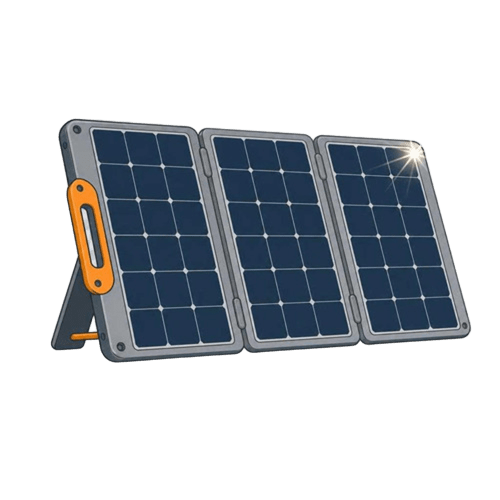
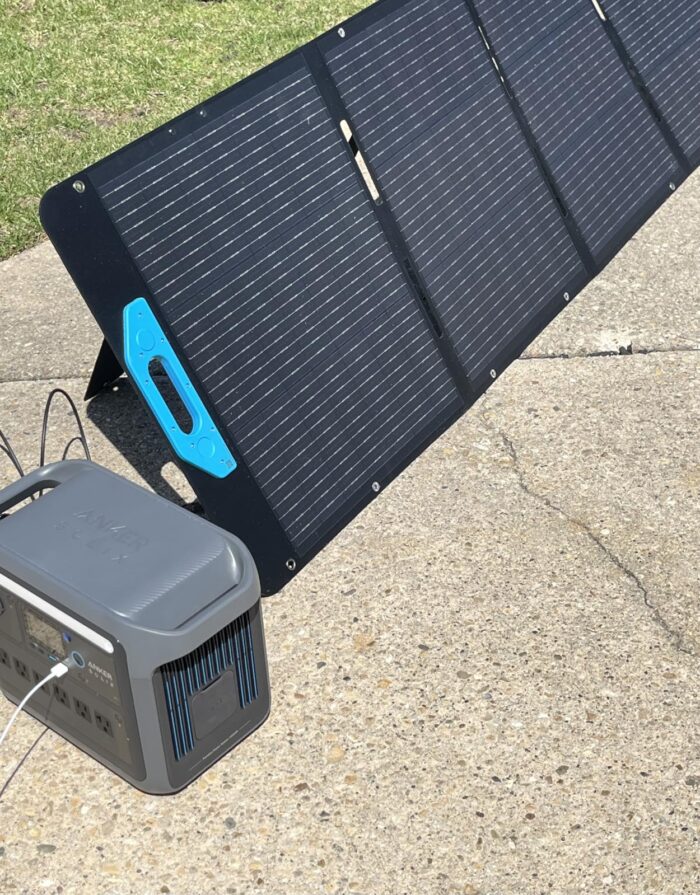
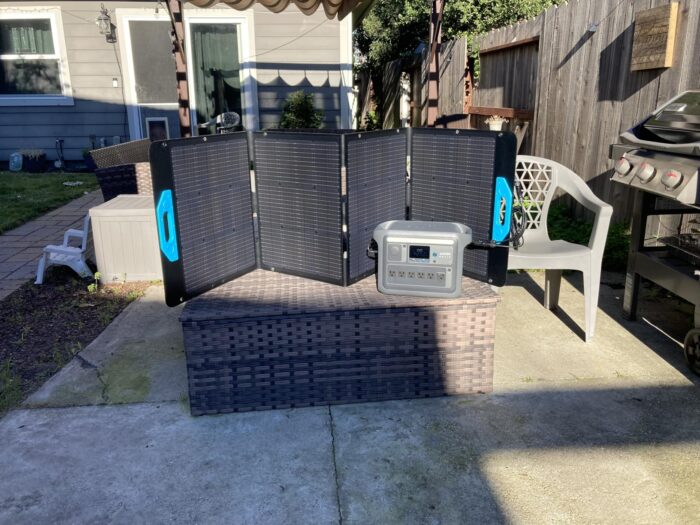
Some buyers are less impressed with the solar panel hardware. The panel itself can produce useful power in good sun, but feedback about the support legs is mixed. The folding setup can feel awkward, and a few owners mention bent legs, broken rivets, or a flimsy feel compared with the battery unit.
| Build Detail | Real-World Take |
|---|---|
| Main unit feel | Solid, compact, and easy to understand |
| Carrying | Manageable for car camping and home use, not backpack-friendly |
| Display | Clear enough for quick battery and wattage checks |
| Solar panel setup | Works, but can be awkward and shade-sensitive |
| Best placement | Garage shelf, RV floor, truck cab, camp table, under a desk |
1,056Wh With an Optional 2,112Wh Destination
The C1000 has a 1056Wh battery. In plain English, that’s enough to run small electronics for a long time, a CPAP overnight, or a full-size refrigerator for part of a day depending on cycling and temperature.
Here’s the thing: 1056Wh does not mean you get 1056Wh through the AC outlets. The inverter uses some energy, and it’s smart to leave a little reserve. With a realistic AC efficiency estimate, you’re working with roughly 800Wh of practical AC energy if you leave a 10% buffer.
| Device | Typical Power Draw | Estimated Runtime | Realistic with Margin |
|---|---|---|---|
| Smartphone charging | 10–15Wh per charge | ~70–85 charges | ~55–70 charges |
| Laptop | 50–80Wh per charge | ~11–17 charges | ~9–14 charges |
| Wi-Fi router | 10–20W | ~40–80 hours | ~30–65 hours |
| CPAP machine, no humidifier | 30–60W | ~13–27 hours | ~11–22 hours |
| CPAP with humidifier / heated tube | 50–90W | ~9–16 hours | ~7–13 hours |
| Mini fridge | 40–80W cycling | ~10–20 hours | ~8–16 hours |
| Full-size refrigerator | 100–200W cycling + surge | ~4–8 hours active draw | Often ~8–16 hours with cycling |
| Electric blanket | 50–80W | ~10–16 hours | ~8–13 hours |
| Drone batteries | 60–100Wh per battery | ~8–13 charges | ~6–10 charges |
| 1500W kettle | 1500W | ~30 minutes theoretical | Better for short boils only |
Real-World Math — At 0.85 AC efficiency, the listed 1056Wh battery delivers roughly 898Wh through the AC outlets. Subtract a 10% reserve, and you’re working with about 808Wh of practical AC energy.
Customers using it for CPAP machines give a good example of why settings matter. A CPAP without humidification is a fairly gentle load. On the flip side, full humidity and heated tubing can cut runtime hard, especially during cold-weather camping.
Refrigerator results also vary. Some owners report around 8 to 10 hours on a fridge, while others stretch closer to 14 to 16 hours depending on the model and compressor cycling. In real use, keeping the fridge door closed matters almost as much as the battery size.
The 1,800W Load Order
That gives it enough muscle for many real appliances — not just phones and laptops.
Customers mention refrigerators, deep freezers, microwaves, coffee makers, sump pumps, TVs, routers, lights, coolers, air mattress pumps, power tools, and even some heavier shop gear. To be fair, “can run” and “can run for a long time” are not the same thing.
| Device | Typical Draw | This Unit? |
|---|---|---|
| Phone / tablet | 10–25W | Easy |
| Laptop | 50–100W | Easy |
| LED lights | 5–15W each | Easy |
| Wi-Fi router | 10–20W | Easy |
| Mini fridge | 40–80W cycling | Easy |
| CPAP, no humidifier | 30–60W | Easy |
| CPAP, humidifier on | 50–90W | Easy, but watch runtime |
| Full-size fridge | 100–200W cycling, higher startup surge | Usually fine |
| Drone battery charger | 60–100W | Easy |
| Coffee maker | 800–1500W | Briefly |
| Microwave, 700W class | ~1000–1200W draw | Briefly |
| Electric kettle | ~1500W | Briefly |
| Hair dryer | 1600–1875W | Borderline / not ideal |
| Window AC, 5000 BTU | ~500W running, higher startup surge | Depends on startup surge |
| Corded drill / saw | 600–1500W depending on load | Depends on tool |
Worth Knowing — Continuous output is the real ceiling. The 2400W surge rating only lasts briefly — long enough to help with startup loads, not long enough to treat it like a 2400W generator.
In practice, the C1000 punches above its weight when you use it for mixed loads: fridge plus router, lights plus laptops, CPAP plus phone charging, or a camping cooler overnight. The catch is heat-based appliances. Anything that turns electricity into heat will burn through capacity quickly.
Truck drivers and RV owners seem especially happy with the output. Buyers mention microwaves, coffee makers, trailer battery charging, and dry-camping setups where the C1000 feels much more useful than a smaller 300Wh or 500Wh box.
Three Recovery Routes With Different Constraints
AC charging is one of the biggest reasons to buy this unit. With UltraFast mode enabled in the Anker app, the C1000 is rated for 80% in 43 minutes and 100% in 58 minutes. That speed puts it among the top 1000Wh power stations owner accounts describe. That’s excellent when you have a short window to recharge from a wall outlet or generator.
| Charging Mode | Time, 0% → 100% | Noise Level |
|---|---|---|
| Eco / low AC input | ~4–5 hours | Quiet |
| Standard AC | ~2 hours | Moderate |
| UltraFast AC | ~58 minutes | Noticeable fan noise |
| Car charging, 12V | ~10–14 hours | Quiet |
| 100W solar | ~11–13 hours strong sun | Silent |
| Included 200W solar panel | ~6–9 hours strong sun | Silent |
| 600W max solar setup | ~1.8–2.5 hours strong sun | Silent |
UltraFast Grid Path — C1000
Fast AC charging helps avoid the dead-battery loop during storms. You can run the unit down during an outage, recharge it quickly when grid power returns or when you visit a powered location, then put it back into service.
That said, fast charging is not the quiet mode. Owners mention fan noise at higher charge rates, so slower charging makes more sense at night, in a bedroom, or next to a desk.
600W Array Path — C1000
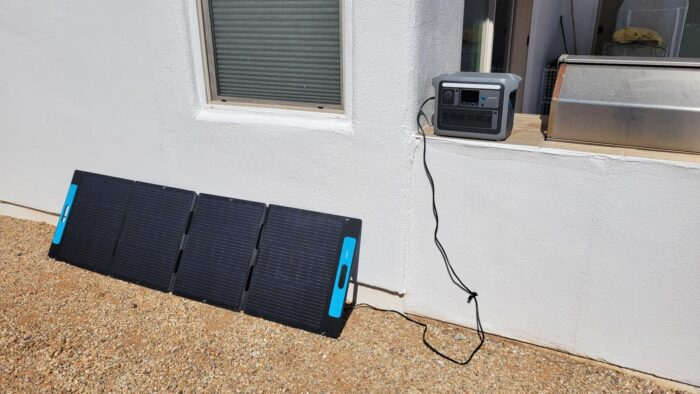
Adapter Check — The C1000 uses XT60 solar input and supports up to 600W. If you bring third-party panels, check voltage, amperage, polarity, and adapter compatibility before connecting them.
Panel angle matters more than beginners expect. Several owners say they reposition the panel through the day to keep output high. In practice, a single 200W panel is fine for topping off during camping, but it may feel slow if you drain the battery deeply every night.
Alternator Path — C1000
Car charging works best as a road-trip top-up, not your main recharge plan. One buyer mentioned gaining a small but useful amount of charge during daily driving, which sounds about right for a 12V input. For multi-day off-grid use, more solar or AC access matters more.
Port Layout for a Mixed AC-and-USB Day
The C1000 gives you 11 output ports: 6 AC outlets, 2 USB-C ports, 2 USB-A ports, and 1 car socket. One USB-C port supports up to 100W, which is laptop-tier, while the second USB-C port is rated at 30W.
In real use, that port mix is one of its strongest features. You can run a fridge on AC, charge phones through USB, keep a router alive, and still have room for lights or a laptop. For families, camping groups, and storm prep, that matters.
Adapter Check — 100W USB-C is laptop-tier. USB-A is phone-tier. If you mostly run laptops, count the high-watt USB-C port — not just the total number of ports.
Worth knowing: USB-C is output only. You cannot recharge the power station through USB-C, so your input options are AC wall power, solar, and car charging.
The AC outlet count is generous, but bulky plugs can still make any compact power station feel tighter than expected. If you plan to connect wall-wart adapters, a short extension cord or small power strip may make the layout easier.
UltraFast Charging Trades Silence for Speed
Under light loads, customer feedback generally suggests the C1000 is quiet enough for indoor use. People use it for desks, routers, fridges, medical equipment, and outage backup without the noise and fumes of a gas generator.
In practice, fan noise becomes more noticeable during fast AC charging or heavier AC output. That’s normal for this class, but it matters if you plan to charge beside a bed or use it during a Zoom call.
Heat does not come up as a major pattern in customer feedback, though any power station needs ventilation. Don’t bury it under blankets, cram it into a sealed cabinet, or leave the vents pressed against a wall.
For apartments, the C1000 makes a lot of sense. You can’t run a gas generator indoors or on many balconies, but you can keep a power station charged and ready for storms.
Configure Before the First Outage
The display gives the basics you actually need: battery percentage, input watts, output watts, and time estimates. During a blackout, that live wattage readout is helpful because it shows what each appliance is really pulling.
The app adds useful control without making the C1000 feel complicated. Owners like adjusting charge speed, checking live status, and seeing remaining time from a phone. Some buyers do mention registration or documentation frustration, so the hardware experience feels easier than the paperwork side.
C1000 Local Telemetry
- Battery percentage
- Input watts, live
- Output watts, live
- Time-to-empty / time-to-full estimate
- Warning icons for system alerts
- Charging status and output indicators
C1000 App Configuration
- Adjust AC charging speed
- Monitor input and output remotely
- Check remaining runtime or recharge time
- Control key settings from your phone
- Update or manage smart features
- Clear registration and support docs (limited)
Pro Tip — Use fast AC charging when you need the battery ready quickly. Switch to a slower charge rate when noise matters more than speed.
Beginners should find the C1000 easy to live with. The cables can look intimidating at first, but buyers often say the connections make sense once everything is unpacked.
Expansion and Solar Increase Documentation Needs
The Anker 1056Wh LiFePO4 power station uses LFP chemistry, which is a good fit for backup power and frequent cycling. Compared with older NCM lithium-ion packs, LiFePO4 is usually heavier, but it tends to offer longer cycle life and better long-term stability.
Anker lists 3,000 battery cycles to 80% capacity and backs the unit with a 5-year manufacturer warranty. For people using it as storm backup, RV power, or a daily UPS-style desk battery, that matters more than shaving off a few pounds.
Long-Term Ownership — 3,000 cycles to 80% means years of weekly cycling before noticeable capacity loss. Daily users — RV full-timers, off-grid cabin owners, and outage-prep households — should care about battery chemistry.
The C1000 also supports UPS/EPS-style backup with a listed 20ms switchover. Owners use it for desks, 3D printers, and must-have equipment, though one practical comment stands out: it may not switch quite like a true dedicated UPS. Sensitive setups deserve testing before you rely on it.
Operating temperature also matters. The listed discharge range is -4°F to 104°F, while charging is listed from 32°F to 104°F. In cold-weather camping, that means running devices may be fine, but charging in freezing conditions is a different story.
Best Practice — For storage, leave the unit around 50–80% charge and top it off every few months. LiFePO4 is forgiving, but storing any battery at 0% for a long time is asking for trouble.
Customer service feedback is mixed but leans positive when cases get resolved. Several buyers say Anker replaced problem panels or helped with shipping confusion. On the flip side, a few owners describe canned replies, slow escalation, or frustration when the issue was harder to explain.
C1000 System-Fit Matrix
| Use Case | Fit | Why |
|---|---|---|
| Weekend car camping | Great fit | Plenty of power for lights, phones, cooler, coffee, and small comforts |
| RV side-trip / van life | Great fit | Strong inverter and useful capacity for boondocking support |
| Home blackouts under 8 hours | Great fit | Great for fridge, router, phones, lights, and basic comfort |
| Multi-day off-grid cabin | Limited | Works better with more solar, expansion battery, or multiple units |
| CPAP overnight backup | Great fit | Strong fit, especially with humidifier off or reduced |
| Refrigerator backup | Great fit | Handles many fridges, though runtime depends on cycling |
| Jobsite power tools | Limited | Can run many tools, but heavy startup loads need care |
| Quiet bedroom UPS | Limited | Useful, but fan noise and 20ms switchover may matter |
| Hurricane / multi-day outage | Limited | Good essential backup, not a full-home replacement |
| Tailgating / outdoor events | Great fit | Enough outlets and power for speakers, coolers, lights, and devices |
| Backpacking / lightweight EDC | Poor fit | Too heavy for carry-in hiking use |
| Apartment without solar access | Great fit | Fast AC recharge makes it useful even without panel access |
You’ll probably be happy if you want:
- A quiet indoor alternative to a gas generator
- Around 1kWh of usable backup capacity for essentials
- Fast AC charging for storms, travel, and outage prep
- Enough inverter power for fridges, coffee makers, microwaves, and RV gear
- A LiFePO4 battery you can use often without babying it
You might want to skip it if you need:
- A whole-house backup system
- A lightweight battery for hiking
- Solar charging that performs the same in shade as it does in full sun
- A waterproof power station for exposed outdoor use
- A zero-transfer UPS for highly sensitive electronics
Different tool, different job. The C1000 is at its best when you treat it like a serious essentials battery, not a replacement for a permanently installed home backup system.
Pros & Cons Analysis
Based on documented specifications and owner feedback
Pros
- High output-to-weight balance — The C1000 can move realistically while supporting many household and campsite loads.
- Solar is proportionate to capacity — A correctly designed 600W array can replace a meaningful share of a 1,056Wh daily budget.
- Rapid AC recovery is useful — The station can be restored during a short grid window when the source and settings permit.
- Expansion creates a staged purchase — Buyers can add energy later without replacing the inverter platform.
- Owner use cases are diverse — The evidence supports refrigeration, mobile work, camping, solar, tools, electronics, and short outage roles.
Cons
- A full ecosystem costs more than the box — Expansion, panels, alternator charger, cables, and mounts can change the value comparison.
- Charging sources have independent failure modes — A valid AC test says nothing about panel compatibility or vehicle-cable thermal behavior.
- Capacity still limits high loads — The inverter can accept devices that consume the battery rapidly after loss and reserve.
- Software settings affect backup — Firmware, timeout, reserve, output persistence, and recovery need a written baseline.
- Support outcomes justify documentation — Keep photos, serial, seller details, logs, and measured behavior through the return and warranty periods.
Our Verdict
For most people reading an Anker SOLIX C1000 review, the real question is simple: will this thing make outages, camping trips, and RV weekends easier? Yes — as long as your expectations match the size. It's fast to recharge, strong enough for lots of real appliances, and much easier to use indoors than a gas generator.
If you mostly want to run a fridge, CPAP, Wi-Fi router, lights, laptops, coffee maker, camping cooler, or short-use microwave, the Anker SOLIX C1000 portable power station is a solid pick. If you expect one 200W solar panel to refill a deeply drained battery every day in cloudy weather, you'll be frustrated. Buy it for quiet, flexible backup power — and plan your solar setup honestly.
Frequently Asked Questions
How long will the Anker SOLIX C1000 run a refrigerator?
Customer experiences vary by fridge size, compressor cycling, room temperature, and how often the door is opened. Many owners report roughly 8 to 16 hours for a full-size refrigerator, while some get longer when the fridge cycles gently or solar is added during the day.
Can the Anker SOLIX C1000 run a CPAP overnight?
Yes, it can run many CPAP machines overnight. Users with heated tubing and humidification report much higher battery drain, especially in cold weather, so turning off the humidifier can stretch runtime a lot.
Can it run a microwave or coffee maker?
Yes, many buyers use it with microwaves and coffee makers, but those appliances pull heavy wattage. The C1000 can handle short bursts well, though the battery percentage drops quickly during cooking or heating.
How fast does the Anker SOLIX C1000 recharge from AC power?
With UltraFast charging enabled through the Anker app, the C1000 is rated for 80% in about 43 minutes and 100% in about 58 minutes. Slower charging modes are better when you want less fan noise.
How well does the 200W solar panel work in real use?
In strong direct sun, owners often see useful input, sometimes around 130W to 180W from the 200W panel. Clouds, shade, poor angle, and even small shadows can cut output sharply.
Does the power station and solar panel ship in one box?
Often no. Many customers report that the C1000 and the solar panel arrive separately, sometimes with different carriers or tracking details. If only one box arrives first, the second may still be on the way.
Does the Anker SOLIX C1000 work as a UPS?
It supports UPS/EPS-style use with a listed 20ms switchover. Owners use it for 3D printers, desks, and essential equipment, but it is not the same as a zero-transfer online UPS for very sensitive setups.
Is the Anker SOLIX C1000 battery LiFePO4?
Yes. The C1000 uses LiFePO4 / LFP chemistry with a listed 3,000-cycle rating to 80% capacity, which is a strong fit for frequent use and long-term backup storage.
Is the Anker SOLIX C1000 waterproof?
No, the power station itself is not waterproof and should not be used in wet conditions. The included PS200 solar panel is rated IP67, but the battery unit needs to stay dry.
Can I use third-party solar panels with the Anker SOLIX C1000?
Yes, but you need to match the XT60 solar input limits and connector setup. The C1000 supports up to 600W solar input, and owners using third-party panels should check voltage, amperage, polarity, and adapter compatibility before connecting anything.
Is the Anker SOLIX C1000 easy to carry?
For its power class, most buyers find it manageable. At about 28 lb, it is fine for car camping, RVs, truck use, and moving around the house, but it is not a lightweight hiking battery.
What are the biggest complaints about the Anker SOLIX C1000 bundle?
The most common complaints involve solar panel output in imperfect sun, separate shipment confusion, panel-leg durability, fast-charge fan noise, and occasional support or registration frustration.
Technical Specifications
| Brand | Anker |
|---|---|
| Model / SKU | Anker SOLIX C1000 / A1761 (ASIN: B0CDGKRX4X) |
| Battery capacity | 1056 Wh |
| Battery chemistry | LiFePO4 (LFP) |
| Cycle-life rating | 3,000 cycles to 80% capacity |
| Expandable capacity | Yes — supports Anker expansion battery for up to 2112Wh total (expansion battery sold separately) |
| Continuous AC output | 1800 W continuous (pure sine wave) |
| Surge / peak output | 2400 W peak (SurgePad) |
| AC voltage, frequency, and waveform | 120V AC, pure sine wave; frequency not published for this exact model |
| AC outlets | 6 × 120V AC outlets |
| High-current, RV, or 240V output | No dedicated RV, 30A, 240V, or other high-current AC outlet published for this exact model |
| USB-C outputs | 2 × USB-C (1 × 100W, 1 × 30W) |
| USB-A outputs | 2 × USB-A (12W each / 24W total) |
| 12V / DC outputs | 1 × 12V/10A car port |
| Maximum solar input | 600 W (XT60, 11–60V MPPT) |
| Solar input range and connector | 11–60V; XT60 connector |
| Maximum AC input | 1300 W (UltraFast AC recharge mode) |
| AC recharge time | ~58 minutes fast charge (100% with UltraFast mode enabled through app) |
| Solar recharge estimate | Planning estimate: ~1.8 hours with 600W solar input (ideal sun); longer with the included 200W panel |
| UPS / EPS support and transfer time | Yes — 20ms switchover (UPS/EPS-style backup) |
| App / connectivity | Yes — Anker app (charging speed, live status, remote monitoring) |
| Operating temperature / weather rating | Discharge: -4–104°F (-20–40°C); charge: 32–104°F (0–40°C); power station is not weatherproof |
| Dimensions | Not published for this exact model in the current source set |
| Weight | 28.44 lb / 12.9 kg |
| Warranty | 5-year manufacturer warranty |