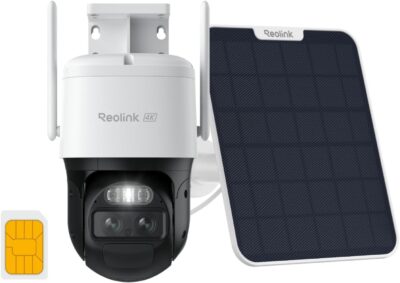
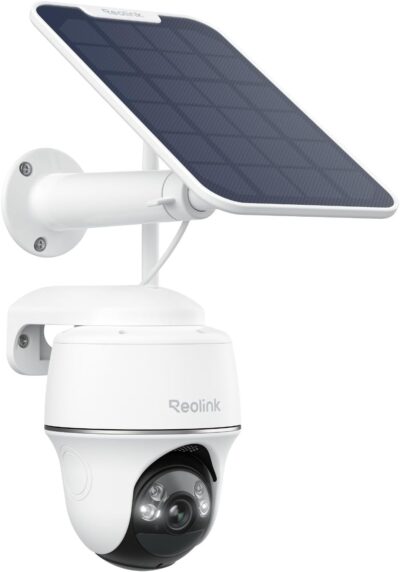
Reolink Argus PT Ultra Review: An Extra View Without Rebuilding Everything
At a Glance
KEY FEATURES
- Motorized pan and tilt
- Wi-Fi
- Separate panel in selected offer
- Memory-card recording supported
- Confirm exact compatible hardware version
PROS
- Suitable concept for supplementary event coverage
- Camera and panel positioning can be considered separately
- Current documentation offers multiple storage paths
CONS
- Older owner reports do not settle current tracking support
- Event capture is not a full-day archive
- Recorder expansion requires exact compatibility checks
Amazon customer rating
3,347 Amazon ratings
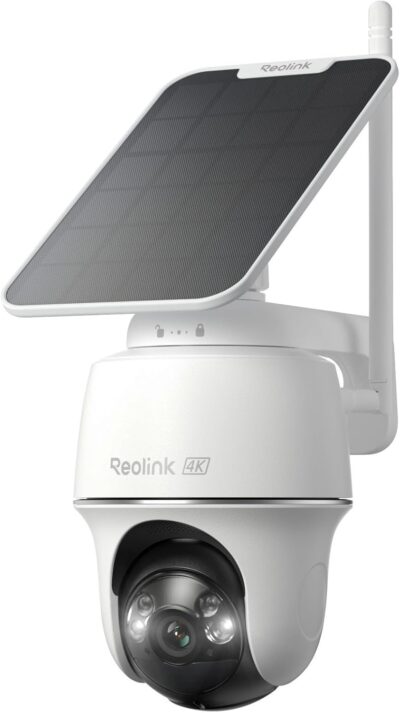
You may already have a camera at the front door and still know very little about what happens beside the shed or behind a detached garage. The Reolink Argus PT Ultra is worth considering for that supplementary role: a battery-powered, solar-supported camera that can add a viewpoint without making a new power cable the starting point of the project.
This review covers the solar offer under ASIN B0C2PY2KTJ, not the lower-resolution Argus PT or every package carrying the Ultra name. Match the selected camera and panel at checkout, and verify revision-dependent capabilities against the delivered hardware. Older owner accounts do not establish every feature of a current shipment.
Start with the blind spot your present cameras leave
- It might show whether somebody approached a side gate or what happened around an outdoor work area.
- It should not be purchased merely to add another moving picture to an app.
- Decide which route or activity is missing, then check whether a proposed viewpoint can show it clearly.
There are two different starting situations:
A defined supplementary viewpoint is the starting case for this selected Ultra offer.
You need a separate lookout for occasional events
In this case, a battery camera can be assessed on its own merits: the desired field of view, a usable network connection, solar exposure and access to saved events.
- Matching the brand of the front-door camera is less important than meeting those requirements.
- A second app may be inconvenient, but that inconvenience is different from failing to capture the target area.
You need another channel in an established recording system
Here, compatibility becomes a purchase gate.
- Being able to view cameras from one manufacturer does not automatically mean they share every recording, playback or export capability.
- Confirm the exact recorder or hub combination before selecting the camera, especially when an existing installation is the reason for staying with the brand.
These two buyers could reach different conclusions about the same product. A camera can be a useful independent lookout and still be the wrong expansion for a particular recorder.
Resolve the generation before judging the features
The current official Argus PT Ultra page advertises dual-band Wi-Fi 6 and automatic tracking.
Use panel flexibility to reconcile the scene with sunlight, while keeping the supported installation arrangement in mind.
- The captured Amazon material also describes those features.
- However, one supplied owner account explicitly says the camera can be steered but cannot follow movement automatically, while another describes tracking on an Argus PT Ultra installation.
Reolink's tracking support list names specific PT Ultra hardware revisions, confirming that the feature has a version boundary.
The older negative statement is therefore not a current-model verdict.
It would also be careless to assume every unit in the owner pool matches today's offer: neither the review metadata nor the captured bundle information identifies the shipped hardware revision securely enough.
Before checkout, obtain confirmation that the selected package supports the function you need.
After setup, distinguish manual pan-and-tilt control from automatic following.
Moving the lens through the app proves one behavior, not the other.
Even working tracking does not create simultaneous views in every direction; an extra camera position may still be necessary for a second independent approach.
What a gazebo installation actually tells us
One supplied account names the Argus PT Ultra and describes putting it on a gazebo near a public trail after a fence incident.
- That is a concrete example of the supplementary-coverage role: the owner wanted visibility beyond the areas already served by other equipment.
- The account also names a 3W panel and separately purchased memory storage.
Its strongest contribution is the use case, not a transferable performance guarantee.
The owner's successful charging, network experience and satisfaction do not establish how the camera will behave behind your garage or under different foliage.
Nor does installing a camera repair a physical boundary or guarantee that a future intrusion will be prevented.
The same account describes avoiding an audible alarm that would disturb legitimate visitors.
That is a useful distinction between observing a shared boundary and reacting to every movement there.
Think about normal foot traffic before deciding which notifications or responses are helpful.
A busy public path can make an otherwise attractive viewpoint less useful if it continually competes for your attention.
Recording and live watching are different jobs
The manufacturer's specifications describe motion-triggered recording.
- Do not interpret a solar panel, a larger memory card or the word “Ultra” as a promise that this camera will archive an entire day continuously.
- If the important incident might occur outside detection conditions, assess whether an event-oriented camera meets the requirement at all.
A supplied owner also reports that a live session ends and requires reconnection.
We do not have enough version and settings information to state a universal timeout.
Nevertheless, somebody expecting a permanently open monitor should verify that workflow separately from motion alerts.
A camera that is convenient to check occasionally can still be frustrating as an all-day display.
For supplementary event coverage, ask whether you can locate the relevant recording quickly after an alert.
For remote supervision of ongoing work, ask whether viewing can continue in the way you need.
Those are distinct acceptance checks, and a successful demonstration of one should not be used to approve the other.
Choose where the useful clip will live
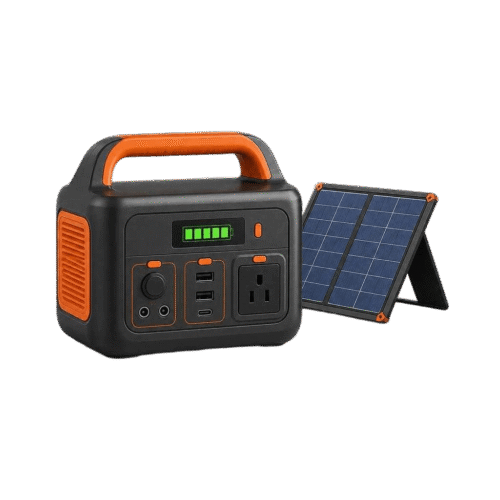
Storage is an additional decision, not an assumption to make from a solar-kit photograph.
Do not transfer compatibility from another Reolink model. Required recorder or app behavior needs an exact-hardware check.
- The supplied gazebo account mentions buying a card separately.
- Another owner describes adding a Home Hub later.
- Neither purchase establishes what comes in the captured camera package, and neither proves compatibility for every unit sold under a similar name.
The current manufacturer page describes several storage and integration options. Treat those as paths to verify against the selected hardware and current compatibility guidance, rather than reasons to promise that any existing Reolink recorder will work. A practical pre-purchase check covers three things:
- The storage destination supported by the exact camera and its software.
- The extra hardware, if any, that must be bought to use that destination.
- The steps for finding and saving an important clip when another household member needs it.
No retention duration can be responsibly assigned without the relevant settings and workload. An advertised maximum capacity is not an estimate of how long your evidence will remain available.
Add it for a defined gap, not a universal upgrade
The Argus PT Ultra makes the most sense as a candidate for an additional event-focused viewpoint where routing power would complicate installation.
- A separately positioned solar panel can be useful, but favorable owner experiences should not replace checking the intended camera and panel locations.
- Existing coverage, ordinary traffic and access to recordings determine whether the extra view earns its place.
Make hardware-dependent tracking and recorder compatibility purchase conditions if those features are essential. Choose this camera for a specific supplementary monitoring job, not on the assumption that it replaces continuous recording, integrates with every recorder, or behaves identically to every older Argus review.
Pros & Cons Analysis
Based on documented specifications and owner feedback
Pros
- An overlooked corner can become a separate monitoring project — A property does not always need a complete system replacement to improve visibility.
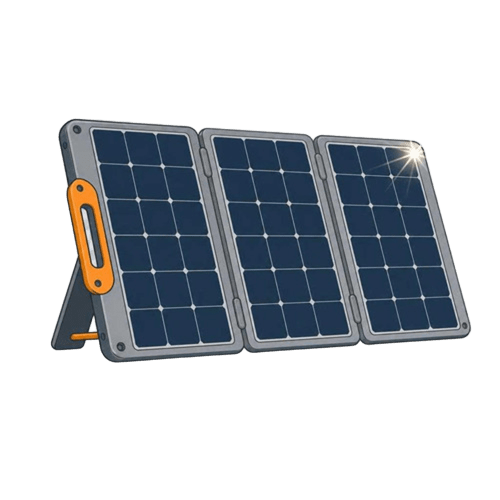
- The solar accessory need not dictate the lens's exact orientation — A separate panel creates a placement choice that an integrated top panel cannot offer in the same way.
- Storage can be selected around how the household retrieves incidents — Current manufacturer material describes more than one recording destination, which gives a buyer useful questions to ask before committing to accessories.
Cons
- A familiar model label conceals an unresolved review-history conflict — Two supplied accounts disagree about automatic following, while present manufacturer material advertises it.
- An activity alert cannot answer every question about the time between events — When a buyer needs to reconstruct a period without a clear trigger, an event-oriented archive may leave the central question unanswered even if its individual clips look good.
- Staying within one brand does not eliminate setup research — Owners expanding existing equipment may expect a new camera to appear as an equivalent recording channel immediately.
Argus PT Ultra should be bought for a confirmed role, not an assumed integration
Define the supplementary viewpoint
A movable view and separate panel can be a useful combination when the scene and sunlight need different positions. That is a practical reason to consider this selected Ultra offer.
Then confirm the connections you depend on
Check the exact revision, recording arrangement and any required integration before paying for it. Features associated with another Reolink product do not establish compatibility for this one.
- Keep it on the shortlist when its documented role fits.
- Pause the purchase if an essential integration or tracking feature remains assumed rather than confirmed.
Frequently Asked Questions
Is the Argus PT Ultra automatically compatible with every Reolink recorder?
No such assumption is safe. Confirm the exact camera hardware, recorder and supported connection path before purchasing for system integration.
Why does an Argus PT Ultra review mention a different PT variant?
Listings and customer material can span related variants. A feature reported for a 5MP PT or another revision is not automatically an Ultra feature.
Can Argus PT Ultra start as a standalone camera?
A camera-local recording arrangement is supported. Verify storage inclusion and the configuration needed for the selected unit.
What tracking check belongs before an Ultra purchase?
Match the hardware version against Reolink's tracking applicability information rather than relying only on the PT Ultra family name.
Is a gazebo installation a useful Argus PT Ultra example?
It can illustrate a supplementary view, but another site's sunlight, network reach and mounting conditions do not establish suitability at your gazebo.
Does the Ultra's rotation remove physical obstructions?
No. Walls, roof edges, plants and parked objects can still block the needed scene. Evaluate the priority view at its actual position.
Technical Specifications
| Model family | Reolink Argus PT Ultra |
|---|---|
| Amazon offer | B0C2PY2KTJ |
| Selected camera count | 1 |
| Connectivity class | Wi-Fi |
| Camera arrangement | Motorized pan and tilt |
| Solar arrangement | Separate panel in selected offer |
| Local recording | Memory-card recording supported |
| Offer-specific requirements | Automatic tracking: Confirm exact compatible hardware version |
| Advertised video resolution | 4k |
| Advertised weather rating | IP64 |
| Night vision type | LED |
| Motion / alert method | Motion Only |
| Mounting method | Wall Mount |
| Audio support | Not established for this selected offer |
| Advertised viewing angle | 360 degrees |
| Video format | MP4 |
| Operating environment | Outdoor |
| Compatible device class | Smartphone |