Reolink Altas PT Ultra Solar Kit Review: Plan the Recording, Not Just the Runtime
At a Glance
KEY FEATURES
- Motorized pan and tilt
- Wi-Fi
- Selected offer names Solar Panel 2
- Supported
- Pre-motion and continuous schedules supported; battery-mode limitations apply
PROS
- Pre-event context is available
- Recording schedules accommodate different workloads
- Power-saving behavior has documented stages
CONS
- Unbroken capture depends on battery state
- Solar-kit results are configuration-specific
- Night recognition needs scene-level evaluation
Amazon customer rating
575 Amazon ratings
Brand storefront, not this camera’s product listing.
A delivery appears in a motion clip, but the approach to the door is missing. That is a different problem from needing a better-resolution camera. The Reolink Altas PT Ultra is interesting because its recording options address time around an event, including pre-recording and scheduled continuous capture. Whether it solves your problem depends on how you configure those options and sustain the battery.
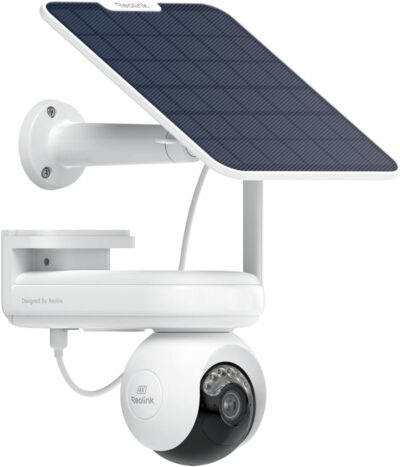
This assessment covers the Altas PT Ultra solar offer under ASIN B0D928X39F, which names Solar Panel 2. Confirm the selected bundle's accessories before buying. Neither an upgraded owner installation nor a different regional package establishes what this particular box contains.
Recover the approach, or retain the whole afternoon?
Start with a sequence you actually want to understand.
Pre-motion support matters when an ordinary event clip would omit useful context. Confirm the settings required for that role.
- Perhaps a vehicle stops outside, somebody walks toward a gate, and a package is left out of view.
- A motion-triggered clip might answer whether something happened without showing everything leading up to it.
- Pre-recording adds footage from before the trigger; continuous recording serves the different purpose of retaining a longer period whether an alert occurs or not.
Reolink documents pre-motion recording for this model.
That makes the Altas worth investigating if clips starting late are your main frustration.
Detection settings, where the lens points, and the chosen recording mode still matter.
Use a simple order when deciding what to enable:
- Name the missing part of the incident: the approach, the pause between activities, or an extended period with no obvious trigger.
- Choose the recording option that addresses that gap.
- Evaluate the power demand and usable footage after that choice, not before it.
This avoids buying against a long advertised battery figure and discovering that it describes a lighter workload than the one you intended.
Map the modes to the evidence you want
The Altas is not limited to one way of recording. That flexibility is useful, but the options should not be treated as interchangeable promises.
| Recording approach | What it helps you investigate | What it does not establish |
|---|---|---|
| Motion-triggered capture | Activities that meet the configured detection conditions | An uninterrupted record between triggers |
| Pre-motion recording | Context immediately before a detected event | A complete archive of the surrounding hours |
| Scheduled continuous capture | A chosen period beyond individual alerts | Indefinite operation at an unchanged frame rate on solar power |
For example, a household interested in afternoon access to a side yard may have a more manageable requirement than somebody wanting every second of a busy driveway throughout winter.
- The first buyer can define a useful schedule.
- The second should regard power continuity as a central system requirement, not a minor setting to solve afterward.
Battery management changes the recording bargain
Reolink's Smart Battery Mode documentation describes different behavior as charge falls. That matters more than a headline runtime because it tells you how the record can change before the camera becomes unavailable.
Supported continuous modes do not promise unchanged full-rate recording in every battery condition.
A fuller battery allows the selected pace
Above the configured upper threshold, the documented mode uses the normal recording frame rate.
- This is still conditional operation, not proof that your panel will replace the energy consumed.
- Repeated movement, viewing habits and the installation environment make a borrowed runtime figure a poor purchasing shortcut.
The middle band trades temporal detail for endurance
Between the two thresholds, the documentation describes reduced-frame-rate recording without an event and a higher rate when an event occurs.
- That can preserve broader continuity while spending less energy.
- However, fewer frames are not the same evidence as a full-rate sequence; fast movement may be harder to follow in the quieter interval.
The lower band returns to triggered capture
Below the lower threshold, Smart Battery Mode stops continuous recording and retains PIR-triggered alarm recording.
- A buyer expecting a complete timeline should understand that transition before relying on the camera.
- Check the actual settings and supported firmware rather than assuming a battery-preserving mode will preserve every part of the original recording requirement.
An owner's larger panel is a different configuration
One supplied owner account combines praise for daytime video and connectivity with disappointment in a very dark rural scene.
The selected Solar Panel 2 arrangement must be considered alongside the chosen recording workload, exposure and service access.
- Crucially, that owner says they purchased a larger solar panel.
- Their favorable charging experience therefore cannot validate the panel supplied with the offer being reviewed.
The useful lesson is about comparability, not a recommendation to copy the upgrade.
When an owner reports successful solar operation, ask what panel, exposure and recording workload produced that result.
If those details are absent, the experience can identify a question to investigate but cannot answer whether your installation will remain charged.
Keep the mounting decision practical.
The useful camera position and the useful panel position need not be identical.
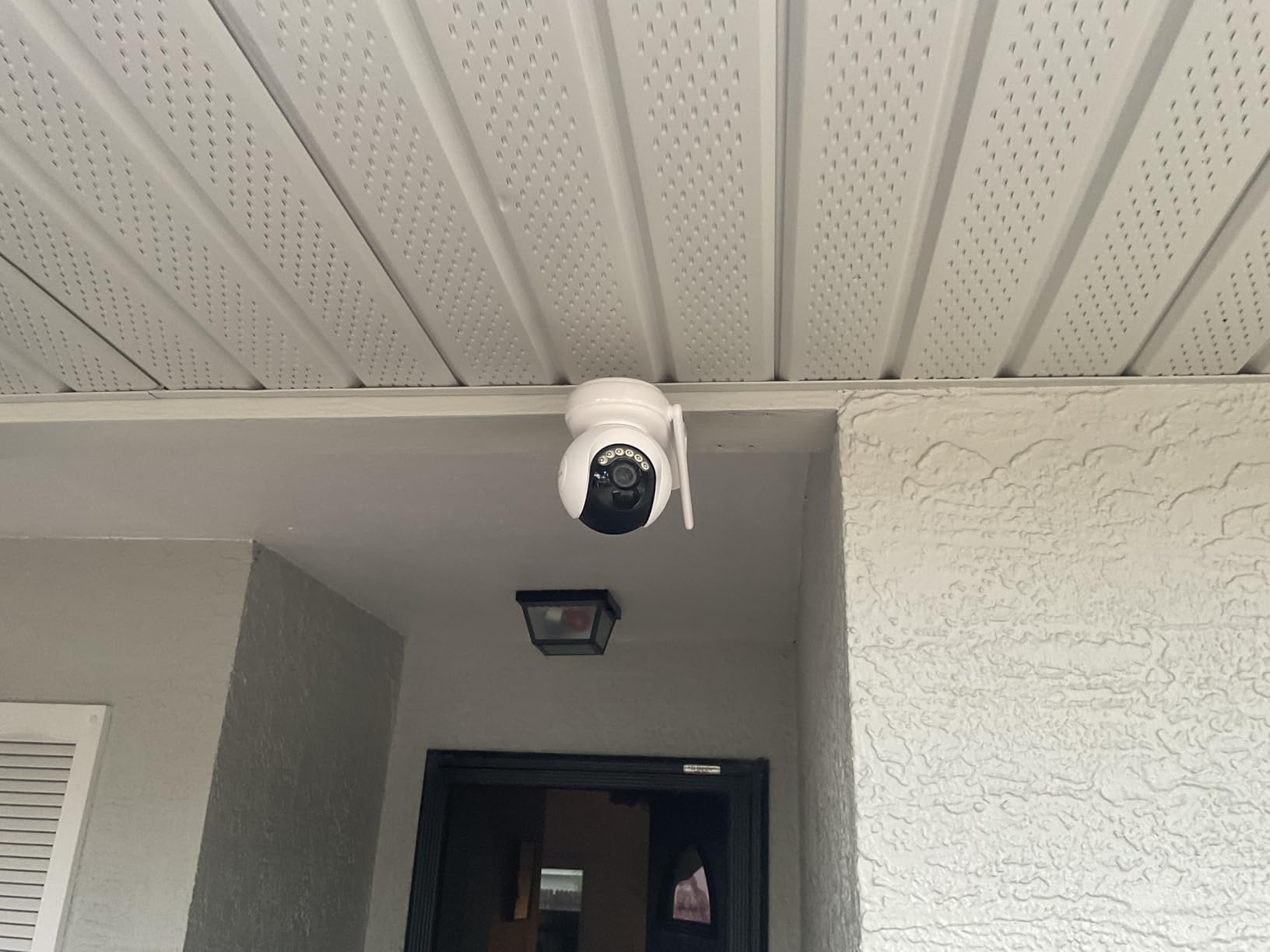
Before committing to either, confirm the supplied cable arrangement and whether the panel can receive direct light without compromising the camera's viewpoint.
Do not assume an accessory from another Reolink package is interchangeable simply because the connector looks familiar.
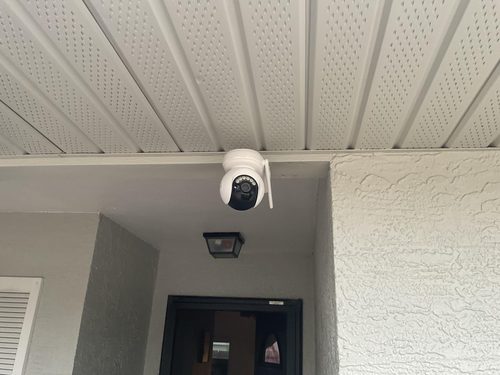
A dark scene deserves its own acceptance check
The Altas is marketed around ColorX low-light imaging.
- The supplied rural-night complaint is a reminder to distinguish a dim scene from one with effectively no useful ambient light.
- We have not independently reproduced that owner's conditions, and the account is not evidence that all Altas installations perform poorly at night.
Decide what you need to recognize: a person entering a yard, clothing, a face near the gate, or activity farther away.
Those are different standards.
A pleasing wide view on a phone is not enough to establish identification detail at the location that matters.
Evaluate a saved clip from your intended scene, including movement, instead of judging only a stationary live image.
Another supplied account objects to delayed live access in a power-saving setup.
Its exact operating conditions are unresolved, so a universal delay figure would be misleading.
It does make immediate live viewing a separate requirement to check, particularly if you expect to open the app and speak to someone who may leave quickly.
Budget for a workable schedule rather than maximum claims
The Altas PT Ultra belongs on the shortlist when extra time around events is valuable and you are willing to make deliberate recording choices.
- Its attraction is the available recording flexibility, not a claim that sunlight removes every power constraint.
- Confirm storage, accessory contents and the selected settings before treating the package as a complete installation budget.
For an unattended location where losing continuous coverage is unacceptable, the documented low-battery fallback is a material limitation.
For a household that wants better context during selected hours and can review charging behavior, it is a more plausible fit.
Buy for that concrete job, then verify the resulting footage; do not let a long standby claim silently become a promise about continuous surveillance.
Pros & Cons Analysis
Based on documented specifications and owner feedback
Pros
- You can target a timing problem without replacing it with a resolution claim — Extra image detail cannot recover an approach that was never recorded.
- Longer capture can be assigned to the hours that matter — A requirement limited to school pickup, deliveries or evening access is different from a full-day surveillance requirement.
- A described fallback is easier to evaluate than an unexplained endurance number — The published battery-mode transitions tell a prospective owner what is being sacrificed to extend operation.
Cons
- Keeping the camera awake does not mean keeping the same evidence quality — A recording system can remain operational while delivering less temporal detail than the owner expected.
- Successful charging reports may include purchases outside the advertised box — The supplied owner who reported favorable charging also disclosed a panel upgrade.
- Low-light marketing leaves the recognition standard to the buyer — An owner wanting useful detail in a very dark rural setting reported disappointment despite liking daytime images.
Altas PT Ultra is about the moments ordinary events can miss
Pre-event context and supported continuous schedules are the reasons to consider Altas PT Ultra. They matter when understanding what happened before an ordinary event clip is more useful than simply adding remote movement.
The trade-off is power planning. Recording behavior can change with battery mode and conditions; the word continuous is not a promise of unchanged full-rate recording indefinitely.
- Define which recording mode the task actually needs.
- Check its battery-related limits.
- Plan useful exposure for the selected Solar Panel 2 arrangement.
The purchase button intentionally leads to Reolink's Amazon storefront, not an exact-product offer. Confirm the Altas kit before selecting a listing there.
Frequently Asked Questions
Does Altas PT Ultra keep the same frame rate as its battery falls?
Not in every mode. Smart Battery Mode can reduce the continuous recording frame rate and eventually stop continuous capture while retaining motion-triggered operation.
Does an Altas review using a 12W panel describe this exact kit?
No. An added 12W panel is a different charging setup from the selected offer naming Solar Panel 2. Its charging experience cannot establish supplied-panel performance.
What does Altas pre-motion recording add?
It can provide context before the detected event rather than beginning only after the trigger. Verify the supported settings and resulting saved footage.
Should Altas standby endurance decide a continuous-recording purchase?
No. Standby, triggered recording, frequent live viewing and continuous capture are different workloads. Evaluate the intended mode and charging conditions.
Is a full battery enough to approve a remote Altas installation?
No. Check how charging and recording behave over the site's normal conditions, and plan what happens when access or sunlight is limited.
How should an Altas recording test be evaluated?
Inspect the saved timeline across the intended operating modes and battery conditions. A clear live view alone does not establish retained event context.
Technical Specifications
| Model family | Reolink Altas PT Ultra |
|---|---|
| Amazon offer | B0D928X39F |
| Selected camera count | 1 |
| Connectivity class | Wi-Fi |
| Camera arrangement | Motorized pan and tilt |
| Solar arrangement | Selected offer names Solar Panel 2 |
| Local recording | Supported |
| Offer-specific requirements | Recording modes: Pre-motion and continuous schedules supported; battery-mode limitations apply |
| Advertised video resolution | 4K 8MP |
| Advertised weather rating | IP65 |
| Night vision type | Not established for this selected offer |
| Motion / alert method | Motion Only |
| Mounting method | Ceiling Mount & Wall Mount |
| Audio support | Not established for this selected offer |
| Advertised viewing angle | 360 degrees |
| Video format | MP4 |
| Operating environment | Indoor, Outdoor |
| Compatible device class | Smartphone |