aosu SolarCam Pro Four-Camera Kit Review
At a Glance
KEY FEATURES
- Fixed wide-angle views
- Base-connected home network system
- Separate panels
- 32GB system storage
- Included; match the selected generation
PROS
- Stable viewpoints suit simultaneous approaches
- Detached panels allow different sun and camera positions
- Base recording offers a local-storage route
CONS
- Wide framing is not assured distant identification
- Four panel cables add installation decisions
- Support anecdotes cannot guarantee a replacement outcome
Amazon customer rating
2,477 Amazon ratings
The most useful reason to choose the aosu SolarCam Pro is not that its cameras turn to follow movement: this kit uses broad, fixed views. That difference matters when several routes need attention at the same time. A fixed camera can keep looking at its assigned scene while somebody opens another feed, with no need to redirect the first lens back afterward.
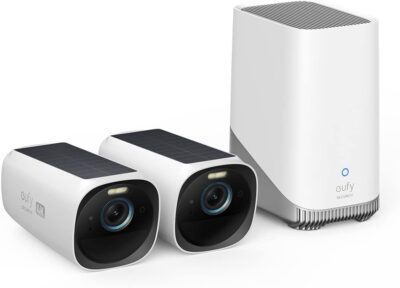
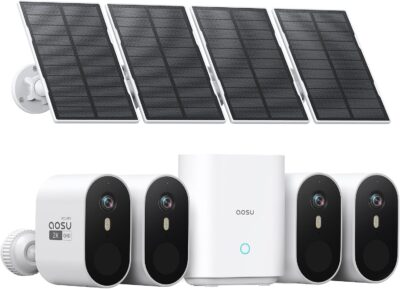
The offer examined here is the four-camera SolarCam Pro system, Amazon ASIN B0BVFQ7Y4V, identified as C7P2BH11. It pairs the cameras with separate panels and an indoor base. This is not the motorized D1 Classic system, nor does a similarly named later aosuBase bundle automatically have the same storage or expansion behavior. The assessment combines manufacturer information with supplied owner material; it is not based on our own installation or testing.
Start with what must remain in frame
Imagine a delivery van arriving while someone opens a side gate.
The selected four-camera arrangement favors keeping planned scenes framed rather than steering lenses remotely.
- The two actions may deserve separate records.
- A broad fixed view offers consistency, but it cannot see through a wall or turn around a corner.
- The useful design decision is therefore where each camera stays pointed, not how many directions the system can claim in aggregate.
aosu describes a 166-degree view for the SolarCam Pro family.
A wider scene distributes the available image detail across more surroundings.
A person close to a doorway and a vehicle near the far edge can be very different identification tasks.
Start with the subject that actually needs to be recognizable.
Work outward from that point to consider the rest of the scene.
If one broad composition makes the important subject too small, another mounting position or another camera may serve the purpose better than simply accepting everything that fits on the screen.
Broad context is useful at a shared approach
A common access area can benefit from showing where someone came from and which way they left.
- The value is contextual: the recording can explain the relationship between a person, a parked vehicle and an entrance.
- It is not a guarantee of number-plate evidence or of identifying a face at the far boundary.
A narrow passage asks a different question
In a passage, a broad lens may include nearby walls without adding useful activity.
- The camera still needs a view of the relevant approach and a workable detection setup.
- Match the device to that responsibility rather than expecting the same placement strategy to work on all four sides of a property.
A separate panel gives the bracket some freedom
The selected kit's separate solar panels allow the charging position to differ from the camera's viewing position within the supported mounting and cable arrangement. That can be valuable when the best view sits below a roof edge but the panel can reach a sun-exposed surface nearby.
Separate panels help when the best camera view and useful solar exposure do not coincide.
It also adds practical work.
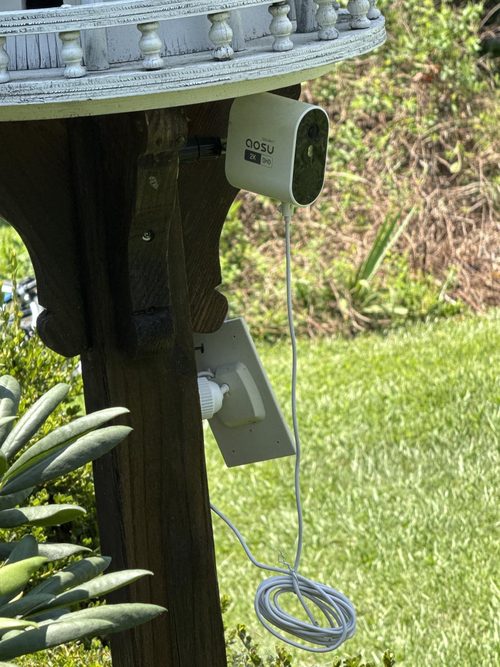
- The panel needs a suitable fixing point, and its cable needs routing that does not leave a vulnerable connector or interfere with normal use of the area.
- Verify the included cable and mounting parts for the selected package.
- Do not infer a longer extension or a particular accessory from somebody else's completed installation.
Treat each pair as a separate site decision. One sunny panel does not supply the other three cameras. Changes in shade, activity and live viewing can affect each battery differently, so a four-camera status screen should be checked for the weak location rather than read as a single healthy system.
The indoor box is part of everyday operation
The manufacturer describes 32GB local storage for this SolarCam Pro generation.
The selected system has a 32GB recording arrangement. Future equipment compatibility still needs to be checked.
- Local recording is the relevant alternative to buying cloud storage merely to retain events.
- It is not unlimited capacity, and the total retained history depends on the actual recordings created by the system.
Choose a base location that supports the whole installation, not only a convenient power outlet. The camera connection and the base's network connection need to remain usable. When a feed disappears, distinguish a camera problem from a shared recorder or network problem before relocating the outdoor hardware.
One supplied account reports restoring operation by reconnecting the Ethernet cable. That is an individual troubleshooting outcome, not a diagnosis for every offline message. Its practical lesson is to include the indoor connection in the handover and troubleshooting plan instead of assuming all problems start at the solar panel.
What the customer accounts do—and do not—establish
The supplied material contains useful differences in experience.
- An early owner describes simple setup and access to recordings without paying, while noting that an initial preview is not the same thing as opening live view.
- Another four-camera buyer describes one unit behaving differently while charging and contacting support.
- A long-term account discusses a replacement that ultimately involved a newer model.
Those experiences should remain separate.
They do not establish how often charging problems occur, what replacement a future buyer will receive, or which paid features are currently included.
Some reviews also describe a two-camera purchase or indoor use.
They are not proof of the outdoor four-camera kit's bundle contents or performance at an unrelated property.
The helpful takeaway is a more specific acceptance process. Confirm that all four devices work, understand what the app is displaying, and preserve the order details and model labels if support is needed. A positive support experience can be reassuring without becoming a promised warranty outcome.
Run one event through the whole system
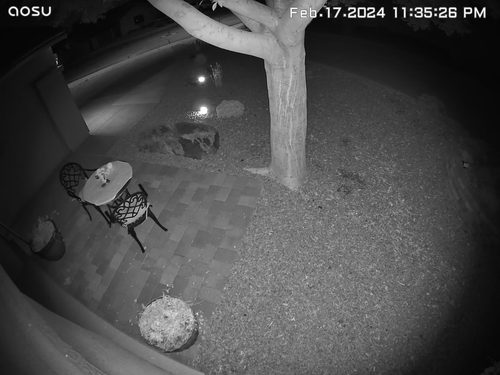
Instead of evaluating only the live picture, follow one ordinary activity from detection to export:
- Create a recognizable event at one intended location while the camera is using its normal settings.
- Locate the resulting recording, checking its start, end and useful detail rather than the notification alone.
- Save the clip to an authorized device and play the saved file independently.
- Repeat at the other positions, including the least favorable light and wireless location.
This is an illustrative commissioning routine, not a report of tests conducted for this review.
- It checks the outcome that matters to an owner: whether usable evidence survives beyond a promising preview.
- Review the selected model's actual recording modes if uninterrupted capture is required; a solar-power claim does not itself promise a continuous archive.
When the fixed-view approach is the better fit
The SolarCam Pro four-camera package deserves consideration when several stable scenes need coverage, separate panels can reach better light, and a local event archive is preferred.
- It is less compelling if the main attraction is remotely pointing a camera around the property, if expansion is essential but the included base is unclear, or if the buyer expects detailed identification throughout an unusually wide scene.
- Its strengths come from a planned set of stationary views, not from behaving like a different motorized system.
Pros & Cons Analysis
Based on documented specifications and owner feedback
Pros
- A household does not have to remember where a motor was left pointing — The fixed-camera arrangement is an advantage when the desired scenes do not change.
- Light collection can be optimized without sacrificing the intended composition — A panel that mounts apart from its camera gives the installer another degree of freedom when sunlight and the useful scene are in different places.
- The retention decision can begin with the recorder already in the package — The included local-storage arrangement gives an owner a defined starting point for keeping events without treating a cloud plan as an automatic first purchase.
Cons
- Coverage breadth can create unrealistic expectations about evidence detail — A generous viewing angle helps show an area but does not establish that a distant moving subject will remain identifiable.
- An orderly kit still creates several separate outdoor maintenance points — Four cameras with their own panels require attention to more than four picture compositions.
- A favorable service story may refer to different hardware after replacement — One customer describes a charging investigation that progressed from a replacement panel to a newer camera because the original was unavailable.
SolarCam Pro is strongest when each fixed camera already has a job
Choose this four-camera system for planned fixed responsibilities and useful separate-panel positions. The 32GB system-storage arrangement belongs in that decision alongside the outdoor mounting plan.
- A reason to shortlist it: several scenes should stay framed consistently.
- A reason to choose differently: remotely steering the view is central to the purchase.
- A reason to pause: future recorder expansion depends on compatibility that has not been checked.
Fixed versus movable is the useful comparison
See ANSQUE GU01 versus SolarCam Pro if you are deciding between those two ways of assigning four cameras.
Frequently Asked Questions
Does this SolarCam Pro rotate like a D1 Classic?
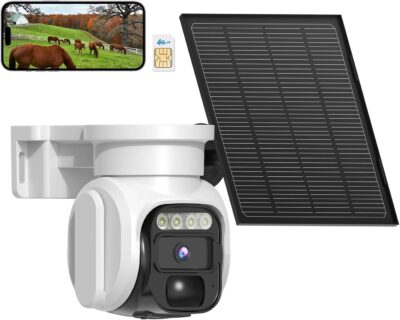
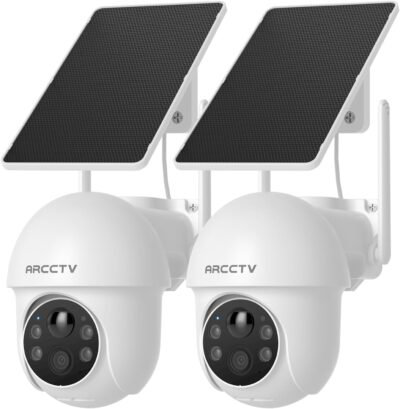
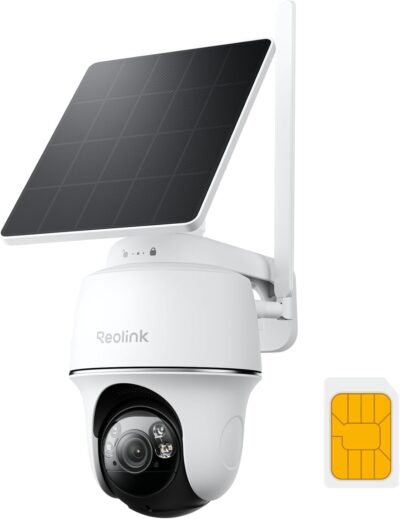
This selected system uses fixed wide-angle cameras. Do not transfer the D1 Classic's motorized movement to the SolarCam Pro.
What advantage do the Pro kit's separate panels offer?
They let you consider the camera view and sunlight position separately, within the supported cable and mounting arrangement.
Does a 166-degree SolarCam Pro view guarantee readable plates?
No. Coverage width is not a recognition guarantee. Inspect saved detail at the relevant distance, angle and light.
Why check the SolarCam Pro base when a feed is offline?
The indoor recorder and network connection are part of the system. A shared connection problem should not automatically be treated as a solar-panel failure.
Does a replacement described in a Pro customer review prove upgrade eligibility?
No. An individual replacement may involve different stock or circumstances. It does not guarantee the same model or resolution for a future support case.
What is a meaningful first test for all four Pro cameras?
Create an ordinary event at each position, find its recording and export a playable clip. Evaluate the least favorable location as carefully as the easiest one.
Technical Specifications
| Model family | aosu SolarCam Pro System |
|---|---|
| Amazon offer | B0BVFQ7Y4V |
| Selected camera count | 4 |
| Connectivity class | Base-connected home network system |
| Camera arrangement | Fixed wide-angle views |
| Solar arrangement | Separate panels |
| Local recording | 32GB system storage |
| Offer-specific requirements | Included base station: Included; match the selected generation |
| Advertised video resolution | 2k |
| Advertised weather rating | IP66 |
| Night vision type | LED, Infrared |
| Motion / alert method | Motion Only |
| Mounting method | Wall Mount |
| Audio support | Not established for this selected offer |
| Advertised viewing angle | 166 degrees |
| Video format | MPEG-4/HEVC |
| Operating environment | Outdoor |
| Compatible device class | Smartphone |