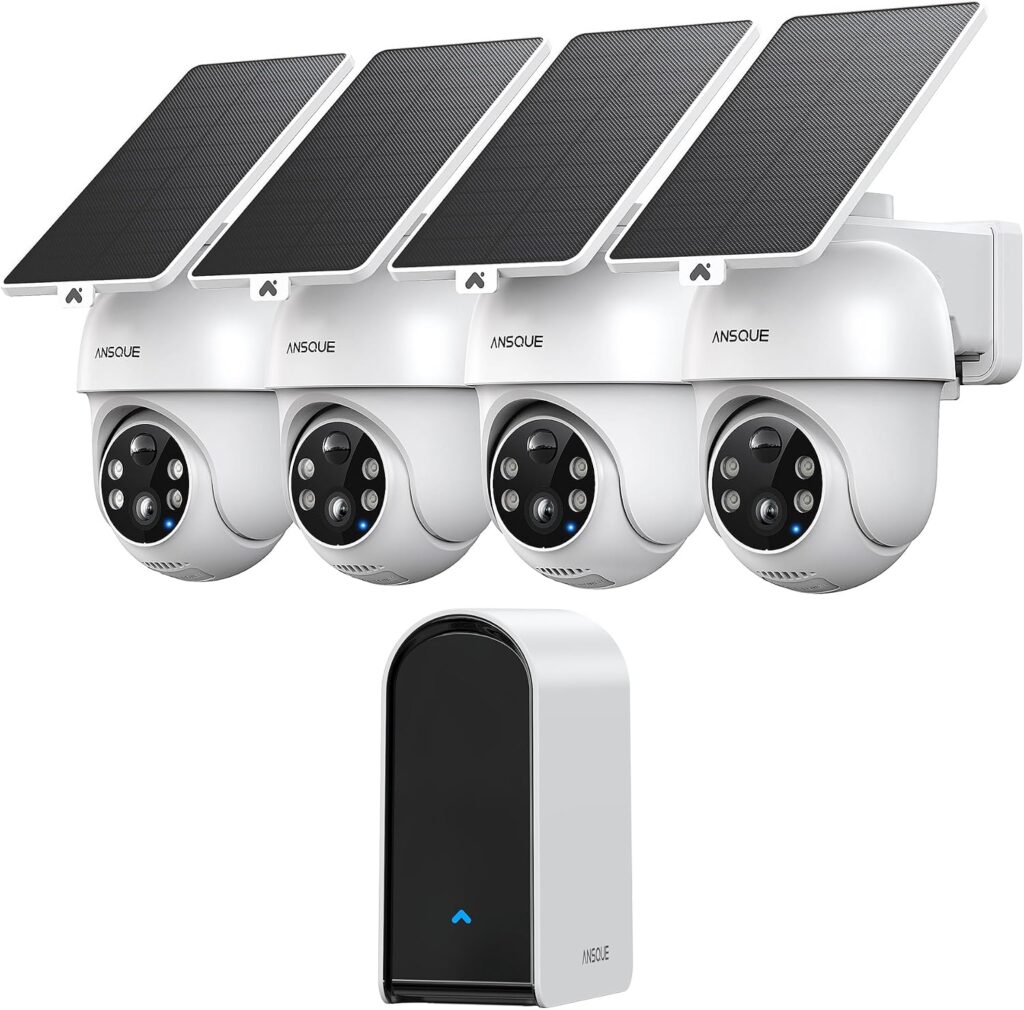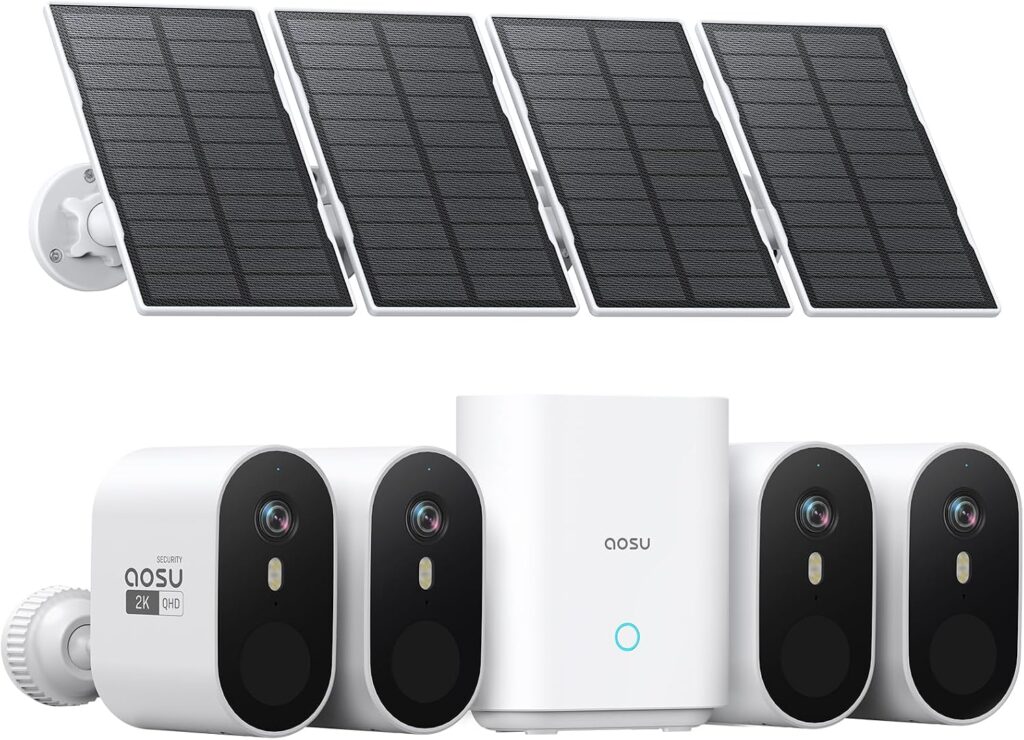
These selected offers both contain four cameras, so the starting question is not which box has more devices. It is how the four viewpoints should behave and how the household will retrieve the resulting events. ANSQUE GU01 uses movable views and advertises linked camera clips. The selected aosu SolarCam Pro uses fixed views with separate panels and a shared base arrangement.
The ASINs compared here are B0D7Z97Q48 and B0BVFQ7Y4V. They are not interchangeable with either brand's two-camera offers or other aosu camera families. This comparison is research-based; no equal-site test establishes a winner for detection, image detail or wireless range.
Sketch four useful views before judging four features
Assign stable views to the entrance, side passage, parking area and rear approach where those are useful. Independent compositions matter when activity happens simultaneously.
Identify where remote inspection adds value. Looking around a yard can move the camera away from its priority entrance; the motor should serve a defined task.
Four cameras do not guarantee complete coverage. Check blind transitions and connectivity rather than assigning several units to the same broad space.
Follow the same incident through both proposed systems
- Decide which camera should record the first arrival.
- Identify any second position the subject could reach next.
- Find both saved events and establish what happened between them.
- Export the relevant footage using the household's intended access arrangement.
GU01's advertised cross-camera grouping is relevant to this investigation workflow. It can help organize existing clips; it is not proof that the period between them was recorded. Evaluate the aosu workflow by the same practical task rather than inventing equivalent grouping features because both systems use a base.
The useful outcome is a person finding the required evidence, not simply four successful live views. A saved-event check also helps separate detection, movement and retrieval, which can otherwise be compressed into one vague claim that a camera works well.
Base storage belongs in the comparison, but retention slogans do not
Both selected materials describe local base recording. Verify the desired playback and export functions without introductory entitlements.
Activity and configuration determine retention. Nominal storage is not a guaranteed number of days; another aosu base generation may have different expansion options.
The indoor bases still need supported power and communications. Stored files remaining on media does not prove that all functions continue during an outage.
Compare the installations where they are least convenient
- Try the hardest outdoor position. SolarCam Pro’s separate panels allow independent placement within cable limits. Check the actual GU01 mounting configuration; promotional images do not establish every separated arrangement.
- Try a second authorized user. Have them find an event using meaningful camera names and the correct app. The supplied GU01 wrong-app account is a setup lesson, not a comparative software benchmark.
Choose the operating habit that fits the household
- Favor the SolarCam Pro design when each scene should remain fixed and the separate panel arrangement solves the difficult mounting positions.
- Favor the GU01 design when remote movement serves a defined task and its confirmed event-grouping workflow makes investigation easier for the household.
- Reconsider both layouts if four cameras still leave the required route unrecorded or the base cannot operate in a suitable position.
Neither gets an overall quality victory from this evidence. Choose by the intended views, actual mounting arrangement and demonstrated retrieval workflow. Owner support stories and replacement experiences can identify checks, but do not establish comparative reliability or a promised service outcome.