Solar Power Picks logo with sun, solar panel, and green energy icon

  • Home
  • Reviews
  • Best
    • Best portable power stations
    • Best Solar Panels
    • Best Solar Generators
    • Best Solar Charge Controllers
    • Best Solar Batteries
  • Guides
    • Portable Power Stations Guides
    • Solar Panels Guides
    • Solar Generators Guides
    • Solar Charge Controllers Guides
    • Solar Batteries Guides
  • Comparisons
    • Portable Power Stations Comparisons
    • Solar Panels Comparisons
    • Solar Generators Comparisons
    • Solar Charge Controllers Comparisons
    • Solar Batteries Comparisons
  • Calculator
Home / Solar Security Cameras / Best / Best Multi-Camera Solar Security Systems

Best Multi-Camera Solar Security Systems

Compare two- and four-camera arrangements by useful viewpoints, panel placement and where recordings are kept. Camera count alone does not establish complete coverage.

OUR PICKS

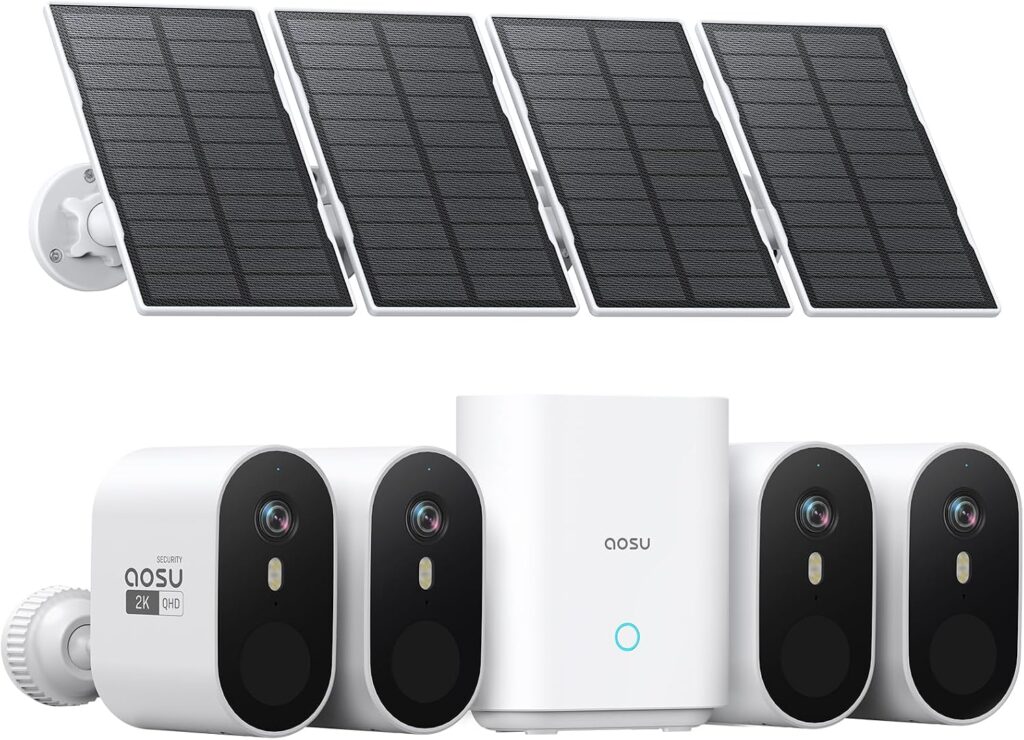
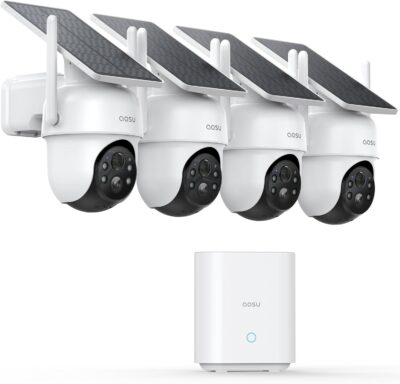
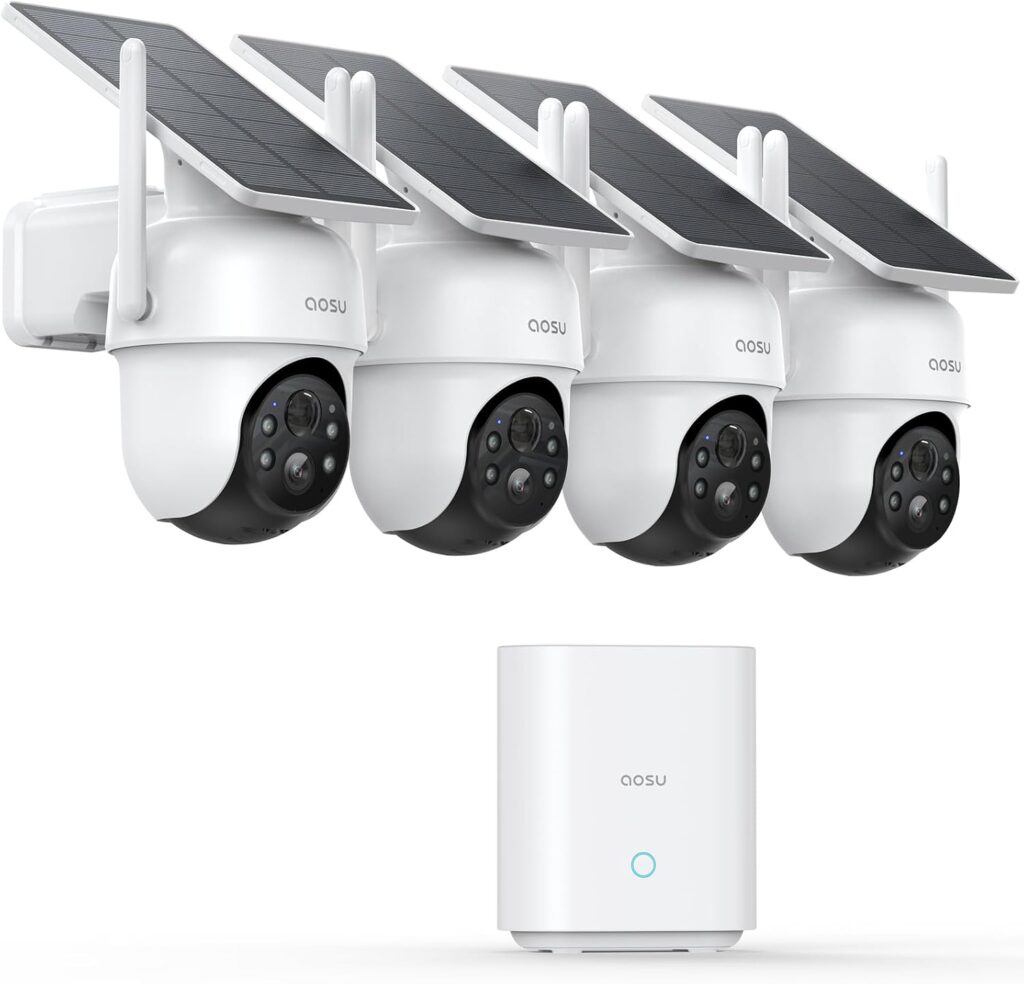
aosu D1 Classic Four-Camera Solar Kit Review

For four movable scenes with a base

aosu D1 Classic Four-Camera Solar Kit Review

View product on Amazon Jump to details
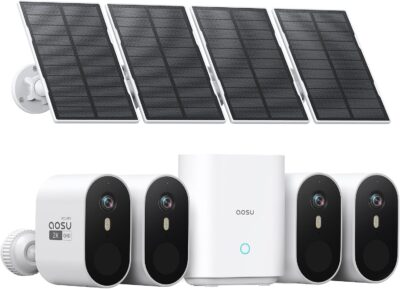
aosu SolarCam Pro Four-Camera Kit Review

For four fixed views and separate panels

aosu SolarCam Pro Four-Camera Kit Review

View product on Amazon Jump to details
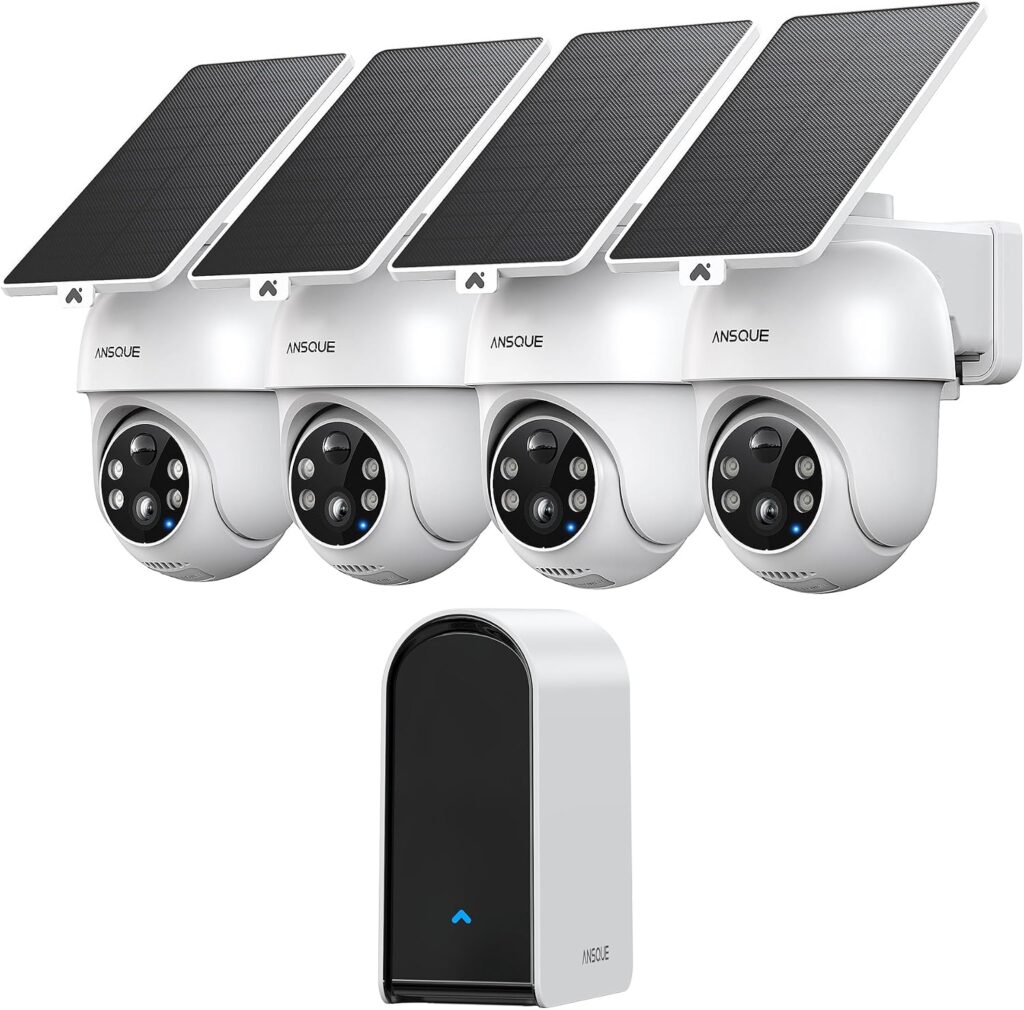
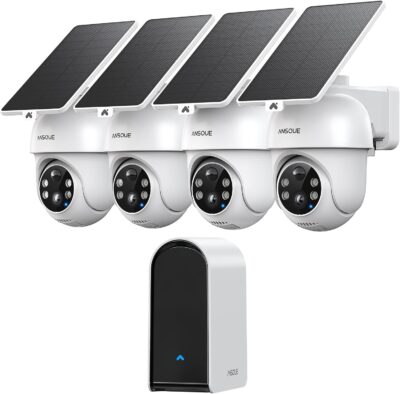
ANSQUE GU01 Four-Camera Solar System Review

For four views with linked-event navigation

ANSQUE GU01 Four-Camera Solar System Review

View product on Amazon Jump to details
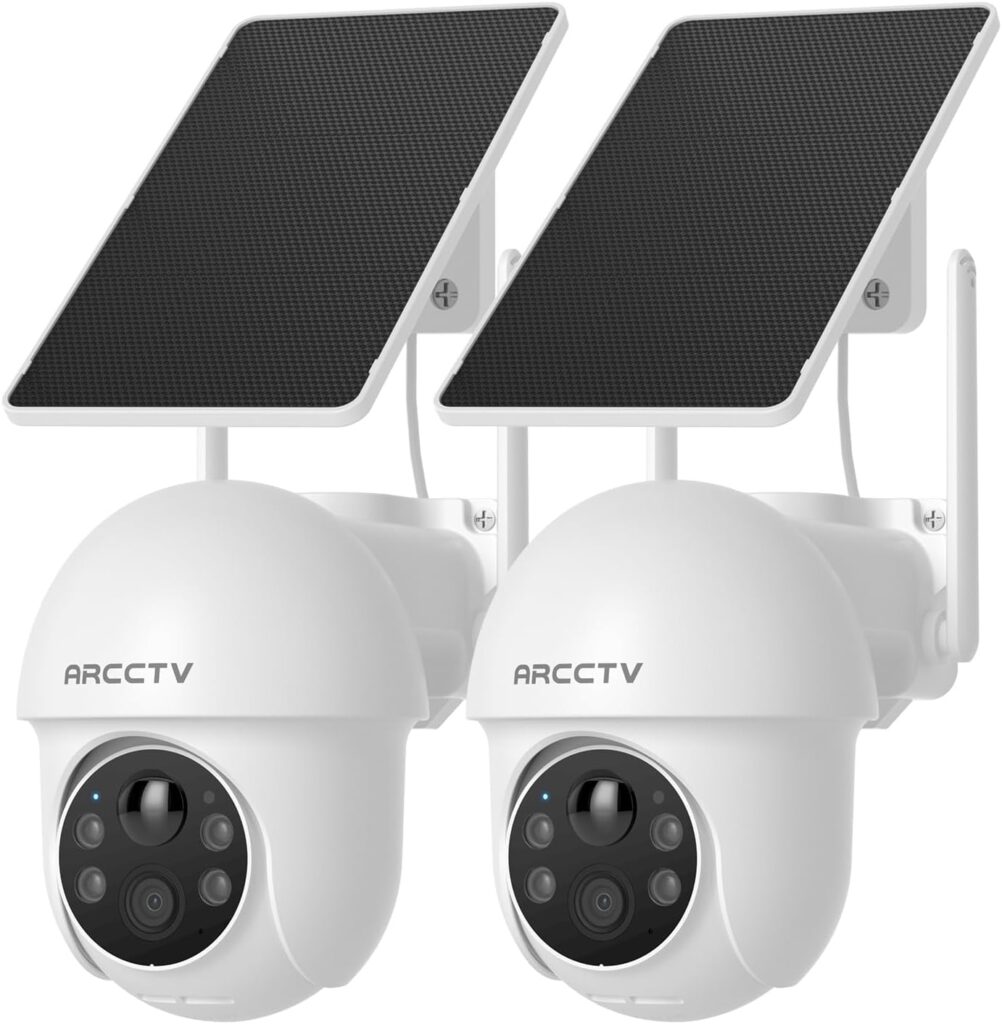
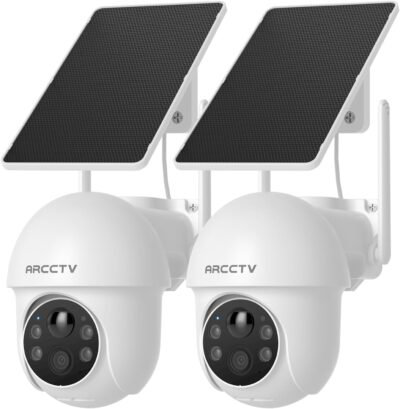
ARCCTV Q01 Two-Camera Solar Kit Review

For a manually controlled Wi-Fi pair

ARCCTV Q01 Two-Camera Solar Kit Review

View product on Amazon Jump to details
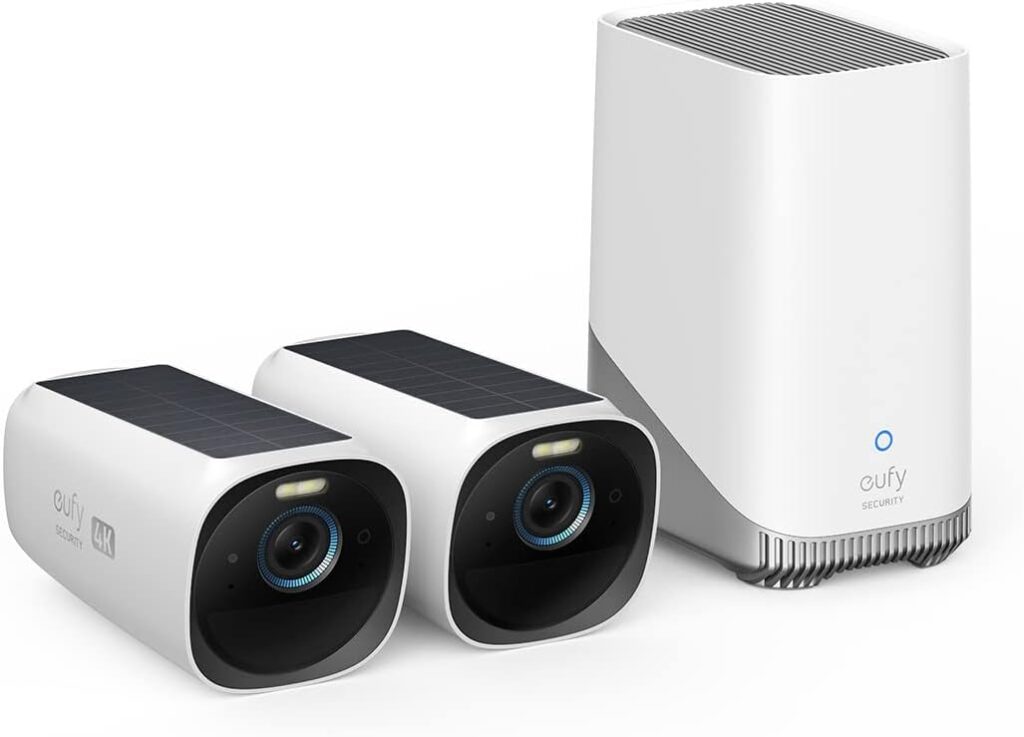
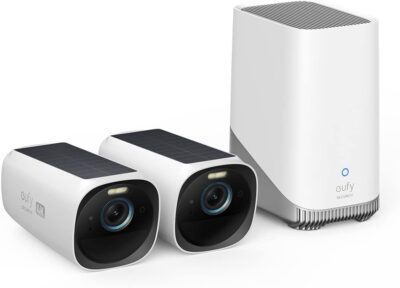
eufyCam S330 Two-Camera Kit Review: The HomeBase Is Part of the Decision

For two fixed scenes with HomeBase 3

eufyCam S330 Two-Camera Kit Review: The HomeBase Is Part of the Decision

View product on Amazon Jump to details

The first question is not how many cameras a kit contains. It is how many distinct scenes need to remain covered, and where the household will find the resulting recordings. Four cameras pointed at substantially the same approach can be less useful than two deliberately assigned views.

This shortlist includes the aosu D1 Classic, aosu SolarCam Pro, ANSQUE GU01, ARCCTV Q01 and eufyCam S330 selected offers. They are different system arrangements, not interchangeable boxes. Recommendations draw on retained product evidence and supplied owner feedback rather than a controlled installation test.

Give each viewpoint a written responsibility

Name the action the camera should preserve: a person at the entrance, movement along a side path, or activity beside a detached structure. Avoid vague assignments such as covering the entire property. They conceal the actual framing and recording requirements.

Layout requirement Candidate arrangement
Four movable views with a shared local system aosu D1 Classic or ANSQUE GU01
Four fixed wide views and separately positioned panels aosu SolarCam Pro
Two manual pan-and-tilt Wi-Fi cameras ARCCTV Q01
Two fixed views with HomeBase 3 Selected eufyCam S330 kit

This is a layout distinction, not proof that one product records events more reliably. A motorized lens can inspect another direction, but that does not create simultaneous footage outside its current view. Likewise, linked clips cannot fill an area no camera recorded.

Decide who owns the archive

A shared archive and two camera-local cards create different household workflows.

Base-centered kits

D1 Classic, SolarCam Pro, GU01 and the selected eufyCam S330 package include a base arrangement. Plan its indoor power, network position and actual storage configuration.

Camera-local pair

Q01 uses two Wi-Fi cameras with cards to be added for local recording. Do not count an indoor archive as part of this offer.

Check the base generation: Expansion and compatibility from a newer base do not transfer automatically to the selected kit.

Use the fourth position to test a four-camera purchase

It is usually easy to imagine the first camera. The weakest justification often belongs to the last one. For a four-camera kit, check whether the fourth intended position adds useful footage, has a workable connection and can support charging.

  1. Sketch the four intended scenes without using camera movement to hide gaps.
  2. Identify the hardest location for network access and sunlight.
  3. Confirm that its saved event would add information unavailable from another camera.
  4. Keep a realistic route for maintenance at that location.

If the fourth location has no useful role, a two-camera system may be the more appropriate starting point. Conversely, two cameras are not enough simply because they can rotate. Choose the number of useful simultaneous viewpoints rather than the largest movement-range headline.

Panel layout changes the installation workload

Separate panels: two positions to solve

The selected SolarCam Pro and Q01 offers let the camera view and sunlight be planned separately. Confirm cable reach, mounting and routing at every location.

Integrated panels: one position must work

The camera location also controls charging exposure. One sunny unit does not validate a shaded second or third camera.

Neither arrangement establishes maintenance-free operation. Evaluate the least convenient position before accepting the entire kit.

Hand the finished system to another person

Ask someone other than the installer to retrieve a sample incident.

  1. Name the views

    Use meaningful locations instead of indistinguishable default camera names.

  2. Find the incident

    Locate the relevant camera and check the saved beginning and end, including transitions to another view.

  3. Keep a copy

    Use supported sharing and export. Check the actual permissions and optional service requirements.
Linked clips are navigation, not missing footage: A grouped sequence cannot supply a moment that no camera recorded.
For four movable scenes with a base

aosu D1 Classic Four-Camera Solar Kit Review

aosu D1 Classic Four-Camera Solar Kit Review

Get it now:

View product on Amazon

What to know

  • D1 Classic is the selected four-camera package with its specified 32GB aosuBase.
  • Owner reports include favorable tracking experiences and detection-timing concerns; neither establishes a universal outcome.
  • A supplied account with extra external panels does not prove those panels are in this box.
  • Inspect the beginning of a saved arrival at every position, not only the easiest front-door location.

Best if

  • Four separate entrances or paths justify four cameras.
  • You want an indoor event archive with navigation between recorded camera views.
  • Movement serves a real inspection task beyond each camera's normal direction.

Skip if

  • You are assuming the selected base has newer aosu recorder features.
  • One or more required views puts the integrated panel in persistent shade.

D1 Classic can organize four distinct camera jobs around one indoor archive. Its value is not simply the camera count: each position needs useful framing, viable charging and saved events that start early enough for the task. Keep newer base generations and owner-added panels out of the selected package's assumed capabilities.

For four fixed views and separate panels

aosu SolarCam Pro Four-Camera Kit Review

aosu SolarCam Pro Four-Camera Kit Review

Get it now:

View product on Amazon

What to know

  • The selected package has four fixed cameras, separate panels and a base-centered archive.
  • The retained system identifies 32GB local storage; do not borrow expansion claims from newer bases.
  • One owner received a replacement panel, then a newer camera when the original was unavailable.
  • That replacement story describes support for an individual case, not the hardware that every current buyer receives.
  • A wide scene is not evidence that a distant moving face or plate will be identifiable.

Best if

  • Four fixed compositions are preferable to views that another person can steer away.
  • Sunlight is available near each camera, but not necessarily at the best framing position.

Skip if

  • Routine monitoring depends on remote pan and tilt.
  • You cannot accommodate the separate panel mounts and cable routes.

SolarCam Pro is the fixed-view alternative to the motorized kits. It is useful when a household wants each screen to retain a clearly assigned scene and the panels need their own positions.

The owner charging-and-replacement case is also a reminder to keep those outdoor pieces reachable. Evaluate this kit's actual components rather than treating the newer replacement in one review as an included upgrade.

For four views with linked-event navigation

ANSQUE GU01 Four-Camera Solar System Review

ANSQUE GU01 Four-Camera Solar System Review

Get it now:

View product on Amazon

What to know

  • The selected GU01 package has four cameras and its 32GB base.
  • A cabin owner described the usefulness of combining recorded views of a person's route.
  • Another account used the wrong application during pairing; identify the exact package's app before setup.
  • An account about a two-camera kit is not evidence of this four-camera box's contents.

Best if

  • Four positions around a home or cabin need a shared event workflow.
  • Finding a person's recorded route across cameras is more useful than reviewing isolated histories.

Skip if

  • You expect grouped clips to reconstruct activity that was never recorded.
  • You cannot provide a suitable powered location for the shared base.

GU01's strongest evidence-led use case is a four-camera cabin installation where related-clip navigation helped the owners review movement between areas. That is more informative than an unqualified tracking claim. Check both parts of the experience: what each camera actually records and whether the intended household viewer can find those clips together.

For a manually controlled Wi-Fi pair

ARCCTV Q01 Two-Camera Solar Kit Review

ARCCTV Q01 Two-Camera Solar Kit Review

Get it now:

View product on Amazon

What to know

  • Q01 supplies two cameras and two separate panels.
  • Both 2.4GHz and 5GHz Wi-Fi are listed for the selected camera.
  • Movement is manual app control, not automatic tracking; a Wi-Fi owner's wish for following matches that limitation.
  • Memory cards are excluded. Conflicting maximum-capacity figures in the retained listing need exact-hardware confirmation.

Best if

  • Two independent home-network views are enough.
  • You want separate panel placement without buying a shared indoor recorder.

Skip if

  • Automatic subject-following is essential.
  • You want local recording ready without purchasing and checking cards.

Q01 is a smaller, less centralized alternative to the four-camera base kits. The two units can preserve separate priority scenes, while each panel can seek a suitable nearby position. Its limits are concrete: the motor will not automatically follow a detected person, and a local archive needs additional media at each camera.

For two fixed scenes with HomeBase 3

eufyCam S330 Two-Camera Kit Review: The HomeBase Is Part of the Decision

eufyCam S330 Two-Camera Kit Review: The HomeBase Is Part of the Decision

Get it now:

View product on Amazon

What to know

  • This selected kit contains two eufyCam S330 cameras and HomeBase 3, not cellular S330 hardware.
  • An exact two-camera owner described quiet side doors and a base near the cameras.
  • Other supplied accounts added more cameras and a drive; those are separate purchases.

Best if

  • Two fixed approaches cover the brief and a powered indoor HomeBase is practical.
  • You want a central archive that can be expanded through verified compatible purchases.

Skip if

  • You need the cameras to work independently of HomeBase 3.
  • You expect charged outdoor batteries to keep the indoor base running during a mains outage.
  • Four viewpoints are required but the budget covers only this two-camera package.

The exact two-camera owner example is more useful here than a larger enthusiast system: two quieter side doors were the assigned monitoring jobs. That illustrates a contained reason to choose the starter kit, without promising the same range or charging result elsewhere.

Plan the base's power and placement alongside the outdoor cameras. Solar support at the wall does not remove the system's indoor dependency.

Product Comparison

Feature aosu D1 Classic Four-Camera Solar Kit Review aosu SolarCam Pro Four-Camera Kit Review ANSQUE GU01 Four-Camera Solar System Review ARCCTV Q01 Two-Camera Solar Kit Review eufyCam S330 Two-Camera Kit Review: The HomeBase Is Part of the Decision
Product Image
aosu D1 Classic Four-Camera Solar Kit Review
aosu SolarCam Pro Four-Camera Kit Review
ANSQUE GU01 Four-Camera Solar System Review
ARCCTV Q01 Two-Camera Solar Kit Review
eufyCam S330 Two-Camera Kit Review: The HomeBase Is Part of the Decision
Price $299.97 $199.99 $279.94 $89.99 $349.99
Rating
4.2 / 5
4.3 / 5
4.4 / 5
4.1 / 5
4.2 / 5
Category Solar Security Cameras Solar Security Cameras Solar Security Cameras Solar Security Cameras Solar Security Cameras
Model family aosu D1 Classic aosu SolarCam Pro System ANSQUE GU01 ARCCTV Q01 eufyCam S330
Amazon offer B0CNRDG796 B0BVFQ7Y4V B0D7Z97Q48 B0F9FNW8G5 B0B4BZH58H
Selected camera count 4 4 4 2 2
Connectivity class Base-connected home network system Base-connected home network system Wi-Fi system with AnsqueBase 2.4GHz and 5GHz Wi-Fi HomeBase-based home network system
Camera arrangement Motorized pan and tilt Fixed wide-angle views Motorized views Motorized pan and tilt under manual app control Fixed exterior views
Solar arrangement Integrated camera panels Separate panels Solar panel arrangement supplied for cameras; verify mounting configuration Two separate panels in selected kit Integrated camera panels
Local recording 32GB aosuBase in selected offer 32GB system storage Base-centered event storage Memory cards; cards not included Via HomeBase 3
Offer-specific requirements Included base station: aosuBase; verify generation before planning expansion Included base station: Included; match the selected generation Included base station: AnsqueBase; listing describes 32GB installed storage Service requirement: Cloud retention is an optional paid service Included base station: HomeBase 3; external power required
Advertised video resolution 2K/3MP 2k 2K 3MP 1440p 4k
Advertised weather rating IP65 IP66 IP65 Not established for this selected offer IP65
Night vision type LED LED, Infrared 4 LED Spotlights Infrared & LED Not established for this selected offer
Motion / alert method Audio and Motion Motion Only Audio and Motion Motion Only Not established for this selected offer
Mounting method Wall Mount Wall Mount Wall Mount Wall Mount Wall Mount
Audio support Not established for this selected offer Not established for this selected offer Not established for this selected offer Not established for this selected offer Two-way audio advertised
Advertised viewing angle 360 166 degrees 360 degrees 360 degrees Not established for this selected offer
Video format MP4 MPEG-4/HEVC MP4 MP4 MPEG H
Operating environment Outdoor Outdoor Outdoor Indoor, Outdoor Outdoor
Compatible device class Smartphone Smartphone Amazon Alexa, Android, and iOS devices, Google Assistant, Smartphone Smartphone Smartphone
Buy Now View product on Amazon View product on Amazon View product on Amazon View product on Amazon View product on Amazon

Draw the camera map before buying the larger box

A four-camera discount is useful only when four positions produce different evidence. Start with the entrance, side access, parking area or outbuilding that each device must cover; do not count overlapping views as four solved problems.

  1. Set the required camera count. Two deliberate positions can justify eufyCam S330 or ARCCTV Q01. Four genuine jobs put D1 Classic, SolarCam Pro and GU01 in contention.
  2. Choose stable or movable scenes. SolarCam Pro keeps four fixed views. D1 Classic and GU01 add movement, which needs a priority direction after somebody uses the controls.
  3. Place the archive. The base kits share an indoor recording dependency. Q01 instead needs its separate local-card arrangements completed.

Finally, inspect sunlight and saved arrivals at the weakest position—not just the easiest front-door mount. Separate panels on SolarCam Pro and Q01 can help when sunlight and camera framing do not align; integrated-panel kits require each camera location to satisfy both.

Frequently Asked Questions

Should I choose a four-camera kit simply because it has more units?

No. First establish four useful scenes with workable charging and communications. Unnecessary duplicate views do not improve the layout automatically.

Do all these multi-camera kits include an indoor base?

No. Q01 uses a different arrangement with camera-local recording media to add. Check the selected kit's actual archive design.

Does cross-camera navigation prove an incident was fully recorded?

No. It can organize available clips but cannot supply an unrecorded portion of an incident.

Can aosu base specifications be transferred between these kits?

Not safely. Match the included base generation before relying on storage expansion or camera compatibility.

Why test the least convenient camera position first?

It may determine whether the entire kit is workable. Check its scene, communication, sunlight and future access rather than validating only the easiest mount.

Who should perform the final multi-camera retrieval check?

An intended user other than the installer should be able to find and preserve a sample event through the supported account workflow.

×

About Solar Power Picks

Portable Solar Power, Backup Power, and Off-Grid Gear Guides

Your trusted source for honest, in-depth product reviews and comparisons.

Quick Links

  • Best Picks
  • Reviews
  • Guides
  • Comparisons
  • Calculator
  • Privacy policy
  • Favorites

Categories

  • Portable Power Stations
  • Solar Batteries
  • Solar Battery Maintainers
  • Solar Charge Controllers
  • Solar Generators
  • Solar Panels

© 2026 Solar Power Picks. All Rights Reserved.

We may earn a commission when you purchase through links on our site. Learn more