eufy SoloCam S340 Review: Solar Tracking and Its Limits
At a Glance
KEY FEATURES
- Dual-camera, motorized pan and tilt
- Wi-Fi
- Removable panel
- Supported; verify the selected standalone or HomeBase arrangement
PROS
- Panel can be positioned apart from the camera
- Moving dual-lens view for following events
- Standalone local recording with optional HomeBase expansion
CONS
- Not a continuous-recording solution
- Tracking cannot watch every direction simultaneously
- Charging still depends on placement and workload
Amazon customer rating
6,875 Amazon ratings
The eufy SoloCam S340 is worth considering when you want a camera that can follow activity around an entrance without running a power cable to the mounting point. Its more important limitation is less photogenic: this is an event-recording camera, not a continuous video recorder. A sharp picture is useful only if the event you need was captured.
Our assessment is based on product documentation and supplied customer-review material, not hands-on testing. The focus is the single-camera Amazon listing, ASIN B0CCYP6KFM, with its removable solar panel. Reviews describing additional HomeBase equipment are treated separately from the standalone purchase.
Decide what you need to record first
Start with a real incident you would want to investigate. Is a clip of someone approaching the front door enough, or do you need to rewind through every moment before and after they arrived? Those are different purchases.
- Adding storage does not remove that limit.
- If missing the start of an event would defeat your reason for installing a camera, evaluate a system with documented continuous recording instead.
For an occasional visitor, a delivery or a check on activity in the yard, event clips may be sufficient. But make that choice deliberately. Do not translate a claim about staying powered into a claim about recording continuously.
A movable view is not several simultaneous views
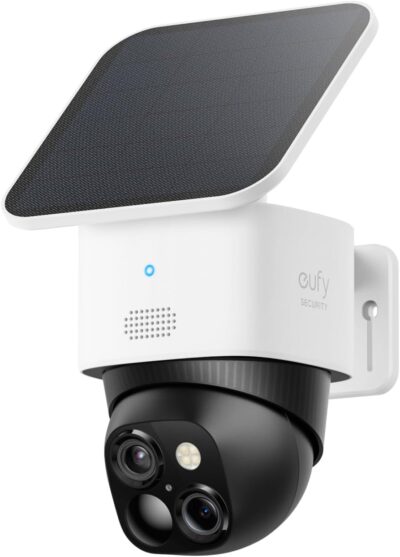
The S340 combines two lenses with pan-and-tilt tracking.
The movable dual-camera arrangement deserves consideration when inspecting different parts of one entrance has value.
- That makes it interesting for a location where you want both a general view and a closer look at activity.
- It does not mean the camera can watch every direction at the same instant.
Consider a corner mounting position.
A visitor near the front door and movement at a side gate may compete for attention.
Before choosing one moving camera instead of two fixed cameras, decide which approach must remain visible.
Tracking should complement the initial camera position rather than compensate for an entrance that starts outside the useful view.
Be equally careful about judging image quality. A clear still of an empty driveway does not answer whether a moving face will be recognizable at night. In your own setup check, review saved clips of the task that matters rather than relying only on the live view.
Give the panel its own mounting decision
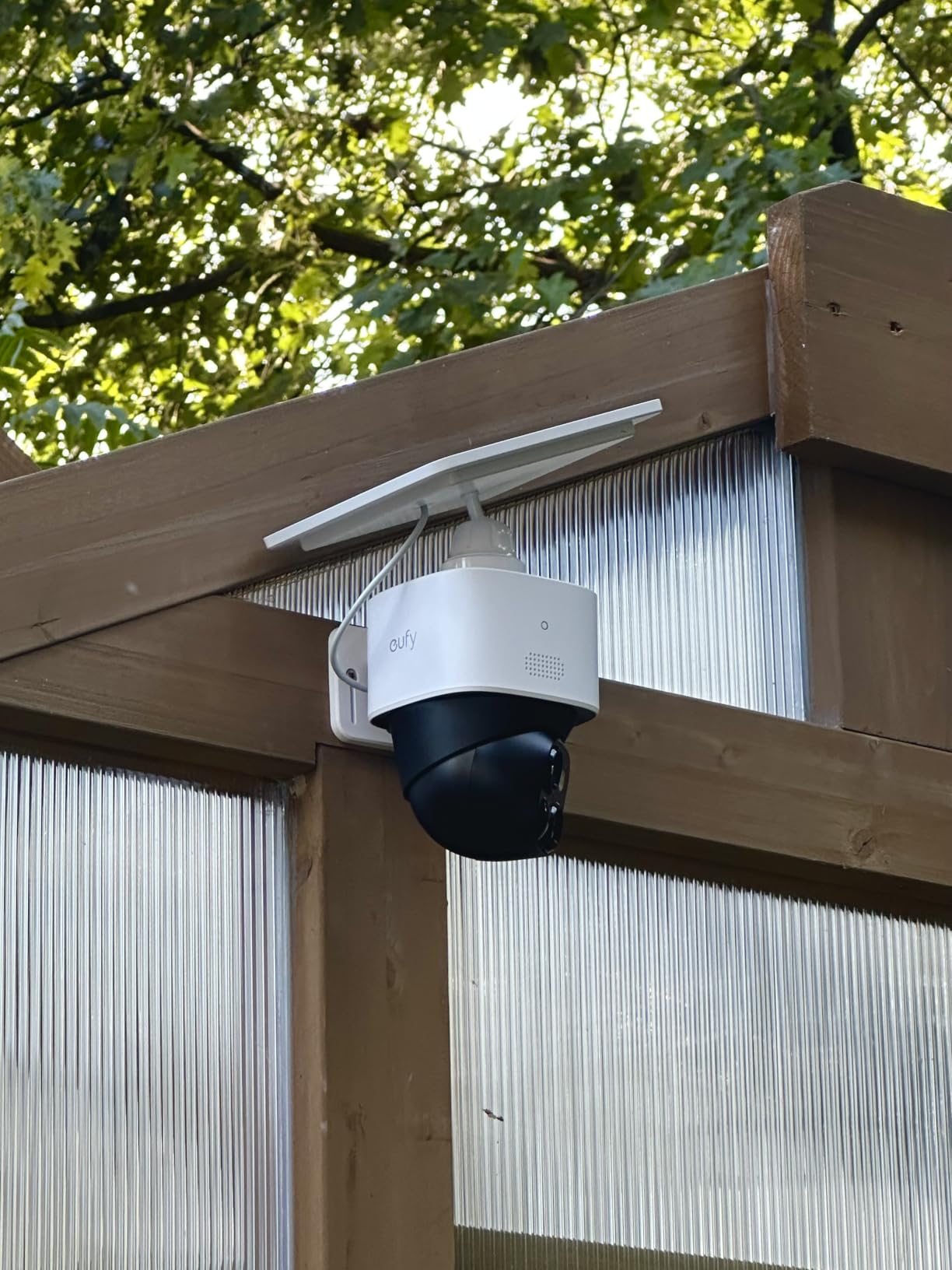
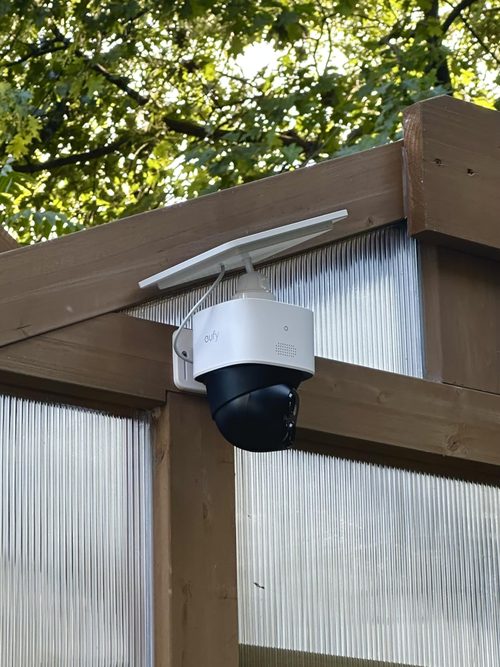
The removable panel is a practical part of this design. eufy's user guide permits attaching it to the camera or mounting it separately with the supplied extension cable. That gives you a way to choose a camera viewpoint without accepting the sunlight available at exactly that spot.
The removable panel gives more placement choice than a panel fixed to the camera body, within the supported arrangement.
A shaded entrance is a useful example.
- The camera may have a good view from beneath an overhang, while the panel needs a different location.
- Plan both positions and the cable route before making holes.
- Check that the proposed route actually reaches, rather than buying around an assumed cable length.
Sunlight claims need context. eufy's product page advertises two hours of daily direct sun, while its installation advice recommends three to four. Neither number is a promise for every installation. Seasonal shading and the amount of recording can change the balance between charging and consumption.
Watch the battery trend across ordinary days, including cloudy ones. A single full-charge screenshot cannot establish that a particular mounting position will work through winter. Leave yourself a practical way to reach the camera if charging or maintenance is needed.
Separate the camera purchase from a HomeBase system
Local recording without a mandatory monthly fee is part of the S340's appeal. HomeBase can add storage and features, but it is additional equipment, not something to assume is inside the single-camera package.
If separated scenes require simultaneous evidence, compare multiple viewpoints instead of relying on a single turning camera.
This distinction matters when reading reviews. A satisfied owner describing several cameras connected to a HomeBase is reporting on a different overall installation. Their storage experience does not establish what is included with one standalone camera.
Write down the complete setup you intend to buy: camera, panel, any base station and any optional services.
- Then ask how you will find and save an important clip.
- Having local storage and finding footage conveniently are related, but they are not the same question.
What the supplied owner material adds
The supplied review material gives useful questions to investigate, but it is not a controlled test or a representative reliability survey. Some exports also omit the variant and review date, so an individual account cannot establish the behavior of every current shipment.
One owner explicitly describing S340 cameras connected to a HomeBase S380 reported easier event capture after changing a camera's mounting angle. That supports checking placement before assuming a sensitivity adjustment will solve everything; it does not prove that the same adjustment will fix another installation.
Other supplied accounts describe late clip starts, inconsistent tracking or awkward playback.
- Favorable reports describe clear footage and successful solar charging.
- We cannot turn either group into a success rate, and we cannot establish the cause of a reported problem from the text alone.
The practical takeaway is to test the whole sequence: approach, detection, notification, saved clip and later retrieval. A good result at one stage should not stand in for checking the others. Keep notes on the conditions if you need to ask support for help.
Check the installation before relying on it
The setup guide calls for an initial full charge and an account in the eufy app. Allow time for setup and verification before treating the installed camera as ready.
Once mounted, walk the approaches you care about in daylight and after dark.
- Look at where the saved clip begins, whether the subject remains visible, and whether you can recover the recording afterwards.
- If the camera uses an optional base, perform these checks with that actual configuration.
Also consider ordinary ownership tasks. Can you access the panel to clean it? Can you retrieve the camera without an awkward climb? Can another authorized household member use the intended sharing workflow? These details will matter longer than the first successful live-view demonstration.
Who should put the S340 on a shortlist?
Shortlist it for an entrance or yard where a moving view, solar charging and event clips fit the job. Its separate panel gives you useful flexibility when the best camera angle and the best sunlight are in different places.
Choose a different category if your requirement is uninterrupted recording, several directions recorded at once, or a remote site that needs a cellular connection. Those are buying requirements to resolve before comparing image-resolution numbers.
The S340's strongest case is convenience with clearly understood boundaries. Buy around the footage you need, the place you can mount it and the complete storage setup—not around the assumption that solar power means permanent, all-seeing surveillance.
Pros & Cons Analysis
Based on documented specifications and owner feedback
Pros
- Two mounting decisions instead of one compromise — A detachable panel gives a homeowner a useful choice when the sheltered place offering the best camera angle is not the sunniest part of the wall.
- A way to inspect changing activity from one position — A movable camera is appealing when the subject of interest does not remain in one small area, such as someone moving between an entrance and a nearby path.
- An incremental route into a larger recording setup — Someone monitoring one entrance may not want to buy a central base immediately.
Cons
- An absent event cannot be recovered by adding capacity — For a buyer who needs to reconstruct an entire incident, the distinction between saving more footage and recording continuously is decisive.
- One moving viewpoint can leave competing activity unresolved — Pan and tilt can make one camera more adaptable, but the purchase still leaves you with one physical observation point.
- Convenience can become a maintenance-access problem — An out-of-reach installation may look tidy while making a future charging or troubleshooting visit inconvenient.
S340 earns its place where movement and panel flexibility both help
A home entrance that benefits from a movable view and a removable panel is the convincing case for SoloCam S340. The dual-camera arrangement should solve a scene problem, rather than serve as a substitute for planning coverage.
- One entrance, several inspection angles: a sensible shortlist use.
- Two separated approaches needing simultaneous evidence: consider two viewpoints instead.
- A required HomeBase workflow: confirm the selected hardware arrangement before purchase.
The S340 versus Argus PT Ultra comparison is a useful next check once the intended view is defined.
Frequently Asked Questions
Does this S340 offer include HomeBase 3?
The selected single-camera offer lists the camera and removable panel, not HomeBase 3. Treat a base station as a separate purchase unless the chosen bundle expressly includes it.
Can the S340 watch opposite directions at once?
Motorized rotation changes its view; it is not equivalent to separate cameras aimed at opposite approaches. Plan the priority direction and inspect saved events.
Must the S340 panel stay directly above the camera?
Its removable panel allows placement flexibility within the supported mounting and cable arrangement. Confirm the included parts before planning a separated installation.
Is an S340 customer using HomeBase describing the same setup?
Not necessarily. Base storage and added system features should be separated from the capabilities and contents of the standalone offer.
What should I check after enabling S340 tracking?
Check the beginning of saved clips, the view after tracking ends and the important approach at night. A successful live demonstration is not a complete recording check.
Does S340 solar charging guarantee no manual charging?
No. Shade, season, activity and settings affect the charging balance. Keep a practical way to reach and service the camera.
Technical Specifications
| Model family | eufy SoloCam S340 |
|---|---|
| Amazon offer | B0CCYP6KFM |
| Selected camera count | 1 |
| Connectivity class | Wi-Fi |
| Camera arrangement | Dual-camera, motorized pan and tilt |
| Solar arrangement | Removable panel |
| Local recording | Supported; verify the selected standalone or HomeBase arrangement |
| Offer-specific requirements | Included base station: Not listed in this selected single-camera kit |
| Advertised video resolution | 3K |
| Advertised weather rating | Not established for this selected offer |
| Night vision type | Not established for this selected offer |
| Motion / alert method | Motion Only |
| Mounting method | Wall Mount |
| Audio support | Not established for this selected offer |
| Advertised viewing angle | Not established for this selected offer |
| Video format | MPEG-4 |
| Operating environment | Outdoor |
| Compatible device class | Smartphone |