obligz OZ-S1 Two-Camera Solar Kit Review
At a Glance
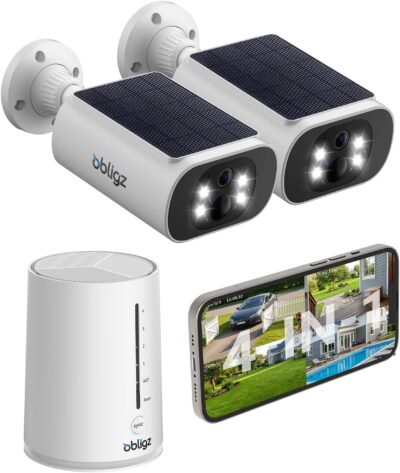
KEY FEATURES
- Two fixed viewpoints
- Wi-Fi system; station supports Ethernet and dual-band Wi-Fi
- Integrated camera panels
- Home Station with 64GB included storage
- Cloud optional; specified smart recognition features are paid
PROS
- Indoor station stores local events
- Two-camera starter package
- Integrated panels simplify the component layout
CONS
- Some recognition features cost extra
- Camera position must also suit solar charging
- Expansion requires compatible equipment
Amazon customer rating
224 Amazon ratings
A recording stored inside the house is the most compelling reason to consider this obligz kit. The selected OZ-S1-K2 offer, ASIN B0FND54GT1, pairs two solar cameras with a Home Station containing 64GB of storage. That is a different proposition from buying two unrelated cameras and leaving each one's recordings outdoors.
There is a catch in the subscription-free message: local storage does not mean every recognition feature is free. This assessment separates the equipment and service choices using the selected listing and supplied owner accounts; it is not a hands-on performance test.
Start with the clip you would want to keep
Imagine finding that something has disappeared from outside.
Plan the two scenes around the cameras' fixed views and integrated panels. A good wireless connection does not correct a poor composition.
- The useful result is a saved event that can be located and exported, not simply a camera icon that is still online.
- Base-centered storage gives this kit a sensible role when the household wants its recordings away from the outdoor camera.
Before settling the mounting positions, record a harmless sample event and retrieve it from the actual account that will manage the system. Check the timestamp, useful detail and export process. Do not assume a live-view success proves that the recording path is ready.
Separate the archive budget from the alert budget
The listing promotes local storage without a compulsory cloud subscription while also identifying paid human, pet and vehicle recognition.
Cloud and specified recognition features have their own terms. Separate basic local recording from added feature entitlements.
- Those statements can coexist.
- The question is which functions you intend to use, rather than whether the box carries a no-fee slogan.
| Purchase decision | What to establish |
|---|---|
| Keeping events locally | Confirm the installed station storage and usable playback workflow |
| Filtering alerts by subject | Check which recognition options require payment in the current app |
| Adding cloud retention | Treat it as a separate service choice, not an included permanent entitlement |
| Expanding the system | Match supported additional cameras rather than assuming brand-wide compatibility |
A supplied owner mentions paying for cloud and AI at one entrance. That illustrates why a buyer should examine the exact account options, but an individual account is not a current tariff sheet. Neither its fee nor its per-camera arrangement should be treated as a promise for the next purchaser.
Two sunny positions are more valuable than four possible channels
The purchased package contains two cameras.
The selected Home Station includes 64GB storage. Its position and household connection are part of the system design.
- A larger system capability is not extra hardware in the box.
- Give those two devices separate jobs first: for example, an entrance and an accessible side approach, rather than almost identical views of the same space.
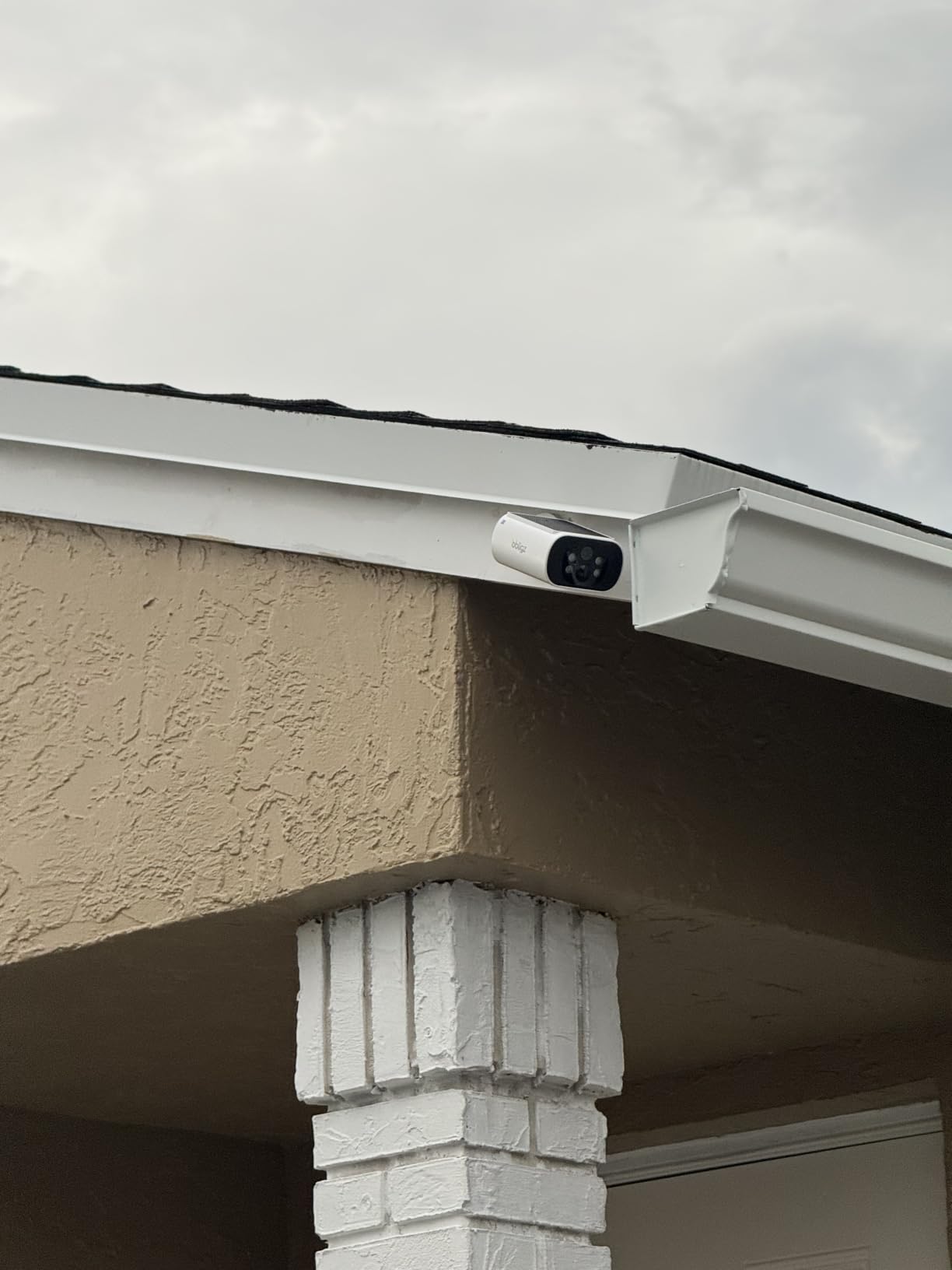
The panel shares the camera's location
An integrated panel reduces the number of separate components to position.
- It also means that a deep, shaded mounting position may suit the picture but not charging.
- Inspect both candidate locations before treating the tidy design as an installation advantage.
Summer feedback leaves winter unanswered
One owner explicitly limits their favorable battery experience to summer.
- That is a useful boundary, not a missing detail to fill with a year-round guarantee.
- Keep the cameras reachable, observe the actual charging balance and avoid making the system depend on a fixed daily sunlight claim.
The station's Ethernet and Wi-Fi connection options concern the system's network arrangement. Do not infer that each camera independently has every networking feature described for the station. Establish the working connection at the real outdoor positions, not just beside the router.
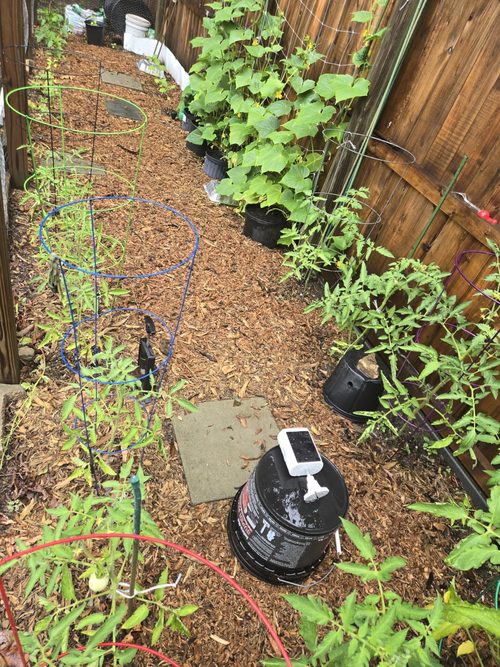
Judge enlargement by the saved subject
Digital enlargement can make an object easier to inspect on screen without revealing new detail.
- A supplied account finds the daytime view adequate but criticizes enlarged and nighttime images.
- Other accounts praise picture quality.
- Neither side establishes a measured identification distance.
For a front approach, check whether the saved clip answers the practical question: who arrived, what they carried, or where they went.
A resolution headline cannot guarantee readable plates or recognizable faces under arbitrary lighting.
If a required detail is consistently absent, purchasing an optional service is not automatically the remedy.
Weather-related complaints also appear in the supplied material, including reported moisture and charging trouble. Those are reasons to keep a realistic support and access plan, not grounds for inventing a failure percentage. Reports of replacement assistance likewise do not guarantee an identical outcome for every buyer.
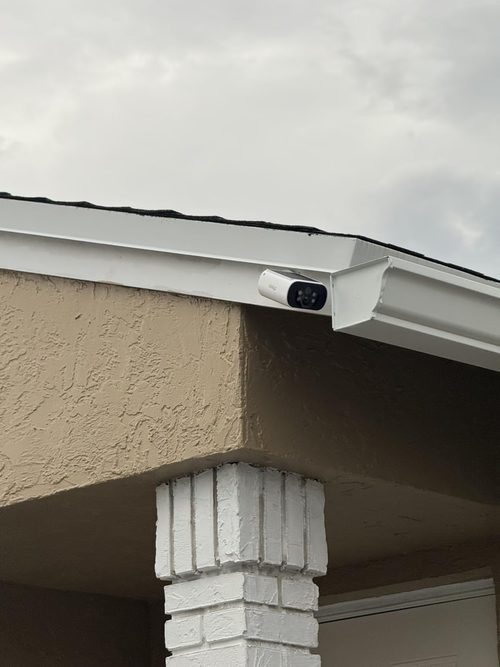
Buy the station arrangement, not an unlimited-service promise
OZ-S1 makes the most sense as a small, local-storage system where two suitable outdoor positions and an indoor recording point solve the actual problem. Its appeal is weaker if the buyer expects all advanced alerts to be free, unrestricted camera expansion or a distant detail-recognition system.
Confirm the chosen two-camera offer, the station contents and the current optional services before ordering.
- Once installed, the important milestone is retrieving useful events from both positions without an unwanted service dependency.
- That is a more meaningful acceptance check than the first successful pairing screen.
Pros & Cons Analysis
Based on documented specifications and owner feedback
Pros
- The recording point can remain away from an exposed camera — Putting local events on an indoor station changes where the household expects to retrieve its evidence.
- A modest pair can establish whether the system fits before expansion — Two included cameras allow different approaches to be assigned within one system without committing to a larger initial camera count.
- Attached solar hardware removes a separate panel location from the layout — The integrated panel can make an exposed, suitably sunny installation less cluttered because a second panel and its cable route do not have to be positioned elsewhere.
Cons
- A no-cloud purchase can still encounter recognition upgrades — The listing distinguishes free local storage from paid human, pet and vehicle recognition.
- A tidy camera mount can conceal a poor seasonal charging choice — The panel travels with the camera, so there is less freedom to separate the desired frame from its solar exposure.
- An expansion slogan is narrower than an open camera platform — The retained listing names compatible additional equipment rather than promising that any wireless camera can join the station.
OZ-S1 suits a shared local archive with two fixed responsibilities
The 64GB Home Station is the important distinction in this two-camera offer. It makes the recording arrangement a system decision rather than two unrelated card purchases.
- What fits
- Two fixed scenes, viable sunlight at the integrated panels, and a suitable location for the indoor station.
- What needs a separate decision
- Paid smart-recognition features, optional cloud service and any future expansion.
Buy OZ-S1 for the documented local-storage arrangement. Do not stretch that into a claim that every feature or added camera will operate without further costs or compatibility checks.
Frequently Asked Questions
Does the OZ-S1 no-subscription claim include every AI alert?
No. The listing separately identifies paid human, pet and vehicle recognition. Local recording and advanced alert entitlements are different decisions.
Are four cameras included with this OZ-S1 offer?
No. ASIN B0FND54GT1 is the selected two-camera kit with a Home Station. Additional system capacity does not add cameras to the package.
Where does the selected obligz kit store local events?
The package includes a Home Station with 64GB storage. Confirm recording, playback and export on the installed system.
Can any ARCCTV-app camera extend the obligz station?
Do not assume that. The retained listing names a specific supported addition; an application name does not establish hardware interoperability.
Does the obligz station's dual-band description apply to each camera?
Do not transfer station networking specifications to individual cameras without exact documentation. Verify the delivered system's connection requirements.
Does a favorable summer OZ-S1 review establish winter charging?
No. A supplied owner explicitly had not used the system through winter. Assess exposure and charging at the actual installation.
Technical Specifications
| Model family | obligz OZ-S1-K2 |
|---|---|
| Amazon offer | B0FND54GT1 |
| Selected camera count | 2 |
| Connectivity class | Wi-Fi system; station supports Ethernet and dual-band Wi-Fi |
| Camera arrangement | Two fixed viewpoints |
| Solar arrangement | Integrated camera panels |
| Local recording | Home Station with 64GB included storage |
| Offer-specific requirements | Service requirement: Cloud optional; specified smart recognition features are paid |
| Advertised video resolution | 2560×1440p, 4MP |
| Advertised weather rating | IP66 |
| Night vision type | Infrared Leds, Spotlights |
| Motion / alert method | Audio and Motion |
| Mounting method | Wall Mount & Celling Mount |
| Audio support | Not established for this selected offer |
| Advertised viewing angle | 100 degrees |
| Video format | MP4 |
| Operating environment | Outdoor |
| Compatible device class | Alexa, Desktop, Laptop, Smartphone, Tablet |