
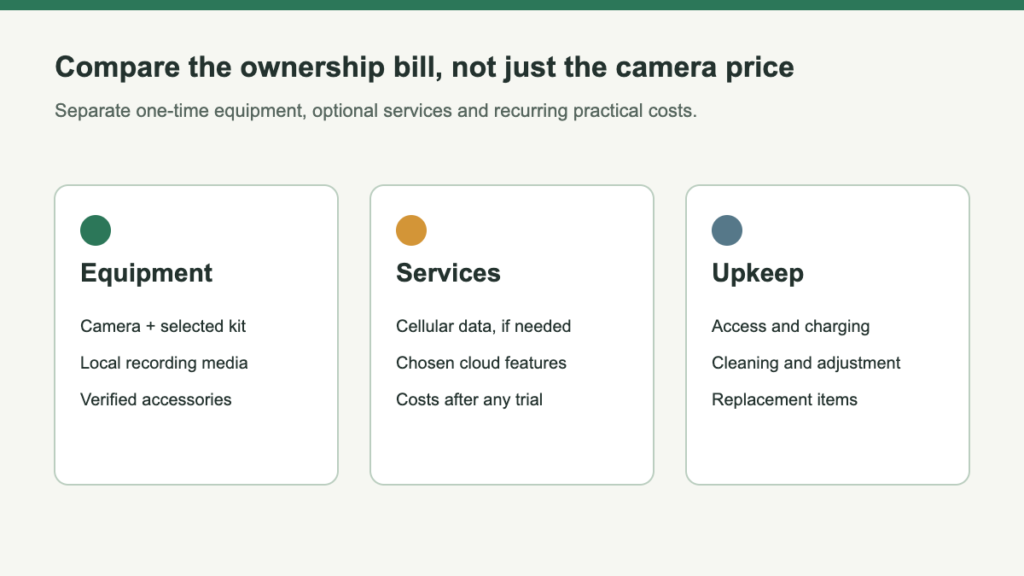
Solar charging does not mean every part of a camera system is free to operate. The camera may need a memory card, a powered base, a recording subscription, mobile data or occasional maintenance. Which costs matter depends on the exact equipment and the way you want to use it.
The practical comparison is not simply a purchase price beside a “no monthly fee” badge. Build a shopping list for the functions you require, then distinguish initial purchases from recurring services. A camera with a low initial price can be the wrong value if its ongoing arrangement does not match your needs.
Split the bill before comparing the offers
Count exact camera quantity, compatible solar accessories, recording media and any required base. Promotional imagery and customer-added equipment are not box contents.
Include necessary supported mounts and appropriate help. Compare complete working arrangements, not the cheapest visible box.
Cloud retention and cellular data are separate. Ring’s recorded-video access requires a compatible plan; some other systems support local recording. Verify the required functions and current regional terms.
Plan cleaning, checking and supported manual charging. Do not invent annual replacement costs or a universal monetary value for everyone’s time.
Read “no subscription” as a feature-level claim
- Name the function. Ask whether live view, local playback, base recording, smart alerts or sharing remains available without payment.
- Name the hardware prerequisite. A card slot may need a card; expandable base storage may need an extra drive.
- Include only relevant paid options. A feature you require belongs in the cost comparison. Every available subscription tier does not.
A cellular trial is not the operating budget
- Confirm the allowed provider. Verify renewal terms, allowance and expiry behavior. An unrelated cheaper plan is irrelevant if the camera does not permit it.
- Observe the real viewing pattern. Brief event checks and repeated high-quality live streams use different amounts of data. Local storage does not remove remote-access traffic.
- Plan recovery if service stops. The cause may be billing, connectivity or equipment needing a visit. A cheap but unsuitable service is not an equivalent alternative.
Compare two complete configurations on the same basis
Use the same camera count, monitoring purpose and evaluation period. Write down which costs are confirmed, optional or unresolved. For example, a comparison might distinguish a standalone camera with a separately purchased card from a system with centralized storage already included.
Do not fill missing amounts with guessed prices. Mark them for verification and check the selected Amazon offer and current service terms before purchase. Temporary discounts, membership pricing and introductory service allowances should remain separate from ordinary renewal costs.
A useful comparison answers these questions without requiring a complicated calculator:
- What equipment is required for the functions I actually want?
- Which recurring charges apply after any trial ends?
- What additional cost appears when I add another camera or location?
- What would I lose if I stopped paying for an optional service?
This produces a clearer purchasing decision than adding a long list of unrelated accessories or assuming that every ecosystem should be evaluated at its most expensive configuration.
Keep a purchase budget and an operating budget
Count required cameras, compatible recording media, any base and supported mounting accessories. Keep customer-added equipment separate from the selected box contents.
Record required renewals, optional features you will actually use and the consequences of stopping payment. Do not use an introductory allowance as the ordinary monthly cost.
Compare configurations with the same camera count and monitoring job. A local-recording shortlist can reduce one category of charges, but it cannot promise free recognition upgrades, cellular data or maintenance. Leave unknown amounts marked for verification rather than making the cheaper-looking total depend on a guess.


Leave a Reply