Picture this: the power drops during a storm, your fridge is full, your Wi-Fi is down, and the gas generator is loud enough to annoy everyone nearby. That’s exactly the kind of problem this unit is trying to solve.
The Pecron E3600LFP isn’t a little weekend phone charger. It’s a heavy, high-output backup battery for people who want to run real appliances, RV loads, home-office gear, Starlink, lights, fridges, and maybe even part of a small home setup.
Pecron E3600LFP review — Quick Verdict
If you want serious backup power for an RV, garage, off-grid cabin, or storm setup, the Pecron E3600LFP does a lot for the money. You get a 3072Wh battery, a 3600W pure-sine inverter, a 30A RV outlet, fast AC charging, and expansion support up to 18.43kWh. That’s the short version of this Pecron E3600LFP review: the value is strong, but it comes with real trade-offs. The unit is heavy, the app can be annoying, fan noise shows up under load, and a handful of owners report reliability problems that deserve attention.

Build Quality and Design Choices
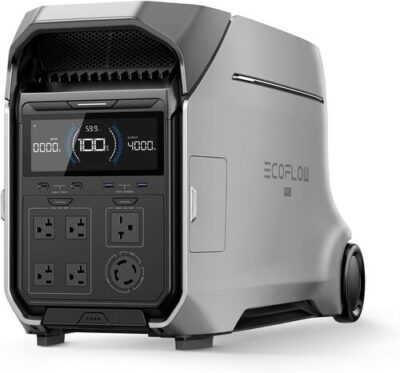
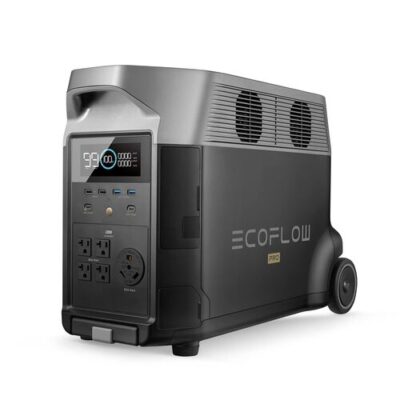
The E3600LFP feels more like compact home-backup hardware than a grab-and-go camping power station. At 79 lb, you can move it, but you probably won’t want to carry it across a campsite or up stairs without help. Indoor placement and ventilation are covered in our garage and indoor backup safety notes.
That said, the size makes sense when you look at the battery and inverter. A 3072Wh LiFePO4 pack with 3600W output needs a large shell, heavy cells, cooling, wiring, and room for serious ports. Owners often park it in an RV, garage, workshop, under a dinette seat, or near a transfer switch rather than treating it like a portable speaker.
The port layout is practical for bigger setups. You get standard AC outlets, a TT30-R RV outlet, USB ports, DC output, solar cabling, and expansion capability. On the flip side, tight AC outlet spacing can still be a pain if you use bulky plugs or adapters.
Buyer Heads-Up — This is “portable” in the power-station sense, not the backpacking sense. A small cart or dolly makes ownership much easier if you plan to move it often.
How Long Does It Last?
The Pecron E3600LFP has a 3072Wh battery. In plain English, that’s enough to run small electronics for days, a CPAP for multiple nights, a refrigerator for a useful chunk of an outage, or an RV setup for a meaningful stretch if you manage the big loads.
In practice, the usable AC energy is lower than the nameplate number because the inverter uses power while converting battery energy into household AC. Using an 85% AC efficiency estimate and leaving a 10% reserve, you’re looking at roughly 2350Wh of practical AC energy.
| Device | Typical Power Draw | Estimated Runtime | Realistic with Margin |
|---|---|---|---|
| Smartphone charging | 10-15Wh per charge | About 200-300 charges | About 150-220 charges |
| Laptop | 50-80Wh per charge | About 32-52 charges | About 25-40 charges |
| Wi-Fi router | 10-20W | About 117-235 hours | About 95-190 hours |
| CPAP machine, no humidifier | 30-60W | About 39-78 hours | About 32-64 hours |
| Starlink Mini | 25-40W | About 59-94 hours | About 48-75 hours |
| Mini fridge | 40-80W cycling | About 29-59 hours | About 24-48 hours |
| Full-size refrigerator | 100-200W cycling plus surge | About 12-24 hours | About 9-20 hours |
| Electric blanket | 50-80W | About 29-47 hours | About 24-38 hours |
| 1500W kettle | 1500W | About 1.5 hours total draw | Brief use only |
Real-World Math — At 0.85 AC efficiency, the listed 3072Wh battery delivers roughly 2611Wh through the AC outlets. Subtract a 10% reserve, and you’re working with about 2350Wh of practical AC runtime.
Owners using it for refrigerators, freezers, lights, Starlink, laptops, and RV loads tend to be happy with the runtime. The catch is that high-draw appliances empty any battery quickly. A microwave for 10 minutes is fine; a space heater for hours is a different story.
Running Real Appliances
The E3600LFP has a 3600W AC inverter, which is the main reason people look at this model instead of a smaller 1000W or 2000W power station. In real use, that means it can handle many kitchen, RV, garage, and emergency loads that smaller units simply can’t start.
Here’s what matters: continuous output is the number you live with. Surge output helps start compressors and motors, but it doesn’t mean you should run every high-watt appliance at once without thinking.
| Device | Typical Draw | This Unit? |
|---|---|---|
| Phone / tablet | 10-25W | Easy |
| Laptop | 50-100W | Easy |
| LED lights | 5-15W each | Easy |
| Wi-Fi router | 10-20W | Easy |
| Starlink Mini | 25-40W | Easy |
| CPAP, no humidifier | 30-60W | Easy |
| Mini fridge | 40-80W cycling | Easy |
| Full-size fridge | 100-200W cycling, higher startup surge | Easy |
| Chest freezer | 100-250W cycling, higher startup surge | Easy |
| Microwave, 700W class | About 1100W draw | Easy |
| Coffee maker | 800-1500W | Easy |
| Electric kettle | 1500W | Easy, but drains fast |
| Hair dryer | 1500-1875W | Easy, but drains fast |
| Window AC, 5000 BTU | 500W running, higher startup surge | Solid fit |
| RV 30A service | Load-dependent | Solid fit |
| Corded drill | 600W running, higher surge | Easy |
Worth Knowing — The 3600W output is the real working ceiling. The estimated surge headroom is for startup spikes, not for running every heavy appliance in your RV or kitchen at once.
A common theme is that the Pecron can run serious loads when the unit is healthy. At the same time, a few owners report AC shutoffs, bad inverters, voltage drops, or output failures after short use. For emergency prep, test it hard during your return window with the exact appliances you care about.
Getting Back to Full Charge
Charging speed is one of the E3600LFP’s biggest strengths. The listing claims a full AC recharge in about 1.3 hours at 3200W or about 2 hours at 1800W. Off-grid recharge planning is covered in our solar input rate comparison across brands. That’s fast for a 3kWh-class power station.
In practice, fast charging is most useful during storm season. You can refill the battery quickly while grid power is back, or run a gas generator for a shorter window instead of listening to it all night.
| Charging Mode | Time from 0% to 100% | Noise Level |
|---|---|---|
| Lower AC charge setting | About 3-4 hours, depending on setting | Quieter |
| Standard AC, 1800W | About 2 hours | Moderate |
| Fast AC, 3200W | About 1.3 hours | Loud under fan load |
| Car charging | Slow emergency top-up | Mostly silent from the unit |
| 100W solar | About 31+ hours of ideal sun | Silent |
| 400W solar | About 8-10 hours of strong sun | Silent |
| 1200W solar | About 3-4 hours of strong sun | Silent |
| 2400W solar setup | About 1.5-2 hours in ideal conditions | Silent |
Adapter Check — The included solar cables are a nice touch, but large solar setups still take planning. Match panel voltage, wiring, connector type, and input limits before buying a pile of panels.
Solar feedback is mostly positive from owners who understand panel sizing and wiring. People mention setups around 800W, 1000W, 1200W, and larger arrays. That said, one buyer saw lower panel readings than expected, and another had an MPPT-related failure, so this isn’t a setup you should install blind.

Output Ports and Charging
The port mix is one of the big reasons the E3600LFP works for RV and home backup.
For RV owners, the 30A outlet is the standout. Buyers use it for motorhomes, van conversions, refrigerators, lights, fans, Starlink, and backup power when a gas generator is down or too loud.
On the flip side, port count alone doesn’t solve everything. In practice, you may still need a bonding plug, breaker discipline, a transfer switch, or an RV converter workaround depending on your setup. Test before the outage hits.
How Loud Is It?
The E3600LFP can be reasonably quiet under lighter loads, but it is not silent. Owners generally describe the noise as manageable during normal use, though fast charging and bigger AC loads wake the fans up.
The louder complaints are worth taking seriously. Some owners mention fan grinding, high-pitched noise, odd fan behavior, or heat on replacement units. If you’re placing this in a bedroom or quiet RV at night, you’ll want to test fan noise under your normal loads before making it part of your sleep setup.
Display, App, and Controls
The touchscreen is one of the better everyday features. You can monitor battery percentage, live input, live output, charging behavior, and settings without depending entirely on the app. That matters because the app feedback is mixed.
In practice, many owners like that the touchscreen gives them control even when Wi-Fi or the app gets annoying. The catch is that several buyers mention app pairing trouble, forgotten settings, or connection headaches.
Pro Tip — Set up the app, update firmware, test UPS behavior, and run your main appliances before storm season. Don’t make your first test happen during an outage.
Battery Chemistry and Longevity
The E3600LFP uses LiFePO4 battery chemistry. That’s the right direction for a power station meant for frequent cycling, RV use, home backup, and long-term emergency storage.
LiFePO4 packs are generally heavier than older NCM lithium-ion packs, but they’re usually preferred when you care more about cycle life and thermal stability than shaving pounds. That fits this unit well because it already weighs 79 lb and is clearly built for bigger backup jobs.
Long-Term Ownership — The provided listing does not state an exact cycle-life rating, so don’t assume a specific number. The bigger practical point is that LiFePO4 is better suited to frequent cycling than older lithium-ion chemistry.
Warranty and support feedback is more complicated. Many owners praise Pecron support, especially a representative named Kein, for replacements, return help, cables, and troubleshooting. At the same time, some replacement processes take weeks, and a few buyers are frustrated by shipping updates or repeat problems.
Best Practice — For storage, leave the unit around 50-80% charge and top it off every few months. Letting any lithium battery sit fully drained is asking for trouble.
Reliability is the main caveat in this Pecron E3600LFP review. Plenty of owners report excellent performance, daily use, and strong customer support. Others mention bad cells, inverter faults, AC output failures, MPPT issues, fan problems, or batteries that drop suddenly. That mix makes stress-testing essential.

Who This Power Station Is For — Use-Case Fit Matrix
| Use Case | Fit | Why |
|---|---|---|
| Weekend car camping | Solid fit | Huge capacity, but heavy for casual campsite carrying |
| RV side-trip / van life | Strong fit | 30A outlet, high output, big battery, strong DC/AC flexibility |
| Home blackouts under 8 hours | Strong fit | Great for fridges, lights, router, laptops, and freezer backup |
| Multi-day off-grid cabin | Strong fit | Strong capacity and expansion support, especially with solar |
| CPAP overnight backup | Strong fit | Plenty of capacity for multiple nights, especially without humidifier |
| Refrigerator backup | Strong fit | Inverter output and battery size are well matched to fridge loads |
| Jobsite power tools | Solid fit | High output helps, but dust, weight, and reliability testing matter |
| Quiet bedroom UPS | With caveats | UPS support exists, but fan noise and UPS complaints need testing |
| Hurricane / multi-day outage | Strong fit | Expansion batteries and solar input make it useful for longer prep |
| Tailgating / outdoor events | Solid fit | Plenty of output, but 79 lb weight is not fun to move |
| Backpacking / lightweight EDC | Skip | Far too heavy |
| Apartment without solar access | Solid fit | Fast AC charging helps, but storage space and weight matter |
You’ll probably be happy if you want a high-capacity LiFePO4 power station for RV use, storm backup, fridges, Starlink, home-office gear, or off-grid solar projects. This also makes sense if you like the idea of expanding beyond the built-in 3072Wh battery later.
You might want to skip it if you need a light power station, silent bedroom backup, zero-fuss app control, or the lowest-risk reliability profile. To be fair, Pecron gives you a lot of hardware for the money, but buyers who hate troubleshooting may prefer paying more for a more polished brand experience.