EcoFlow RIVER 3 Review: A Tiny LiFePO4 Backup for Routers, Laptops, CPAP, and Camping
At a Glance
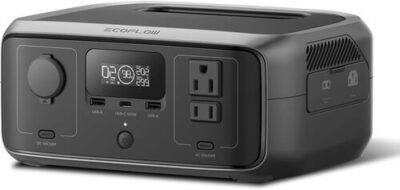
KEY FEATURES
- Battery: 245Wh, LiFePO4 (LFP), rated for 3,000+ cycles
- AC output: 300W continuous, 600W surge / X-Boost support, pure sine wave based on owner feedback
- Ports: 2 AC outlets, 1 USB-C (100W PD output), 2 USB-A, 1 × 12V/10A car socket
- Recharge: AC in about 1 hour, solar up to 110W in about 2.6 hours under good sun, car charging supported
- Smart features: EcoFlow app, Wi-Fi and Bluetooth, UPS / EPS-style switchover under 20ms, pass-through support
- Best for: Wi-Fi routers, laptops, CPAP without humidifier, camping lights, phones, tablets, mini fridges, short blackouts, mobile work
PROS
- 245Wh LFP battery in a very portable 7.8-pound form.
- 100W USB-C supports efficient laptop and electronics use.
- Fast AC charging and compact 110W-class solar support.
- UPS and app controls suit router or workstation continuity.
CONS
- 300W AC output excludes most high-draw appliances.
- 245Wh provides limited refrigerator or multi-day runtime.
- UPS transfer and restoration must be tested with the exact device.
- AC inverter overhead matters on very small loads.
Editor's Choice
Based on exact documentation and qualitative exact-ASIN owner evidence; no hands-on test or population-rate claim
⚡ Can the EcoFlow RIVER 3 Run It?
Choose a common device and see the estimated runtime, whether the inverter can handle it, and how long the power station may take to recharge.
This EcoFlow RIVER 3 review breaks down what you actually get from this 245Wh mini power station — where it shines, where it struggles, and who should buy the larger RIVER 3 Plus instead. The step-up model is compared in our EcoFlow River 3 and River 3 Plus side-by-side.
Picture this: the power flickers, your Wi-Fi drops, your laptop is mid-task, and your phone is already low. You don’t need a giant solar generator for that moment. You need something quiet, small, and ready.
The EcoFlow RIVER 3 isn’t trying to run your whole house. Router and CPAP overnight sizing is covered in our CPAP backup overnight guide. In practice, it works best as a quiet backup for routers, laptops, CPAP machines without humidifiers, camping lights, mini fridges, and other small essentials.
RIVER 3 sweet spot
Router, modem, laptop, mini PC, monitor, CPAP after exact testing, cameras, lights, and campsite electronics.
Move up a class
Refrigeration for a full day, cooking, heating, pumps, or any plan that expects appliance-sized reserves.
The EcoFlow RIVER 3 is easiest to judge when the category label is ignored. This is a 245Wh continuity battery with a 300W inverter, not a small home generator. Its advantages—7.8-pound weight, 100W bidirectional USB-C, fast AC recharge, app controls, and UPS mode—align unusually well with low-power electronics. Its capacity and output are deliberately limited.
The owner corpus is strongest around routers, computers, CPAP use, travel, camping, app behavior, charging, noise, ports, and UPS operation. Positive and critical records converge on the same advice: the exact load, power path, timeout setting, and recovery sequence matter. Reports about failures or successful long use inform a test plan but cannot be turned into a reliability percentage.
Runtime ≈ 245Wh × usable-and-conversion factor ÷ average device watts.
For a 6–15W device, AC inverter overhead can be a meaningful share of total consumption. Prefer a compatible USB-C or approved DC route when it safely replaces AC.
EcoFlow documentation has described regional RIVER 3 variants with transfer specifications around 10–20ms. That is fast enough for many electronics but not a universal certification. A desktop, NAS, medical device, or network appliance may have a different tolerance. Use the exact manual and run multiple controlled cutovers; keep a conventional UPS where zero interruption is essential.
The 300W AC ceiling is a firm filter. X-Boost may reduce voltage to keep some resistive devices operating, but it does not create more inverter power and may be inappropriate for electronics or motor loads. A refrigerator or pump should be chosen only after startup and energy testing, not from the word “600W” in an X-Boost description.
Solar input is capped around 110W and a relatively narrow voltage range. That makes a compact panel practical, but it also makes poor orientation, shade, and cable loss visible. Check cold Voc, current, connector, and polarity, then compare daily load watt-hours with realistic daily harvest. AC charging remains the dependable emergency reset.
Standby efficiency deserves its own trial. A router may draw only a few watts, so the station’s AC overhead and timeout behavior can influence runtime almost as much as the protected device. Record state of charge at the start and end of a four- or eight-hour trial, repeat through native USB-C where appropriate, and compare the two power paths. That simple experiment is more useful than extrapolating from an appliance chart.
For travel, treat 245Wh as a sequence of tasks rather than an always-on supply: recharge the laptop, then cameras and phones, while preserving a communications reserve. The small battery recovers quickly, but a cloudy day or occupied vehicle socket can interrupt the plan. A written priority order keeps convenience charging from consuming emergency capacity.
Evidence-led verdict: the RIVER 3 is a strong small-load continuity tool when the buyer actively manages power paths and settings. It is a poor substitute for a 1kWh station when the mission is appliance runtime rather than electronics uptime.
RIVER 3: Small-Load Continuity Is the Whole Point
If you want a small, quiet power station for routers, laptops, CPAP use, and weekend camping, the EcoFlow RIVER 3 does what you’d expect. It charges fast, carries easily, and feels more useful as a daily device than a once-a-year emergency box. That said, this EcoFlow RIVER 3 review comes with a clear warning: 245Wh and 300W are modest numbers. If you want to run an OLED TV, full-size fridge, microwave, kettle, coffee maker, or power tools, step up to a larger model.
Buyer Heads-Up — The RIVER 3 is excellent when your loads stay under 100W. Our plain-language watts explainer helps you estimate draw before you buy. Once you get near the 300W inverter limit, runtime drops fast and surge trips become more likely.
A 7.8-Pound Station That Can Live Beside the Router
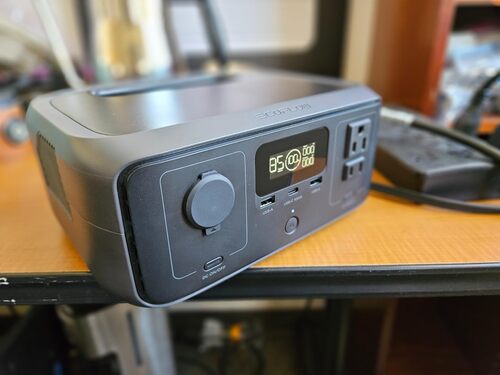
The RIVER 3 has the kind of compact shape that makes people use it more often. Owners like that the handle no longer sticks out awkwardly, so it slides into shelves, cars, cabinets, and under-desk spaces more easily than some older boxy stations.
At 7.8 lb, it has a solid heft without feeling like luggage. You can carry it one-handed, throw it in a minivan for a road trip, tuck it under a Tesla seat, or move it from room to room during a power outage.
In practice, the front-facing controls make sense. Ports and buttons are easy to reach, the display gives live input and output watts, and the app fills in extra details. On the flip side, some buyers dislike the little side charging door because plastic flaps are easy to break over time.
Worth Knowing — A few owners report display glitches, including screens that show gibberish or all characters. The unit may still work through the app, but a failing display is annoying on a device built for quick status checks.
A 245Wh Budget Rewards Efficient Power Paths
The EcoFlow RIVER 3 has a 245Wh battery. That’s enough for a long laptop session, a router through a short outage, multiple phone charges, or a night or two of CPAP use depending on pressure settings and humidifier use.
Here’s the thing: 245Wh sounds bigger on paper than it feels with AC appliances. After inverter loss and a sensible battery reserve, you’re working with roughly 190Wh through the AC outlets. DC and USB loads usually stretch farther.
Real-World Math — At 0.86 AC efficiency, the listed 245Wh delivers roughly 211Wh through the AC outlets. Subtract a 10% battery reserve, and you’re working with about 190Wh of practical AC energy.
In real use, owners running Wi-Fi gear, modems, small servers, laptops, and fans tend to be happiest. To be fair, people expecting refrigerator-class backup or multi-day off-grid power often end up wanting a larger unit.
The 300W Limit Separates Electronics From Appliances
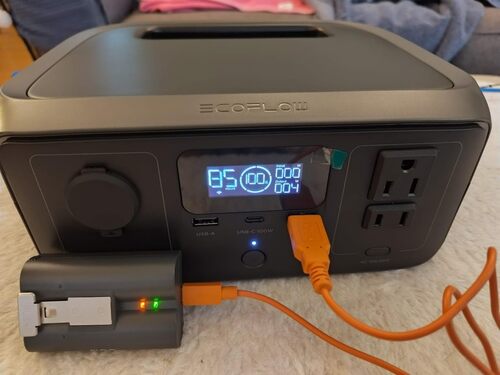
The EcoFlow RIVER 3 portable power station has a 300W AC inverter with a 600W surge ceiling. That’s plenty for small electronics, but it’s not enough for most heat-making appliances.
In practice, the sweet spot tends to be 10W to 100W loads. Routers, laptops, small fans, LED lights, Starlink Mini setups, CPAP machines without humidifiers, and 12V coolers make sense. OLED TVs, pumps, kettles, microwaves, and compressor-heavy appliances are where complaints show up.
Worth Knowing — Continuous output is the real ceiling. The 600W surge rating only helps for short spikes — it won’t turn a 300W power station into a microwave or kettle station.
Owners using it for home internet backup usually report smooth performance. On the flip side, one common lesson is that “average power draw” on TVs and appliances can be misleading because short spikes may still overload the unit.
Restore a Small Battery Without Oversizing the Source
AC charging is one of the RIVER 3’s best features. EcoFlow claims a full recharge in about an hour, and buyers often confirm that it charges quickly enough for daily use.
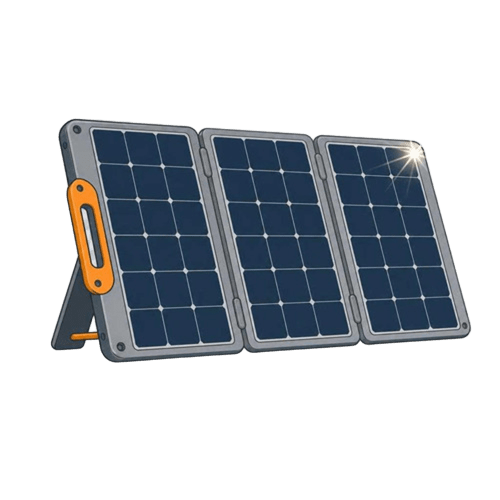
Solar charging is useful, but it’s not the strongest part of the package. The max solar input is 110W, which is fine for a 245Wh battery, yet some owners report quirks when the panel is plugged in before sunrise or when the light is too weak.
Grid Restore — RIVER 3
In real use, the 1-hour recharge is a big deal. You can drain it during an outage, plug it into the wall when power returns, and have it ready again without leaving it on a charger all day.
Compact Solar — RIVER 3
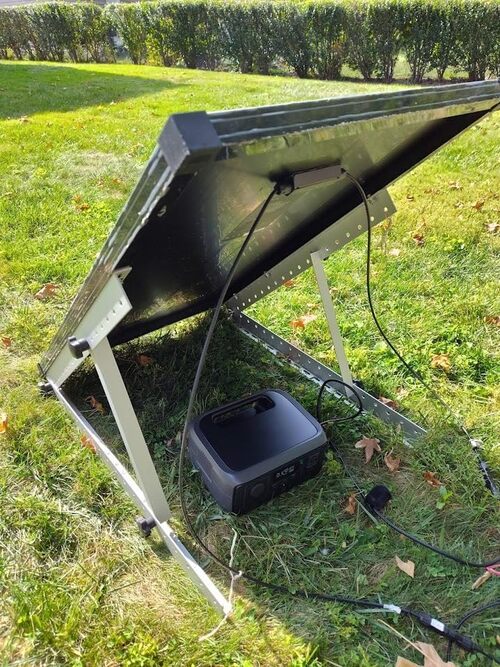
For camping, 110W solar input is enough to top off phones, lights, and small electronics over a day. That said, it’s not a high-solar-input unit, so multi-day off-grid use requires realistic loads and decent sun.
Adapter Check — If you already own third-party solar panels, check the cable setup before your trip. Some owners mention needing an EcoFlow-compatible cable or MC4-style adapter to make their panels work cleanly.
Vehicle Top-Up — RIVER 3
Car charging is more of a backup plan than a primary charging method. Worth knowing, though: road-trip users like being able to top it off while driving, especially when powering a 12V fridge or keeping devices charged between stops.
100W USB-C Is More Important Than Outlet Count
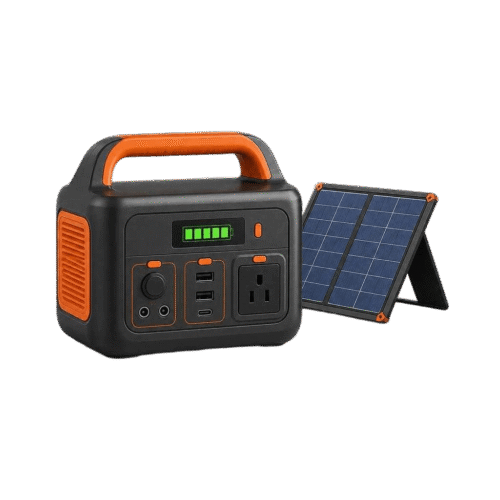
The port lineup is practical for a small power station: two AC outlets, two USB-A ports, one 100W USB-C PD port, and one 12V car socket. There’s also solar input, AC input, and app support over Wi-Fi and Bluetooth.
The 100W USB-C port is the standout for laptop users. In practice, it lets you charge many modern laptops without turning on the AC inverter, which saves power and keeps the unit quieter.
Adapter Check — 100W USB-C PD is laptop-tier. USB-A is phone-tier. If your setup is mostly laptops, camera batteries, and USB-C gear, count the USB-C ports before you count the total ports.
The catch is that there’s only one USB-C port, and it does not work as USB-C input for charging the station. Some owners also mention that larger AC plugs can crowd the nearby outlet, which matters on a compact front panel.
Low-Load Silence Depends on Settings and Placement
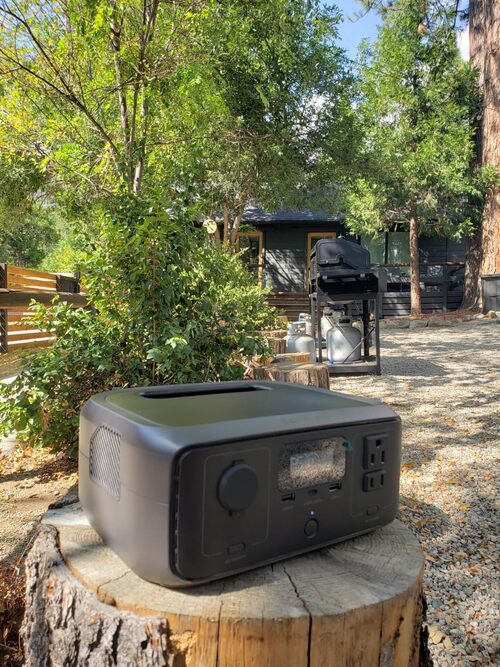
The RIVER 3 is one of the quieter small power stations in owner feedback. Many buyers use it in bedrooms, offices, network closets, and near desks without the constant fan cycling they disliked on other units.
In practice, light loads create more of a silent background presence than a noticeable machine sound. You may hear relays click during UPS-style switching or fan noise during heavier charging, but feedback generally points to a calm, low-heat unit.
That makes it a strong fit for a quiet bedroom UPS, CPAP backup, router station, or home-office safety net. To be fair, if you run it near the 300W limit, don’t expect the same barely-there behavior.
UPS, Timeout, and Firmware Need a Commissioning Sheet
The display gives the basics quickly: battery level, live input watts, output watts, and runtime estimates. Owners like being able to glance down and see whether a router setup is drawing 10W, 30W, or more.
The app is more useful than a basic remote switch. It can show live metrics, help with firmware updates, adjust settings, and show Wi-Fi connection details. That said, a few buyers dislike relying on an app, and some report display failures that make the app feel less optional than it should.
Front-Panel Signals — RIVER 3
- Battery percentage
- Input watts, live
- Output watts, live
- Time-to-empty / time-to-full
- Warning icons (limited)
- Charging mode indicator (limited)
- Battery temperature in degrees (limited)
Control Rules — RIVER 3
- Toggle AC / DC output remotely
- Adjust charging speed
- Set charge / discharge limits
- Update firmware
- Monitor power remotely
- Pair without connection drama (mostly yes, some complaints)
For beginners, the EcoFlow RIVER 3 battery feels easy to use. Buttons are simple, the screen is readable when working properly, and the app adds control without making the unit feel overly complicated.
LFP for a Station That May Stay Plugged In
The EcoFlow 245Wh LiFePO4 power station uses LFP battery chemistry. In plain English, that means better long-term cycle life and better thermal stability than older lithium-ion packs, though the trade-off is usually a little more weight per Wh.
EcoFlow claims 3,000+ cycles, which is a strong fit for daily UPS-style use. That’s a big reason this EcoFlow RIVER 3 review leans positive for router backup, desk backup, and frequent small-load cycling.
Long-Term Ownership — 3,000 cycles means years of weekly use before noticeable wear. Daily cyclers — home-office users, router backup setups, van campers, and outage-prone households — should care about this more than a buyer who only uses it twice a year.
Safety features include battery monitoring, current protection, voltage protection, temperature controls, and circuit-risk protections. The product also claims IP54 battery protection, but you should still treat it like an electronic device, not a waterproof outdoor appliance.
Warranty feedback is mixed. Some owners say EcoFlow support answered quickly and helped with questions, while others describe repair or replacement as a frustrating process with repeated proof requests.
Best Practice — For storage, leave the unit around 50–80% charge and top it off every 3–6 months. LiFePO4 is forgiving, but storing any battery at 0% or 100% for long periods is a bad habit.
RIVER 3 Continuity Matrix
You’ll probably be happy if you want:
- a small LiFePO4 power station you can leave plugged in for router backup
- a quiet battery for laptops, phones, tablets, lights, and CPAP use
- fast wall charging for daily use or short outage prep
- a camping battery that doesn’t need fuel, fumes, or extension cords
- a compact backup that fits under a desk or in a car
You might want to skip it if you need:
- backup for a full-size refrigerator during long outages
- power for kettles, microwaves, coffee makers, hair dryers, or heaters
- a UPS for a high-spike OLED TV
- multiple USB-C ports or USB-C input charging
- a solar-first system with more than 110W input
- expansion battery support
Different tool, different job. The RIVER 3 is a weekend-camping hero and small UPS alternative, not a whole-home backup system.
Pros & Cons Analysis
Based on documented specifications and owner feedback
Pros
- Excellent scale for electronics — Weight, size, USB-C, and modest capacity align with routers, laptops, lights, cameras, and mobile work.
- Native DC can stretch the battery — A compatible USB-C route avoids AC conversion and inverter idle draw for supported devices.
- Fast restoration suits continuity — A small battery can be recharged quickly from a suitable wall circuit before the next outage.
- Settings are unusually relevant — Charge limits, discharge floor, timeout, and quiet-charging options let the owner tune a stationary backup role.
- Owner scenarios are well defined — The evidence provides concrete network, workstation, CPAP, camping, and travel acceptance tests.
Cons
- Energy reserve is intentionally small — Even a modest refrigerator or continuous AC load can exhaust 245Wh quickly after conversion losses.
- X-Boost is easy to misunderstand — Reduced-voltage operation is not equivalent to a larger inverter and is unsuitable for some equipment.
- UPS is device-specific — Transfer time, output persistence, low-battery behavior, and restoration require repeated exact-load drills.
- Solar recovery has little margin — A 110W ceiling means shade, orientation, and short winter days can prevent daily energy replacement.
- App reliability belongs in commissioning — Pairing, firmware, Wi-Fi, timeouts, and settings should be recorded rather than assumed.
Our Verdict
The EcoFlow RIVER 3 review comes down to expectations. If you mostly want quiet backup power for routers, laptops, CPAP use, phones, lights, and short camping trips, this little box is genuinely useful. It charges fast, carries easily, and the LiFePO4 battery makes sense for frequent use.
If you need to run bigger appliances, buy bigger. The EcoFlow RIVER 3 portable power station is best when you treat it like a reliable small-load backup — not a generator replacement. For under-desk UPS duty, road trips, short outages, and lightweight camping power, it’s a smart pick with a few real quirks to know before you buy.
Frequently Asked Questions
How long will the EcoFlow RIVER 3 run a Wi-Fi router?
For a typical 10-20W router or modem setup, expect roughly 9-18 hours depending on the exact load. Some owners running very low-watt networking gear report much longer estimates on the display.
Can the EcoFlow RIVER 3 run a CPAP machine overnight?
Yes, it can work for CPAP use, especially with the humidifier turned off. Runtime depends heavily on pressure settings and whether you use AC or a more efficient DC adapter.
Will the EcoFlow RIVER 3 run a refrigerator?
It may run a small 12V cooler or efficient mini fridge, but it is not ideal for full-size refrigerator backup. The 300W continuous inverter and 600W surge ceiling can be too limited for compressor start-up spikes.
Can it power a microwave, kettle, hair dryer, or space heater?
No. Those appliances usually draw 700W to 1,875W or more, which is far above the RIVER 3's 300W continuous output.
How fast does the EcoFlow RIVER 3 recharge from the wall?
EcoFlow claims about 1 hour from 0% to 100%, and owners generally confirm that AC charging is very fast.
How well does solar charging work?
Solar charging is rated up to 110W, with a claimed full charge in about 2.6 hours under ideal sun. Owners using 45W to 100W panels commonly see lower real input, and a few report low-light startup quirks.
Does the UPS function work reliably?
For routers, modems, home servers, small computers, and similar electronics, many owners report clean switchover with no interruption. A smaller group reports unreliable behavior in more complex setups, so sensitive equipment should be tested before relying on it.
Does it have USB-C input charging?
No. The USB-C port is useful for 100W PD output to laptops and devices, but the unit does not charge through USB-C input.
Is the EcoFlow RIVER 3 quiet enough for a bedroom?
Yes, for light loads and UPS-style use, customers frequently describe it as very quiet. Fan noise may become more noticeable during faster charging or heavier AC use.
What are the main problems customers report?
The main complaints are limited capacity, 300W inverter limits, display failures on some units, solar charging quirks, occasional UPS reliability concerns, and mixed warranty or support experiences.
Is the EcoFlow RIVER 3 good for camping?
Yes, it is a strong fit for car camping, tent camping, phones, lights, laptops, fans, CPAP use, and small 12V coolers. It is not a replacement for a large power station when you need multi-day appliance backup.
Technical Specifications
| Brand | EF ECOFLOW |
|---|---|
| Model / SKU | EcoFlow RIVER 3 / EFR705 (ASIN: B0DB1S36YP) |
| Battery capacity | 245 Wh |
| Battery chemistry | LiFePO4 (LFP) |
| Cycle-life rating | 3,000+ cycles |
| Expandable capacity | No |
| Continuous AC output | 300 W continuous |
| Surge / peak output | 600 W peak / X-Boost |
| AC voltage, frequency, and waveform | 120V AC, pure sine wave; frequency not published for this exact model |
| AC outlets | 2 × 120V AC outlets |
| High-current, RV, or 240V output | No dedicated RV, 30A, 240V, or other high-current AC outlet published for this exact model |
| USB-C outputs | 1 × USB-C (100W PD output; no USB-C input) |
| USB-A outputs | 2 × USB-A |
| 12V / DC outputs | 1 × 12V/10A car port |
| Maximum solar input | 110 W (MPPT, EcoFlow solar input cable / adapter may be needed) |
| Solar input range and connector | Not published for this exact model in the current source set; exact PV voltage/current window and connector are unavailable |
| Maximum AC input | Not published for this exact model in the current source set; the prior value was an editorial estimate, not an exact-model rating |
| AC recharge time | About 1 hour |
| Solar recharge estimate | Planning estimate: about 2.6 hours with 110W solar input (ideal sun) |
| UPS / EPS support and transfer time | Yes — under 20ms switchover (EPS-style backup) |
| App / connectivity | Yes — EcoFlow app (Wi-Fi + Bluetooth) |
| Operating temperature / weather rating | IP54 battery protection; exact operating-temperature range is not published in the current source set |
| Dimensions | Not published for this exact model in the current source set |
| Weight | 7.8 lb |
| Warranty | Not published for this exact model in the current source set |