
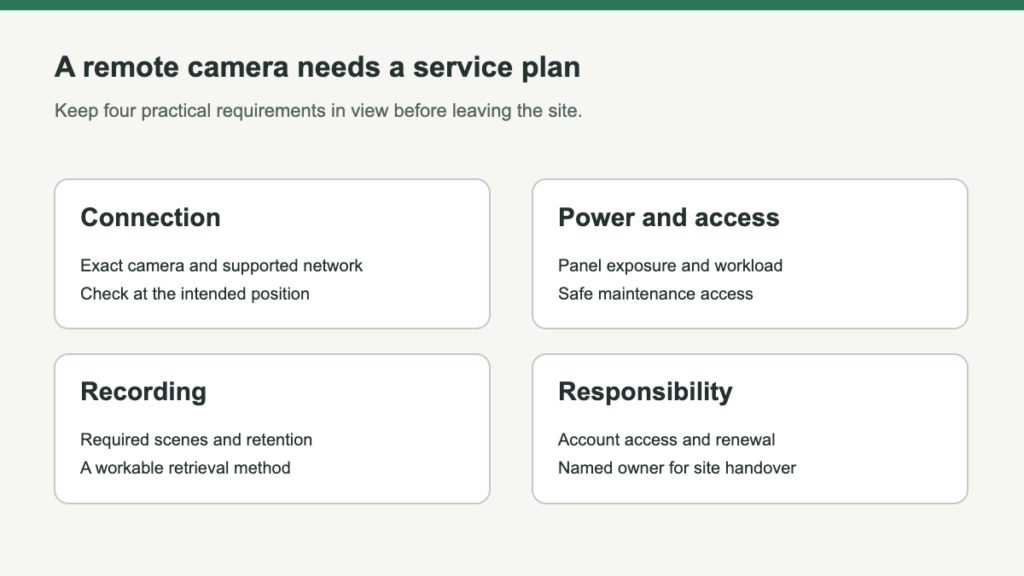
A camera at a farm gate or unattended property needs an owner for the whole monitoring process. Decide who receives an alert, who checks the recording and who can visit when the equipment needs attention. Without that agreement, adding remote viewing can create information without a workable response.
Name the person who can act on an alert
- Assign a primary viewer
Define which alerts require attention and what response is expected.
- Authorize a backup
Use supported sharing instead of circulating account credentials.
- Define useful evidence
A delivery confirmation differs from identifying every entering vehicle. One rotating view does not establish simultaneous coverage of several entrances.
Check the connection at the intended camera position
Test the exact camera’s supported Wi-Fi or cellular service at its mount, including activation. A phone working elsewhere on the property is not proof.
Include data for viewing and other enabled traffic. Several viewers can change usage; the hardware price is not the full monitoring cost.
At a gate, choose the approach, stopping point or both. At storage, identify the access path. Use independent cameras when simultaneous views are required.
Budget a service visit before one becomes urgent
Record the approved installation arrangement and keep the instructions available to whoever services it. Do not default to an inaccessible mount merely to discourage interference.
- Service owner Name who handles renewal and account recovery.
- Evidence access Have the authorized backup viewer export an important clip.
- Physical recovery Keep a safe, permitted route for panel cleaning, supported charging, connection checks and storage maintenance.
Hand over a monitoring job, not just an app login
A remote installation is unfinished until another authorized person can understand what it watches, retrieve the right event and arrange recovery when it goes offline.
- Name the responsibility: who checks an alert, renews service and arranges a site visit?
- Prove the workflow: activate the exact connection, save an ordinary event and have the backup viewer export it.
- Plan the next location: preserve needed footage and update access deliberately if the project or team changes.
For equipment selection, compare cellular camera roles only after defining the scene and actual service. Include viewing traffic and a safe maintenance visit in the plan. A single motorized view cannot substitute for several simultaneous observation points or a site-specific response process.
Leave a Reply