Anker SOLIX C1000 Gen 2 Review: Fast-Charging Backup Power That Actually Feels Useful
At a Glance
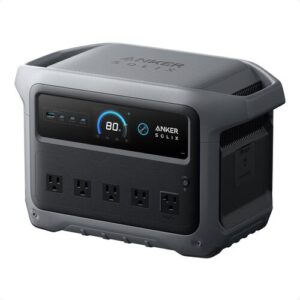
KEY FEATURES
- Battery: 1,024Wh, LiFePO4, rated for 4,000 cycles to at least 80% capacity
- AC output: 2,000W continuous, 3,000W peak surge; pure-sine output is not explicitly stated in the provided specs, though customer testing suggests sine-wave output under normal resistive loads
- Ports: 10 total ports claimed; exact AC count not specified in provided data; owners report 2 USB-C ports up to 140W, USB-A support, and a 12V car port
- Recharge: AC up to 1,600W / 49 minutes in fast mode, solar up to 600W / about 1.8 hours in ideal conditions, car charging cable included
- Smart features: Anker app, Wi-Fi, Bluetooth, charge-rate control, TOU mode, UPS-style backup with under 10 ms switchover
- Build: 24.9 lb, 15.1" × 8.2" × 9.6", gray housing, compact carry-friendly shape for its power class
- Best for: short blackouts, CPAP backup, fridge backup, RV camping, van life, Starlink, routers, laptops, small appliances, and generator-assisted storm prep
PROS
- 2,000W output in a light 24.9 lb, 1kWh-class station.
- App-enabled 49-minute AC recharge can exploit short utility windows.
- 10ms UPS specification and capable ports suit tested office and essential loads.
- 600W solar input and 4,000-cycle LFP rating support frequent use.
CONS
- Fixed 1,024Wh capacity with no compatible expansion battery path.
- Fast charging can increase circuit demand and fan noise.
- High inverter output can encourage loads that drain 1kWh very quickly.
- Exact UPS recovery and generator behavior still require commissioning.
Editor's Choice
Based on exact documentation and qualitative exact-ASIN owner evidence; no hands-on test or population-rate claim
⚡ Can the Anker SOLIX C1000 Gen 2 Run It?
Choose a common device and see the estimated runtime, whether the inverter can handle it, and how long the power station may take to recharge.
Picture this: the power drops, your Wi-Fi is dead, the fridge is warming up, and your phone is already low. Or maybe you’re in an RV campground with no hookups, trying to run Starlink, make coffee, and keep a CPAP ready overnight.
The Anker SOLIX C1000 Gen 2 isn’t trying to replace a whole-house generator. In practice, it works best as a quiet backup for essentials — fridge, router, laptop, CPAP, lights, small tools, and short bursts from bigger appliances.
Gen 2 advantage
2,000W output, very fast app-enabled AC charging, 600W solar, low transfer time, and lower carrying weight.
Gen 2 sacrifice
The 1,024Wh battery is not expandable, so every longer-runtime plan requires a second independent battery or a different platform.
The Anker SOLIX C1000 Gen 2 compresses a 1,024Wh LFP battery and 2,000W inverter into a 24.9-pound enclosure. Anker’s exact A1763 support documentation lists a 10ms UPS transfer, and the current product material emphasizes 49-minute app-enabled HyperFlash charging, 600W solar input, and a 4,000-cycle rating to 80%. The model is unusually capable for its size. Its central limitation is equally clear: unlike the older expandable C1000 ecosystem, this Gen 2 battery is fixed at 1,024Wh.
The owner evidence fits that design. Accounts describe CPAP backup, refrigerators, freezers, workstations, networking, camping, ice-storm use, tools, and high-watt household devices. Owners often value charging speed, compact weight, app visibility, and the ability to power many ordinary 120V loads. Cautions focus on fan sound in fast modes, runtime expectations, UPS configuration, solar/cable setup, and isolated defects or support experiences. Those reports define the acceptance tests; they cannot provide a statistically valid reliability rate.
The mismatch between power and energy is the buying trap. A 1,500W appliance can fit under the inverter rating but consume the battery rapidly. Conversely, a 70W CPAP or communications stack may run through the night even though its wattage looks unimpressive beside the 2,000W headline. Build two lists: devices that must start, and devices that must run for hours. The C1000 Gen 2 is strong on the first list for its size; the fixed 1kWh pack controls the second.
| Mission | Why Gen 2 fits | Constraint to accept |
|---|---|---|
| Short utility interruption | Fast transfer, capable inverter, quick recovery | Test low-battery and utility-restoration behavior |
| Car camping | 24.9 lb, strong USB/AC coverage, 600W solar | One-kilowatt-hour energy budget |
| High-draw short task | 2,000W continuous output | Battery percentage can fall quickly |
| Multi-day home backup | Good building block | No proprietary extra-battery path; another platform may integrate better |
HyperFlash is a recovery tool, not a requirement for every cycle. The app must enable the fastest mode, and the branch circuit must have enough capacity. Slower charging can reduce fan noise and demand when time permits. Before using generator power, verify stable voltage and frequency and test the charging behavior deliberately. Do not make an outage the first time the source and station meet.
Solar planning begins with the exact input voltage/current range and connector in the current manual, not merely the 600W ceiling. Panel wattage cannot correct excessive voltage, reversed polarity, or an incompatible plug. In a vehicle, keep the station shaded and ventilated while the modules remain in sun. Measure daily harvest because a brief 500W display and five hours of usable energy are different evidence.
The non-expandable design is not inherently a flaw. It keeps the station lighter and prevents a cable-tethered pile from becoming the default. It is a flaw when the buyer already knows that 1,024Wh is too small. In that case, buying Gen 2 plus a second unrelated station may cost more and complicate charging compared with a native expandable platform.
Best buyer: someone who values fast recovery, 2,000W output, real portability, and UPS-style small-system backup more than future capacity growth.
C1000 Gen 2: Buy the Speed Only If You Accept the Fixed Capacity
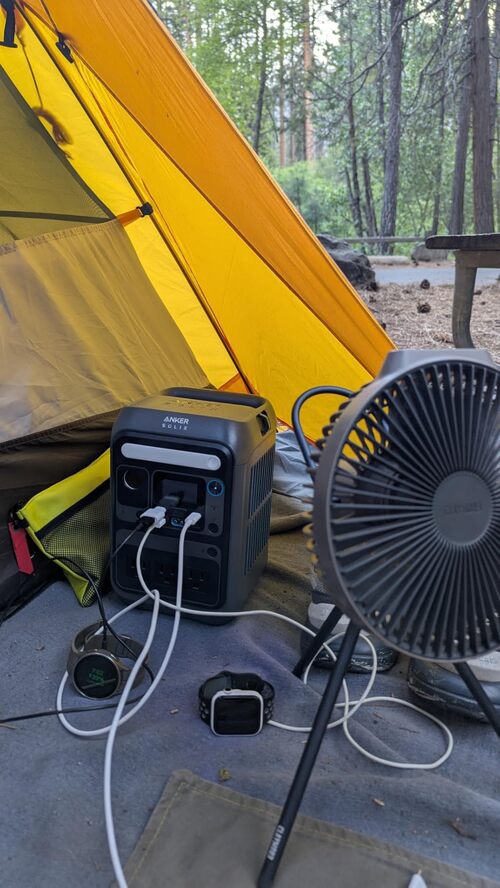
If you want fast backup power for short outages, CPAP use, RV trips, and weekend camping, the Anker SOLIX C1000 Gen 2 does what you’d expect. It charges extremely quickly from the wall, has enough inverter power for many real appliances, and feels compact for a 1,024Wh LiFePO4 unit. That said, this Anker SOLIX C1000 Gen 2 review is not saying it replaces a full-size home generator. The catch is simple: it’s excellent for essentials, but space heaters, ovens, and multi-day outages need either solar, a generator, or a bigger system.
Pro Tip — Use fast charging when you need a quick storm-prep top-off, then drop the charge rate when you’re indoors and want less fan noise.
A 2,000W Inverter in a 24.9-Pound Chassis
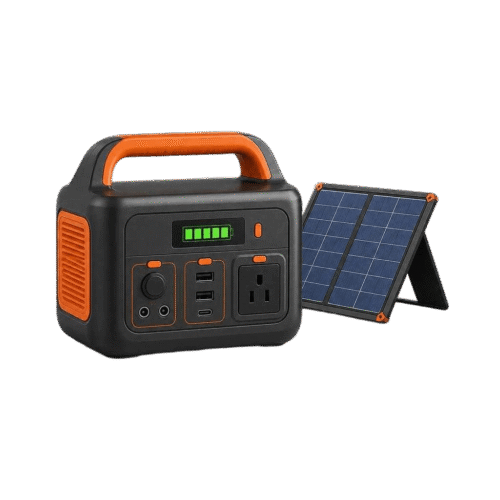
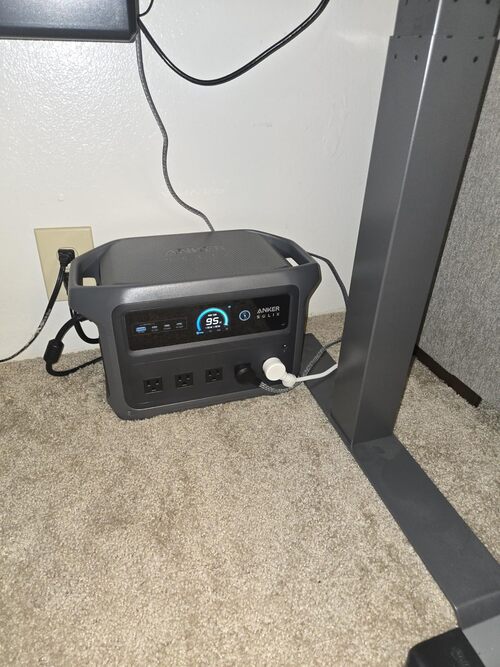
Anker kept the shape practical: squat, compact, and easy to place under a desk, beside a fridge, in a truck, or near an RV galley. At 15.1 inches long and 24.9 lb, the Anker SOLIX C1000 Gen 2 portable power station has real heft, but it doesn’t feel oversized for the output class.
Customers often describe the unit as sturdy and clean-looking, with a readable screen and simple controls. In real use, that matters more than flashy styling because you may be checking it during a blackout, in a dark laundry room, or from the back of a vehicle.
That said, don’t mistake “portable” for “hiking-friendly.” Owners like moving it around the house, truck, RV, or campsite, but some say the product imagery makes it look easier to carry long distances than it really is.
| Build Detail | What It Means in Real Use |
|---|---|
| 24.9 lb weight | Manageable one-handed for short moves, not ideal for long carries |
| Compact 1kWh size | Fits under desks, in trucks, laundry rooms, RVs, and storage units |
| Gray housing | Clean, utility-style look that blends into indoor setups |
| Built-in display | Easy checks for battery, input, output, and remaining time |
| No built-in light | Less convenient during blackouts or tent use |
The missing built-in light is a small but fair gripe. Worth knowing, a bunch of similar power stations include an LED lamp, and buyers using this during outages may wish Anker had added one.
The One-Kilowatt-Hour Runtime Envelope
The Anker SOLIX C1000 Gen 2 has a 1,024Wh battery — enough to run low-draw essentials for a long time and high-draw appliances for short bursts. In practice, customers get the best results with CPAP machines, routers, Starlink, laptops, lights, electric blankets, fans, and fridges that cycle on and off.
Here’s the thing: 1,024Wh doesn’t mean you get every watt-hour through the AC outlets. After inverter losses and a sensible battery reserve, expect roughly 780Wh of practical AC energy for runtime planning.
| Device | Typical Power Draw | Estimated Runtime | Realistic with Margin |
|---|---|---|---|
| Smartphone charging | 10–15Wh per charge | ~60–85 charges | ~50–70 charges |
| Laptop | 50–80Wh per charge | ~10–16 charges | ~8–13 charges |
| Wi-Fi router | 10–20W | ~39–78 hours | ~32–65 hours |
| CPAP machine, no humidifier | 30–60W | ~13–26 hours | ~10–22 hours |
| Mini fridge | 40–80W cycling | ~10–20 hours | ~8–16 hours |
| Full-size refrigerator | 100–200W cycling + surge | ~4–8 hours continuous draw | Often longer if it cycles efficiently |
| Electric blanket | 50–80W | ~10–16 hours | ~8–13 hours |
| Drone batteries | 60–100Wh per battery | ~8–13 charges | ~6–11 charges |
| 1,500W kettle | 1,500W | ~30 minutes max | Best for brief use only |
Real-World Math — At 0.85 AC efficiency, the listed 1,024Wh delivers roughly 870Wh through the AC outlets. Subtract a 10% battery reserve, and you’re working with about 783Wh of practical AC energy.
Customers using CPAP machines are especially happy with it. In real use, some report multiple nights with careful settings, while others use only a small slice of the battery per night.
Fridge results vary more. On the flip side, that’s not the battery’s fault — refrigerators cycle differently, and warm garages, old compressors, frequent door opening, and big startup surges all change the math.
High Output Does Not Make the Battery Larger
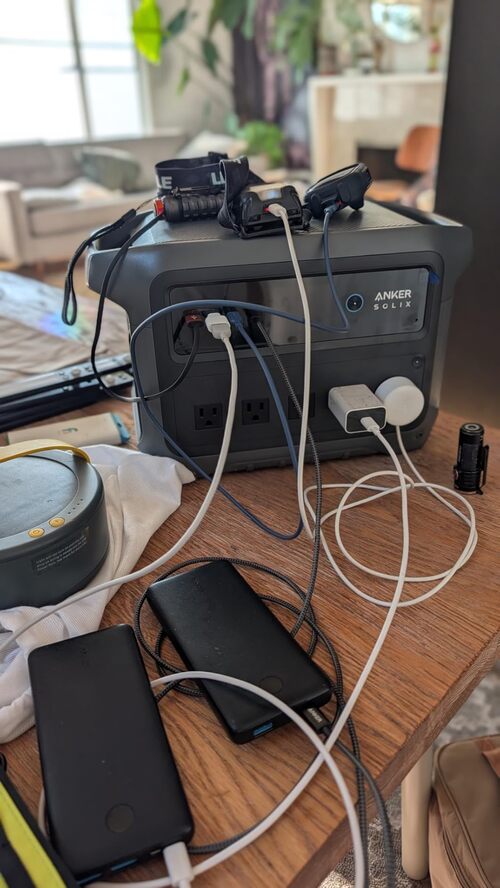
The Anker SOLIX C1000 Gen 2 has a 2,000W AC inverter with a 3,000W surge ceiling. That’s enough for a lot of real household and camping gear, including coffee makers, microwaves, refrigerators, power tools, routers, Starlink, laptops, fans, and some small AC units.
In practice, owners have pushed it harder than you might expect. Customers mention running garage fridges, mini fridges, espresso machines, kettles, rice cookers, electric blankets, hair dryers, power tools, and even small window AC units.
| Device | Typical Draw | This Unit? |
|---|---|---|
| Phone / tablet | 10–25W | Easy |
| Laptop | 50–100W | Easy |
| LED lights | 5–15W each | Easy |
| Wi-Fi router | 10–20W | Easy |
| Mini fridge | 40–80W cycling | Easy |
| CPAP, no humidifier | 30–60W | Easy |
| CPAP, humidifier on | 50–90W | Easy, but shorter runtime |
| Full-size fridge | 100–200W cycling, higher surge | Usually, if startup surge stays in range |
| Drone battery charger | 60–100W | Easy |
| Microwave, 700W class | ~1,100W draw | Briefly |
| Electric kettle | ~1,500W | Briefly |
| Hair dryer | 1,500–1,875W | Briefly, depending on setting |
| Window AC, small | 500–1,200W running | Runtime-limited |
| Corded drill / cutting wheel | 600W run, high surge | Often works |
| Space heater | 1,500W | Drains fast |
Worth Knowing — Continuous output is the real ceiling. The 3,000W surge rating is for short startup spikes — useful for fridge compressors, not for running high-draw appliances forever.
One technical owner tested the inverter with an oscilloscope and liked the sine-wave shape under a resistive heater load. At the same time, they noticed distortion while powering a microwave, which is a helpful reminder that microwaves can be rough on portable inverters.
Most people won’t care about waveform screenshots. Still, sensitive electronics users should test their own setup before trusting any power station with expensive gear during a long outage.
Forty-Nine-Minute Charging Needs the Right Circuit and Mode
Charging speed is where this unit punches above its weight. Anker claims a 49-minute full recharge through 1,600W HyperFlash AC charging, and customers repeatedly praise how quickly it gets back to full from a wall outlet or generator.
That speed changes how you use it. In practice, van dwellers and storm-prep buyers can run the battery overnight, charge it quickly during the day, and avoid hours of generator noise.
| Charging Mode | Time From 0% to 100% | Noise Level |
|---|---|---|
| Lower AC charge setting | ~2–3 hours, depending on limit | Quiet to moderate |
| Standard AC | ~1–2 hours | Moderate |
| Fast AC / HyperFlash | ~49 minutes | Noticeable fan noise |
| Car, 12V outlet | ~10–13 hours from empty | Silent |
| 100W solar | ~11–13 hours strong sun | Silent |
| 200W solar | ~5–7 hours strong sun | Silent |
| 600W solar max | ~1.8–2.5 hours strong sun | Silent |
AC Charging — Anker SOLIX C1000 Gen 2 Review: Fast-Charging Backup Power That Actually Feels Useful
AC charging is the star feature. Worth knowing, you can adjust charge speed through the app, which helps if you’d rather protect comfort and quiet than chase the fastest possible top-off.
Customers charging from generators also like this flexibility. For longer outages, a small gas generator plus a fast-charging power station can be a practical combo: run the generator briefly, refill the battery, then shut the noise back down.
Solar Charging — Anker SOLIX C1000 Gen 2 Review: Fast-Charging Backup Power That Actually Feels Useful
Solar input tops out at 600W, with Anker claiming about 1.8 hours in ideal conditions. In real use, owners with 100W and 200W panels report useful charging, though smaller panels are better for maintenance than full daily refills.
Adapter Check — If you bring your own solar panels, check voltage, polarity, and connector type before a trip. Many portable panels use MC4, while power stations often need an XT60-style input or adapter cable.
The catch is weather. One owner found that cold conditions could prevent solar charging until the unit warmed up, so winter outage planning needs a little more care.
Car Charging — Anker SOLIX C1000 Gen 2 Review: Fast-Charging Backup Power That Actually Feels Useful
Car charging works, but it’s slow from a standard 12V accessory outlet. To be fair, that’s normal for this category; think of it as a road-trip top-off or emergency trickle, not your main charging method from empty.
Build a Port Budget Before the Outage
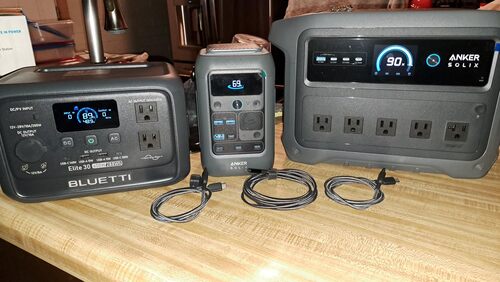
The provided specs list 10 total ports, while customer feedback confirms a useful mix of AC outlets, USB-C, USB-A, and a 12V car-style output. Owners especially like the two high-power USB-C ports, which can charge laptops, tablets, and phones without needing separate wall bricks.
In practice, the port mix works well for camping and home backup. You can keep a router, modem, laptop, phone, light, and small appliance going without constantly swapping plugs.
| Port / Connection | What We Know From Specs and Customer Use |
|---|---|
| AC outlets | Exact count not specified in provided data; customers use multiple AC loads |
| USB-C | Two USB-C ports reported by owners, up to 140W |
| USB-A | Present, exact count not specified |
| 12V car socket | Present; one owner notes 10A max behavior |
| Solar input | Up to 600W, 60V max |
| Car charging | Car charging cable included |
| Expansion battery port | No expansion battery support reported |
On the flip side, 12V users should pay attention. One technical owner measured the car-port voltage above exactly 12V, closer to what you’d expect from a vehicle-style socket, so picky 12V electronics may need a buck converter or their original AC adapter.
Our only real gripe is the lack of expandable battery support. If you want 2kWh or more in one system, you’ll need a different model or a second unit.
HyperFlash, Quiet Charging, and Fan Tradeoffs
Under light loads, customer feedback generally suggests the Anker SOLIX C1000 Gen 2 is quiet enough for indoor use. People keep it under desks, near routers, beside CPAP machines, and in living spaces without describing it as annoying.
That said, fan noise becomes more noticeable during fast charging or heavier AC loads. One owner charging at higher wattage mentioned the fan was loud enough that they preferred a lower setting, which sounds like the right move for bedrooms, offices, and nighttime use.
Heat doesn’t show up as a common complaint in the customer feedback. In real use, the bigger practical issue is cold-weather charging, since one owner had to warm the unit before it would accept solar charge in a chilly house.
Best Practice — Keep the vents clear, avoid stuffing the unit into a sealed cabinet, and use slower AC charging indoors when noise matters more than speed.
App Control Helps, but Local Recovery Still Matters
The display is one of the reasons beginners seem comfortable with this power station. You can see the battery level, live input, live output, and remaining-time estimates without digging through menus.
Honestly, the app adds real value rather than feeling like a gimmick. Customers use it to adjust charge speeds, check status remotely, update firmware, monitor UPS behavior, and keep tabs on the battery from another room or vehicle.
What the display shows — Anker SOLIX C1000 Gen 2 Review: Fast-Charging Backup Power That Actually Feels Useful
- Battery percentage
- Input watts live
- Output watts live
- Time-to-empty / time-to-full estimate
- Charging status
- Basic warning icons
- Advanced settings (available in app)
What the app lets you do — Anker SOLIX C1000 Gen 2 Review: Fast-Charging Backup Power That Actually Feels Useful
- Turn outputs on or off remotely
- Adjust charging speed
- Monitor power remotely
- Update firmware
- Use Wi-Fi and Bluetooth
- Manage TOU-style settings
- Pairing for all users (limited)
For beginners, the Anker SOLIX C1000 Gen 2 feels easy to use. The screen is clear, the buttons are straightforward, and the app is helpful without making basic operation feel complicated.
Worth knowing, a few owners mention app or Wi-Fi hiccups. Firmware updates also deserve care, because one user warns outputs may shut off mid-update — not ideal if your modem and router are plugged into the power station during the process.
Four Thousand Cycles Without an Expansion Port
The Anker SOLIX C1000 Gen 2 uses a LiFePO4 battery, which is the right chemistry for frequent backup use. Compared with older NCM lithium-ion packs, LiFePO4 usually gives you longer cycle life, better thermal stability, and a pack that’s better suited to daily or weekly cycling.
Anker rates this battery for 4,000 cycles to at least 80% capacity. In plain language, that’s a strong fit for people who want to use it as a UPS, recharge it often, take it camping, or keep it ready for outages.
Long-Term Ownership — 4,000 cycles to 80% means many years of weekly cycling before major capacity loss. Daily users — van dwellers, RV owners, and off-grid workers — should care about this more than casual campers.
Customer service feedback is mostly encouraging. Some owners describe quick help with replacements, refunds, and bundle-price adjustments, though a few had to go through support steps, provide details, or wait for a replacement unit.
UPS-style use also looks promising for routers, modems, security systems, computers, and CPAP machines. At the same time, anyone using it for medical equipment should test the exact CPAP setup, humidifier setting, and switchover behavior before relying on it overnight.
Best Practice — For storage, leave the unit around 50–80% charge and top it off every few months. LiFePO4 is forgiving, but storing any battery at 0% or 100% for long periods is still a bad habit.
C1000 Gen 2 Decision Grid: Fast Generalist or Dead End
| Use Case | Fit | Why |
|---|---|---|
| Weekend car camping | Great fit | Strong capacity, fast recharge, good port mix |
| RV side-trip / van life | Great fit | Great for coffee, Starlink, laptops, lights, and small appliances |
| Home blackouts under 8 hours | Great fit | Useful for fridge, Wi-Fi, lights, CPAP, and device charging |
| Multi-day off-grid cabin | Limited | Works well with solar or generator support, but capacity is limited |
| CPAP overnight backup | Great fit | Many owners use it successfully for CPAP protection |
| Refrigerator backup | Great fit | Handles many fridges, though runtime depends on cycling and temperature |
| Jobsite power tools | Limited | Good for moderate tools, but high surge loads need testing |
| Quiet bedroom UPS | Great fit | Quiet under light loads, with fast switchover claims |
| Hurricane / multi-day outage | Limited | Helpful, but you’ll want solar, generator charging, or more capacity |
| Tailgating / outdoor events | Great fit | Plenty of output for lights, speakers, screens, and small appliances |
| Backpacking / lightweight EDC | Poor fit | 24.9 lb is portable power station weight, not backpack weight |
| Apartment without solar access | Great fit | Fast AC charging makes it useful even without panels |
You’ll probably be happy if you want:
- A LiFePO4 power station for routers, CPAP machines, Starlink, and office gear
- Fast AC recharge for outages, van life, or generator-assisted backup
- Enough inverter power for fridges, coffee makers, microwaves, and many tools
- A compact 1kWh battery that fits in a truck, RV, closet, or under a desk
- App control without losing simple on-device operation
You might want to skip it if you need:
- Expandable battery capacity in one system
- Whole-house backup from one box
- Long space-heater runtime
- A built-in emergency light
- A battery light enough for hiking or backpacking
Different tool, different job. The Anker 1,024Wh LiFePO4 power station is great for selected essentials, but it’s not magic in a box.
Pros & Cons Analysis
Based on documented specifications and owner feedback
Pros
- Excellent power-to-weight ratio — A 2,000W inverter in a roughly 25-pound station makes high-draw short tasks and vehicle movement unusually compatible.
- Recovery speed is genuinely useful — HyperFlash can restore the battery during short grid or generator windows when the electrical source is suitable.
- Strong continuity role — The published 10ms transfer and owner use with workstations, networks, CPAP, refrigeration, and storm loads define credible backup missions.
- Solar is proportionate to battery size — Up to 600W can recover a 1,024Wh pack in a practical sunny window when the array is electrically matched.
- Long-cycle LFP proposition — The 4,000-cycle rating to 80% strengthens frequent-use value compared with older compact NCM stations.
Cons
- No capacity escape hatch — Buyers cannot add a native battery later, so under-sizing today may require an independent second system.
- Fast mode has infrastructure costs — Circuit capacity, generator quality, heat, and cooling noise matter more at the maximum AC input rate.
- Watts can overshadow watt-hours — Running a large appliance successfully does not mean the one-kilowatt-hour battery can sustain it for long.
- Software settings affect backup use — Charge limits, output persistence, firmware, and fast-charge selection should be recorded and rechecked after updates.
- Early quality checks remain prudent — Isolated owner fault and remedy accounts support testing every input, output, and transfer mode before the return period ends.
Our Verdict
For the right buyer, this Anker SOLIX C1000 Gen 2 review comes down to speed, usable power, and day-to-day convenience. The Anker SOLIX C1000 Gen 2 portable power station charges fast, runs a wide range of real appliances, and fits nicely into the lives of campers, RV owners, remote workers, CPAP users, and people preparing for short blackouts.
That said, you should buy it with realistic expectations. Choose it if you want quiet backup for essentials and fast refills from AC, solar, or a generator; skip it if you need expandable storage, multi-day whole-home coverage, or lightweight carry-anywhere power. For most people shopping in the 1kWh class, the C1000 Gen 2 is a solid pick that feels genuinely useful when the lights go out.
Frequently Asked Questions
How long will the Anker SOLIX C1000 Gen 2 run a refrigerator?
Runtime depends on the fridge and how often the compressor cycles. Customers report full-size fridges running through shorter outages, with some seeing roughly 7 to 20 hours depending on draw, temperature, and how often the door is opened.
Can the Anker SOLIX C1000 Gen 2 run a CPAP machine overnight?
Yes. CPAP users are one of the strongest customer groups for this model. Owners report using it for one or more nights, especially when the humidifier is off or set low.
Can it run a microwave, kettle, coffee maker, or hair dryer?
It can run many short-use appliances within its 2,000W continuous output, including some microwaves, coffee makers, kettles, and hair dryers. The catch is runtime: high-draw appliances can drain the 1,024Wh battery quickly. Related reading: how long a 1kWh station runs.
How fast does the Anker SOLIX C1000 Gen 2 recharge from the wall?
Anker claims a full recharge in 49 minutes when HyperFlash fast charging is enabled in the app. Customers frequently praise the fast AC charging, though lower charge-rate settings are better when you want less fan noise.
How much solar input does it support?
The provided specs list up to 600W solar input with a claimed full recharge in about 1.8 hours under ideal conditions. Owners using smaller 100W or 200W panels report slower but useful charging in strong sun.
Does the UPS backup work for routers, computers, and CPAP machines?
The unit claims under 10 ms UPS switchover, and many customers use it successfully for routers, modems, Starlink, office gear, and CPAP backup. For critical medical use, test your exact setup before relying on it overnight.
Is the Anker SOLIX C1000 Gen 2 expandable?
No. Customer feedback specifically notes that this model does not accept an expansion battery. If you want add-on battery capacity, look at a larger model in the Anker lineup.
Is it quiet enough for indoor use?
Under light loads, customers generally describe it as quiet. Fan noise becomes more noticeable during fast AC charging or heavier inverter use, so slower charge settings are better for bedrooms and offices.
Does it work with third-party solar panels?
Customers report using third-party panels successfully, but you need to confirm voltage, wattage, polarity, and connector compatibility. Plan on checking whether your panels need an XT60 or MC4 adapter.
Does it have a built-in light?
No. A few owners mention that they wish it had a small built-in LED light, especially for blackout and camping use.
Is the Anker SOLIX C1000 Gen 2 too heavy to carry?
At 24.9 lb, it is portable for a 1,024Wh LiFePO4 power station, but it is not a backpacking battery. Customers like it for cars, RVs, home backup, and under-desk use, not long walks.
Technical Specifications
| Brand | Anker |
|---|---|
| Model / SKU | Anker SOLIX C1000 Gen 2 / A1763 (ASIN: B0FN7MSY4L) |
| Battery capacity | 1,024 Wh |
| Battery chemistry | LiFePO4 (LFP) |
| Cycle-life rating | 4,000 cycles to at least 80% capacity |
| Expandable capacity | No |
| Continuous AC output | 2,000 W continuous |
| Surge / peak output | 3,000 W peak |
| AC voltage, frequency, and waveform | pure sine wave; frequency not published for this exact model |
| AC outlets | Not published for this exact model in the current source set |
| High-current, RV, or 240V output | No dedicated RV, 30A, 240V, or other high-current AC outlet published for this exact model |
| USB-C outputs | 2 × USB-C |
| USB-A outputs | Not published for this exact model in the current source set |
| 12V / DC outputs | 1 × 12V/10A car port |
| Maximum solar input | 600 W (60V max, MPPT behavior implied by solar charging use) |
| Solar input range and connector | Not published for this exact model in the current source set; exact PV voltage/current window and connector are unavailable |
| Maximum AC input | 1,600 W (HyperFlash fast charging enabled in the Anker app) |
| AC recharge time | 49 minutes (fast mode) |
| Solar recharge estimate | Planning estimate: about 1.8 hours with up to 600W solar (ideal conditions) |
| UPS / EPS support and transfer time | Yes — under 10 ms switchover |
| App / connectivity | Yes — Anker app with Wi-Fi and Bluetooth |
| Operating temperature / weather rating | Not published for this exact model in the current source set |
| Dimensions | Not published for this exact model in the current source set |
| Weight | 24.9 lb |
| Warranty | Not published for this exact model in the current source set |