How many watts do I need? Add the running watts of equipment that will operate at the same time, then compare the largest startup event with the source’s surge rules. This page sizes inverter output, not battery runtime. Watt-hours belong in the separate energy calculation after the simultaneous load group is correct.
Draw the Outage Schedule Before Adding Numbers
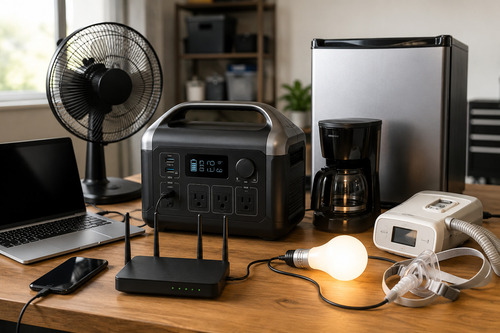
A power station does not need to run every appliance at once. Divide the day into load groups: always-on essentials, scheduled comfort, and brief high-power tasks. Scheduling a coffee maker away from a refrigerator start can reduce the output requirement without reducing stored energy needs.
| Group | Typical members | How to count |
|---|---|---|
| Always on | Router, modem, medical monitor | Add all running watts |
| Cycling | Refrigerator, freezer, pump | Add running W; check each startup |
| Scheduled | Laptop charging, lights, TV | Add only during overlapping windows |
| Brief high draw | Microwave, kettle, coffee maker | Run separately when possible |
| Do not plan casually | Hardwired HVAC, well pump, electric range | Installation and voltage review |
This is demand management, not trick math. You are deciding what must share the inverter, what can wait, and what needs a different system.
Complete the Simultaneous-Watts Worksheet
| Device | Running W | Starting W | Group | Keep? |
|---|---|---|---|---|
| Router + modem | 25 | 25 | Always on | Yes |
| Refrigerator | Use exact data | Measure/check | Cycling | Yes |
| Two LED lamps | 18 | 18 | Evening | Yes |
| Laptop supply | 65 max | 65 | Work | Yes |
| Coffee maker | 1,000 | 1,000 | Brief | Schedule alone |
| Space heater | 1,500 | 1,500 | Heat | Usually reject |
Use appliance input watts, not microwave “cooking watts” or a USB charger’s output label when the AC demand is the question. When only volts and amps are published, watts may be approximated for appropriate loads as volts × amps, but power factor and motor behavior can make AC equipment more complex.
Find the Highest Running-Watt Moment
Imagine the essential group totals 320W and the laptop adds 65W. That creates a 385W continuous moment. If the 1,000W coffee maker runs separately while the essentials remain connected, the new peak is 1,320W—not 1,385W plus every device used that day.
Choose a continuous output above the highest accepted group with sensible margin. Do not use a temporary peak or voltage-lowering boost mode as the normal output target.
Add Starting Watts Without Adding Every Surge
Starting watts matter for motors and compressors. Usually, you check the largest credible startup event on top of the other loads already running at that moment. Do not sum every appliance’s startup number unless they can actually start simultaneously.
required momentary output ≈ other running loads + device startup demand
Then verify that the station supports that level for the startup duration and waveform the appliance requires.
- ✅ Refrigerator starts while router and lights are already running.
- ✅ Pump controls and related loads stay in the same group.
- ⚠️ Air conditioners and power tools require exact inrush evidence.
- ⚠️ Two compressors may restart together after power restoration.
- ❌ A generic “2× surge” assumption is not a substitute for exact data.
Keep Watts and Watt-Hours in Separate Columns
Once output passes, calculate energy. A 1,200W microwave used for six minutes consumes about 120Wh before conversion loss. A 20W router used for ten hours consumes 200Wh. The smaller device creates the larger energy requirement in this example.
| Question | Unit | Decision |
|---|---|---|
| What can run together? | W | Continuous inverter size |
| Can the compressor start? | W plus duration | Surge compatibility |
| How long must it run? | Hours | Operating schedule |
| How much energy is consumed? | Wh | Battery capacity |
| How quickly can it recharge? | W input and delivered Wh | Recovery plan |
Read watts versus watt-hours if the units still feel interchangeable. Then use the five-gate sizing workflow to combine output, energy, recharge, and portability.
Apply Output Margin for the Right Reason
Margin accommodates measurement uncertainty, load changes, and operation away from the inverter’s ceiling. It should not excuse unknown startup behavior. A 20% planning margin on 1,320W suggests at least about 1,584W continuous, but product classes may lead you to a 1,800W model.
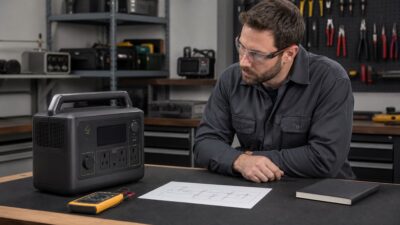
Audit the Result with a Clamp or Plug Meter
- Measure steady loads in each accepted schedule group.
- Capture startup with suitable equipment or obtain exact manufacturer data.
- Commission together while the unit is returnable and a backup source exists.
- Record trips rather than repeatedly resetting an overload.
- Update the worksheet when an appliance, setting, or station changes.
A single successful start is useful but not exhaustive. Supply voltage, compressor pressure, temperature, and restoration timing can change later starts. Test the scenarios you intend to rely on.
Worked Worksheet: Refrigerator, Router, and Morning Coffee
Suppose the router uses 18W, two lights use 20W, and the refrigerator uses 140W running with an 850W documented start. The essential running group is 178W. Refrigerator startup while the smaller loads remain on reaches about 888W.
A 900W peak with unclear duration is too close to call from the headline alone. A station with 1,200W continuous and a documented surge above the measured start offers a clearer path. The 1,000W coffee maker should run after the compressor stops, making the brief group 1,038W rather than 1,178W.
| Schedule choice | Highest running group | Startup checkpoint |
|---|---|---|
| Everything whenever wanted | 1,178W | Up to 1,888W if starts overlap |
| Coffee scheduled alone with essentials | 1,038W | Refrigerator start checked separately |
| Coffee off during outage | 178W | About 888W fridge-start moment |
| Lights deferred in daylight | 158W | About 868W fridge-start moment |
USB and DC Loads Still Belong in the Group
Loads do not disappear because they avoid the AC inverter. A 100W USB-C laptop charge, 60W 12V cooler, and 20W of USB lighting can draw 180W from their output sections. Check total output limits, per-port limits, shared-port rules, and total battery-side energy.
Some stations share power across paired USB ports or cap total DC output. The front-panel sum of individual maximums may exceed what can operate simultaneously, so read the exact port table.
Voltage Can Disqualify a Load Before Watts Matter
120V appliance on 120V station
Proceed to output, surge, waveform, and energy checks.
240V appliance
A 120V-only station cannot supply it merely because the watt rating is large enough.
Hardwired appliance
Requires an approved connection and transfer design, not an improvised receptacle cord.
Sensitive electronics
Confirm waveform, grounding, transfer, and manufacturer requirements in addition to watts.
Why “Whole House Watts” Is Usually the Wrong First Question
Whole-home loads can include well pumps, electric water heating, HVAC, ranges, dryers, and simultaneous branches. Portable-station planning should begin with a defined essential-load subplan. If the goal is automatic or 240V whole-home backup, move to an installed-system design and qualified electrical review.
Choosing not to run two high-power devices together can reduce inverter size without changing the energy each task consumes.
Make the schedule explicit enough for another person to follow. For example: the refrigerator and router remain connected; the kettle, coffee maker, or microwave operates one at a time only after the compressor stops; workshop tools remain disconnected. That rule converts a theoretical maximum into a repeatable operating plan.
After measuring the real group, record both its ordinary running total and the highest observed event. If either approaches the source boundary, reduce simultaneous loads or choose meaningful headroom instead of relying on a perfect sequence during an emergency.
Bottom Line: Size the Busiest Accepted Moment
How many watts you need is determined by the highest simultaneous running group plus the startup event that can occur during it. Schedule optional high-power devices separately and reject loads that demand the wrong voltage or connection.
After output is settled, calculate watt-hours and recharge separately. This two-column method prevents a large battery from hiding a weak inverter—or a powerful inverter from hiding a short runtime.